
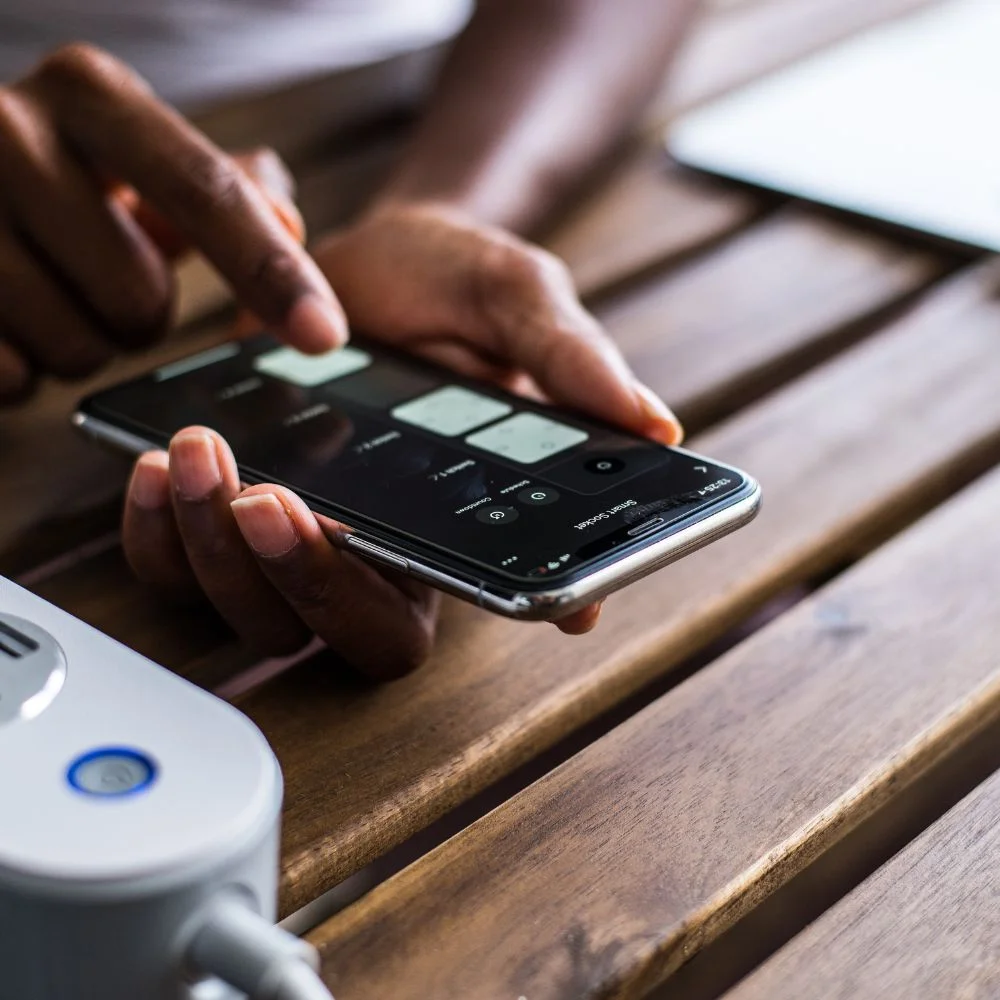
Smart plugs are simple, affordable devices that make your home smarter and greener. Just plug one into a regular wall outlet, connect it to Wi Fi, and plug in your appliance. Then control the device remotely, set schedules, and track energy use all from your phone or smart assistant. They help cut wasted power, lower bills, and add convenience without complicated setups.
Why Smart Plugs Matter
1. Phantom (Standby) Power
Most devices still draw electricity when they’re turned “off.” TVs, chargers, and printers all leak power while idle. This “phantom load” can range from a fraction of a watt to several watts. In total, it can account for 3–10 % of residential electricity use. A single watt continuously wasted costs about 9 kWh yearly, which adds up over time.
2. Scheduling & Automation
Want your coffee maker on every weekday morning at 7 AM? Or to turn off chargers at night? Smart plugs let you schedule devices to only use power when needed. You can also schedule lights, fans, heaters, or chargers around your daily routine and peak/off-peak electric rates.
3. Remote Control
Left home and not sure if you turned off a hair straightener? With a smart plug app, you can turn it off remotely. That peace of mind also saves energy if something is left on accidentally.
4. Energy Monitoring
Some smart plugs track how much energy each device uses. This lets you spot power hogs: space heaters, slow chargers, PC monitors. Knowing usage helps you decide what to unplug or control better.
5. Smart Home & Voice Integration
Smart plugs work with Alexa, Google Assistant, Siri, or Matter. That means you can say, “Alexa, turn off bedroom lamp,” or make routines that run when you leave home, wake up, or detect motion.
6. Safety & Convenience
Smart plugs can reduce fire risk by cutting power to heating devices left on long after you’re sleeping or gone. They also let you turn on lights before arriving, or simulate presence when you’re away to deter intruders.
How Much Power Do Smart Plugs Use?
Smart plugs themselves use power, usually 0.3–1.5 W in standby mode, and occasionally a bit more when switching. Even at 1 W, that’s ~8.8 kWh/year (~ US$1). But most home devices waste far more. A TV in standby might draw 0.5–1 W, a DVR more. A router or cable box can draw 5 W+.
How to Choose the Right Smart Plug?
1. Power capacity
Check device rating. Heavy appliances (heaters, microwaves, coffee machines) need plugs rated at 10,15 A. For lamps or chargers, 3–6 A is enough.
2. Energy monitoring
If saving energy matters, get a plug that shows usage stats per device; many Kasa, Eve, and TP-Link models do.
3. Connectivity
Wi Fi is common, but Zigbee/Z Z-Wave plugs use 0.1–0.5 W and mesh well but need a hub.
4. Smart home support
Make sure it’s compatible with your setup Alexa, Google, Siri, HomeKit/Matter, etc. ).
5. Safety certifications
Look for UL/ETL/CE/ETL listings, especially for high-load devices.
6. Design & durability
Compact plugs don’t block other outlets. Outdoor models need weatherproof casing (IP44+).
Simple Steps to Use
- Plug it in, then plug your appliance.
- Connect via app: create schedules or automations.
- Name devices: clearly (“Bedside Lamp,” “Coffee Maker”).
- Track energy usage: over a week or a month.
- Adjust settings: auto-off at bedtime, charge cut-off at 80%, etc.
- Review savings, tweak schedules, or add more plugs where needed.
Real World Savings Examples
- Earth911 reports that phantom loads add $100–200/year; smart plugs cut that dramatically.
- A user on Reddit noted smart plug standby power (~0.5 W) is minimal compared to the target device standby, so it still saves.
- Constellation Energy says energy optimization via smart plugs can reduce bills by 1–4.6 %.
- A mounting body of research shows energy monitors and smart plugs reduce total energy use by 4–15 %.
Common Misunderstandings
- “Smart plugs use more power than they save.”Not usually. Typical standby use is <1 W, but they cut 5–20 W phantom loads on devices.
- “They’re just gadgets, not saving real money.”Even small savings add up Real users report savings of $15/month on just a few smart plugs.
- “Everything should go through smart plugs.”Not only for devices with standby loads or scheduled use. Don’t use for smoke alarms or essential always-on appliances.
Tips for Maximum Efficiency
- Start small: add plugs to where you see phantom loads, sound systems, and chargers.
- Schedule wisely: nightly timers for lights, work appliances off schedule.
- Use motion sensors: link with smart plugs so lights only turn on when you’re in the room.
- Track and adjust: review app energy stats monthly, tweak schedules.
- Group devices: use power strips controlled by smart plugs to manage multiple items at once.
- Turn off auto-restart devices: holiday lights or humidifiers shouldn’t come back on automatically after power cuts.
Smart Plug vs. Smart Strip
Smart power strips can monitor a master outlet; when the master goes to standby, they shut off slave outlets. Much like smart plugs, but can control multiple devices at once. Good if you want one device to control several, like entertainment systems.
Best Smart Plug Brands (2025 Picks)
Some top choices include:
- Eve Energy: great HomeKit/Matter support + energy tracking.
- TP Link Kasa: Wi Fi, reliable, affordable, has energy monitoring models.
- Eve/WeMo/WiZ: reliable options across ecosystems.
- Amazon Smart Plug: works well if you’re primarily using Alexa.
Smart Plugs + Other Smart Devices = Smarter Home
A smart plug is a small device that fits into a power outlet. You plug your appliance into it, then connect the plug to your Wi Fi using an app. From there, you can:
- Turn appliances on or off remotely.
- Set timers and daily schedules.
- Monitor power usage.
- Use voice control with Alexa or Google Assistant
- Cut off phantom energy from idle devices.
Why Should You Use Smart Plugs?
1. Major Benefits of Smart Plugs
- Reduce Phantom Power: Automatically stop power to devices that still use energy when turned “off.”
- Lower Monthly Bills: Save 5–10% on electricity just by scheduling when things run.
- Remote Control: Forgot to turn off the iron? Switch it off on your phone.
- Track Energy Use: Monitor which devices eat the most electricity.
- Increase Safety: Auto shutoff helps prevent overheating or fire hazards.
- Hands-Free Use: Control devices using voice commands.
- Eco-Friendly Living: Smart power use = less energy wasted = greener planet.

Everyday Devices That Waste Power
Here are common household items that keep using electricity even when off:
- TVs and cable boxes
- Game consoles.
- Microwaves and kitchen gadgets.
- Laptop and phone chargers.
- Printers and scanners.
- Wi-Fi routers.
- Smart speakers are idle when.
- Air purifiers or dehumidifiers.
All of these can draw 1–10 watts each while not actively being used. That adds up fast.
Smart Plug Power Saving Features
1. Automate Use with Schedules
- Set your coffee maker to turn on before you wake up.
- Switch off phone chargers at midnight
- Schedule fans to run during the day and shut off at night.
- Auto-power holiday lights at dusk and off at bedtime.
- Turn off space heaters after 2 hours to avoid waste.
2. Control from Anywhere
- Switch off forgotten appliances from your phone.
- Power up lights before you get home.
- Stop kids from sneaking extra TV time.
- Check device status anytime while away.
3. Track Usage and Cost
- See which gadgets use the most electricity.
- Identify devices that are always on.
- Use data to adjust schedules and save more.
- Get monthly reports on power consumption.
4. Smart Routines and Scenes
- Set a “Good Night” routine to turn everything off.
- Use a “Leave Home” button to shut down non-essentials.
- Pair with motion sensors to only power on when needed.
- Group multiple plugs into one “scene” like “Movie Time” or “Work Mode”.
Ideal Places to Use Smart Plugs
1. In the Living Room:
- TV
- Speaker systems.
- Lamps.
- Cable box or game console.
2. In the Bedroom:
- Bedside lamp.
- Phone or laptop chargers.
- Humidifiers.
- Electric blankets.
3. In the Kitchen:
- Coffee machine.
- Toaster oven.
- Air fryer.
- Electric kettle.
4. Outdoors (Weatherproof Models Only):
- Holiday lights
- Patio string lights
- Water fountain or pump
- Bug zappers or garden lights
What to Look For When Buying a Smart Plug
1. Must Have Features:
- Wi-Fi or Zigbee/Z-Wave connectivity.
- 10–15A rating for high-power devices.
- Compact design that doesn’t block other outlets.
- Compatible with Alexa, Google, or Siri.
- UL or CE certification for safety.
- Energy monitoring for smart savings.
- Easy-to-use app (like TP-Link, Kasa, Eve, etc.)
Smart Plugs Save Money: Here’s How
1. Real-World Savings Examples:
- Turning off phantom loads on 5–10 devices saves ~$100–$200/year.
- Scheduling appliances = 1–4.6% savings on your electricity bill.
- Shutting off unused chargers saves up to 10–20 kWh/month.
- Reducing the use of a space heater saves up to $30/month in winter.
- Smart strips (for entertainment centers) can cut costs by 15%.
What Not to Use with Smart Plugs
1. Avoid Using Smart Plugs With:
- Refrigerators or freezers (may interrupt cooling cycle).
- Medical devices that need constant power.
- Smoke alarms or CO detectors.
- Washers or dryers without a safety restart.
- Microwave ovens (if auto-restarting causes issues).
conclusion
Smart plugs are small, cheap, and powerful tools for saving energy. They tackle phantom power, allow smart schedules, and give remote control, all with just one app and outlet. Start with 2–3 key plugs (TV, lamp, charger) to save real money and build from there. With smart plugs and a few other devices, your home becomes more efficient, eco-friendly, and comfortable.