


Black Forest Labs’ FLUX models are a family of generative image models designed to turn text instructions into high-quality visuals with strong control over style and detail. They sit in the broader wave of diffusion-based image generation, but they emphasize practical usability for creators who need repeatable results.
This guide explains what FLUX models are, how they work, what they are best at and the tradeoffs that matter in real deployment. The goal is to help you evaluate them with a technical and product-focused lens.
What Are Black Forest Labs’ FLUX Models?
FLUX models refer to Black Forest Labs’ approach to text-to-image generation, tuned for fidelity, prompt adherence and efficient generation workflows. The term covers a set of model variants rather than a single fixed model, which matters because different variants can prioritize speed, detail, or controllability.
At a high level, FLUX models generate images by iteratively refining structured noise into coherent pixels guided by the meaning of a text prompt. The result is an image synthesis pipeline that can express photorealistic scenes, illustrative styles, or product-like renders depending on how it is configured and prompted.
How FLUX Models Work?
Most modern AI image generators rely on diffusion and FLUX models follow that same core concept. A model learns a reverse process that turns noisy latent representations into images that match training distributions and align with text instructions.
Rather than outputting pixels immediately, diffusion systems typically operate in a compressed latent space for efficiency. The model then decodes those latents into an image, often with additional components that improve sharpness, composition and semantic alignment.
The overall generation flow is easier to understand when separated into functional blocks.
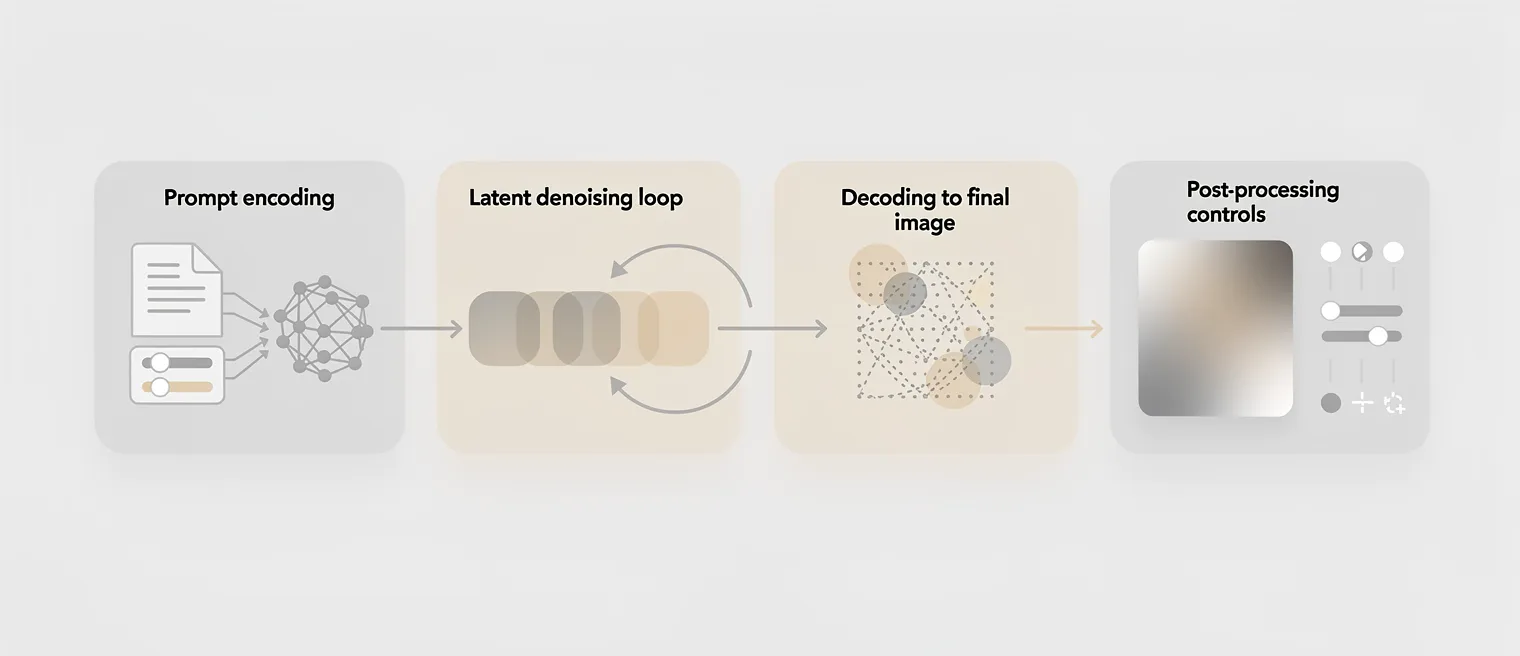
- Text understanding. The prompt is encoded into a representation that captures entities, attributes, relationships and stylistic intent.
- Iterative denoising. The model gradually removes noise from a latent canvas, guided by the text encoding and internal priors learned during training.
- Decoding to pixels. A decoder transforms the final latent into an image, translating abstract structure into color, texture and edges.
- Post-processing controls. Optional settings can tune sharpness, contrast, consistency across seeds and other perceptual qualities.
This structure explains why prompts, sampling settings and model variants can change output characteristics even when the subject remains similar.
Key Features Of FLUX Models
FLUX models are often discussed in terms of image quality, but production usefulness depends on a broader set of traits. Teams care about repeatability, controllability and how well the model handles constraints like brand consistency or layout intent.
Several feature areas tend to stand out when evaluating FLUX models against other text-to-image options.
- Prompt adherence. Strong alignment with described subjects, attributes and scene composition reduces iteration loops.
- High-detail rendering. Fine textures, materials and lighting transitions support realistic and stylized outcomes.
- Stylistic range. Outputs can span photographic looks, illustration, graphic design aesthetics and cinematic lighting depending on prompts and settings.
- Consistency levers. Seed control and parameter stability enable more predictable outputs for repeatable workflows.
- Efficient latent workflows. Latent-space generation can reduce compute compared to pixel-space approaches for similar resolutions.
These characteristics matter most when the model is used as part of a pipeline rather than as a novelty generator.
FLUX Models Vs Other AI Image Generators
Comparing image generators is rarely about a single metric. Quality, speed, controllability and safety constraints all trade off against each other depending on the model and its tuning.
The table below summarizes common evaluation dimensions used when comparing FLUX models vs other AI image generators in practical settings.

| Evaluation Dimension | What It Means In Practice | What To Check With FLUX |
|---|---|---|
| Prompt adherence | How closely images match described entities and attributes | Complex prompts with multiple constraints and relationships |
| Image fidelity | Texture, lighting realism, edge clarity and artifact levels | Materials, faces, text-like patterns and fine geometry |
| Control and repeatability | Consistency across seeds and parameter changes | Seed stability and sensitivity to sampling settings |
| Performance and cost | Compute needs, latency and throughput | Speed at target resolution and batch generation behavior |
Even with strong raw quality, a model can be a poor fit if it is expensive to run or inconsistent under real prompts. A structured evaluation avoids choosing based on a few impressive samples.
Why FLUX Models Matter?
FLUX models matter because image generation is moving from experimentation to operational use. Creative teams need models that behave predictably, integrate into tooling and support iterative art direction with fewer wasted cycles.
They also matter because they encourage clearer thinking about interfaces between human intent and machine output. Better prompt adherence and controllability push workflows toward specification and iteration rather than pure randomness.
For organizations, that shift can reduce time-to-asset, improve creative throughput and make experimentation cheaper. It can also raise expectations around provenance, safety and how generated content is reviewed.
Real-World Use Cases Of FLUX Models
FLUX models are well suited to workflows where teams need fast visual ideation and a path to refined outputs. The strongest use cases are usually those that benefit from rapid exploration while keeping enough control to reach an acceptable final asset.

- Concept art and mood exploration: Rapid generation of visual directions helps teams converge on lighting, palette and composition earlier.
- Marketing creative production: Generating background scenes, product context imagery and campaign variations can reduce reliance on repeated photoshoots.
- UI and product illustration: Designers can produce consistent illustration concepts and icon-like visuals to test styles before final vector work.
- Editorial and publishing: Visual drafts can support layout planning and help editors assess coverage needs before commissioning bespoke art.
- Previsualization for video: Story beats and shot ideas can be drafted quickly to align stakeholders on tone and composition.
These use cases work best when there is a clear review process and an understanding of what must remain human-made in the final output.
Limitations And Challenges

FLUX models, like any generative system, come with constraints that should be treated as product requirements, not surprises. The gap between a great sample and reliable production output often shows up in edge cases, tight constraints and brand-specific demands.
Common challenges include control granularity, inconsistent rendering of small details and sensitivity to prompt phrasing. If a workflow requires exact typography, precise logos, or strict layout control, text-to-image alone is rarely sufficient.
- Fine detail instability. Small objects, repeating patterns and micro-geometry can drift across generations.
- Text rendering limits. Letterforms and readable typography are often unreliable without specialized tools.
- Prompt sensitivity. Minor wording changes can shift style, framing, or subject emphasis more than expected.
- Bias and safety constraints. Outputs can reflect dataset bias and may require governance and filtering depending on use.
- Operational complexity. Integrating models into pipelines involves GPU planning, caching, versioning and QA processes.
Mitigations usually combine better prompting discipline, controlled parameter presets and post-processing steps. Teams also benefit from setting clear acceptance criteria for what the model must deliver consistently.
The Future Of FLUX Models

The future of FLUX models likely centers on stronger controllability and better integration with creator workflows. Improvements often come from better conditioning methods, more robust sampling and training strategies that reduce artifacts while preserving diversity.
Expect more emphasis on editing, not just generation. Workflows that support targeted changes, consistent characters or products and predictable composition will be more valuable than raw novelty.
Another direction is better tooling around evaluation and governance. As adoption grows, teams will need clearer version tracking, regression testing on prompt suites and policy controls for sensitive content.
Conclusion
Black Forest Labs’ FLUX models represent a practical take on text-to-image generation with a focus on prompt adherence, visual fidelity and workflow usefulness. They can accelerate ideation and asset creation when paired with disciplined prompting and a clear review pipeline.
The best results come from evaluating FLUX models against your real constraints, including repeatability, cost and control needs. With the right expectations, FLUX models can become a reliable component in modern creative and product content workflows.