


Claude is typically the better pick when writing quality, coherence and careful handling of constraints are the top priorities. It tends to deliver polished drafts with fewer tone surprises and stronger long-form structure.
ChatGPT is typically the better pick when you need a flexible assistant that can switch tasks quickly, iterate fast and support coding workflows with rapid experimentation. The best overall choice is the one that matches your review process and the cost of being wrong in your domain.
If you want one default, choose Claude for writing-first work and choose ChatGPT for build-and-iterate work. If you can keep both, you will usually get the best results by assigning each to what it does best.
Claude vs ChatGPT At A Glance
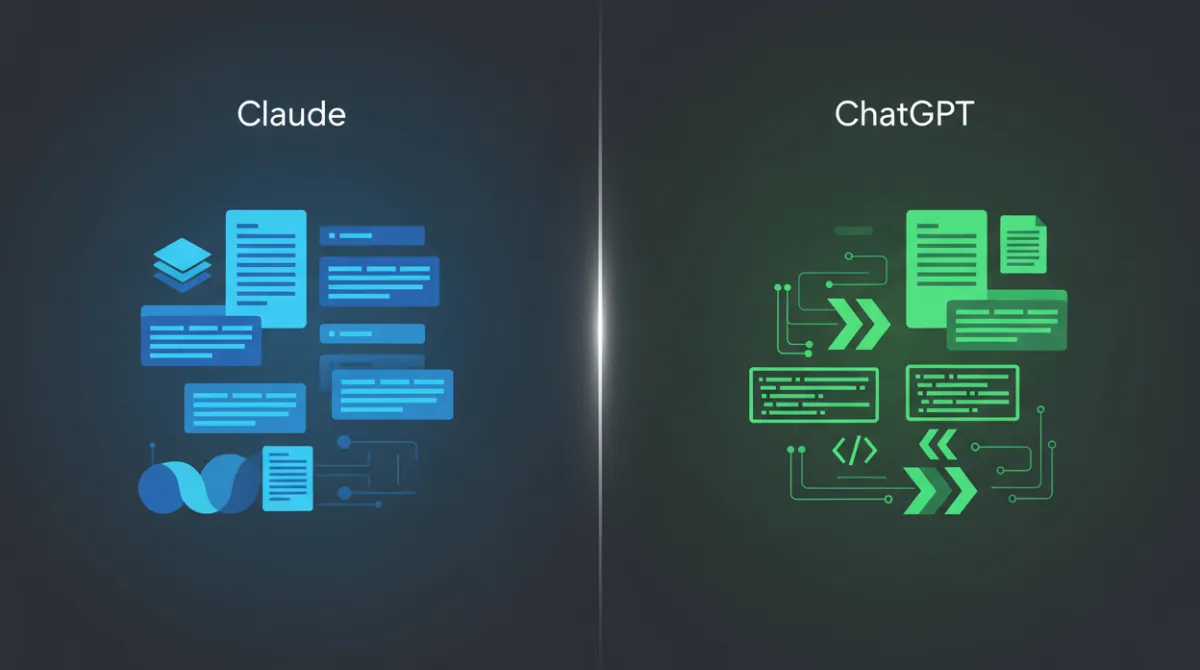
Claude often prioritizes structured reasoning, careful language and longer coherent outputs. ChatGPT often prioritizes speed, versatility and strong tool-style behavior for iterative work and coding.
Both can be excellent, but the better choice depends on whether you value conservative phrasing, flexible formatting, or rapid back-and-forth refinement.
| Category | Claude | ChatGPT |
|---|---|---|
| Best Fit | Long-form drafting and careful tone control | Iterative work across many tasks and formats |
| Writing Style | More consistent voice and smoother transitions | More adaptable voice with quick rewrites |
| Summarization | Strong at preserving nuance and constraints | Strong at compressing and reformatting quickly |
| Coding Support | Clear explanations and safer defaults | Fast iteration, debugging help and pattern breadth |
Use the sections below to map these differences to your daily work. Small workflow details often matter more than headline features.
Claude vs ChatGPT For Writing Quality
For writing, the most noticeable difference is how each model maintains intent across a long draft. Claude tends to keep a steady voice and preserve the original constraints you set, especially when you provide style rules, audience notes and formatting limits.

ChatGPT tends to be more flexible when you push it through multiple revisions. It can shift tone quickly, generate alternatives and reframe a piece for different channels without much friction.
Clarity And Structure
Claude often produces cleaner paragraph flow and stronger internal logic. It is also less likely to drift into unrelated points once a brief is clear.
ChatGPT can be equally clear, but it sometimes benefits from explicit outlines and section requirements. When guided well, it can produce crisp sections and strong scannability.
Tone And Brand Voice Control
Claude is usually easier to keep within a narrow tone, such as calm, formal, or policy-safe language. It often avoids overly salesy phrases and can sound more measured when writing sensitive topics.
ChatGPT is strong when you want rapid tone variations, such as more casual, more persuasive, or more technical. It can also generate multiple voice options quickly when you are still deciding on positioning.
Editing And Rewriting
Both tools handle rewriting well, but they behave differently when the edit is complex. Claude tends to preserve meaning while improving readability, which helps with compliance, legal and executive review contexts.
ChatGPT shines when you want several rewrite directions in one go, such as shortening, expanding, simplifying and turning copy into bullet lists. It is also good at creating multiple headline and intro options that follow tight character limits.
- Choose Claude for writing quality when you need consistent voice, careful phrasing and long-form cohesion.
- Choose ChatGPT for writing quality when you need fast iteration, many variants and flexible tone switching.
Writing quality is not only about style. It also depends on how well the model follows your constraints across a full draft.
Claude vs ChatGPT For Research And Summarization
Research with AI has two parts, comprehension and trust. Both models can summarize and synthesize well, but neither should be treated as a source of truth without verification.

The main practical difference is how they handle uncertainty. Claude often uses more cautious language and may be more explicit about what is inferred versus directly supported by what you provided.
Summarizing Long Documents
Claude is often strong at preserving nuance and keeping the summary aligned with the document’s intent. It tends to handle long context with fewer abrupt jumps in topic when the input is dense.
ChatGPT is strong at reformatting summaries into specific deliverables, such as executive briefs, meeting notes, checklists and action items. It can also quickly produce multiple summary lengths that match different audiences.
Synthesis And Comparison
Claude typically produces balanced comparisons that read like careful analysis. It often calls out tradeoffs, edge cases and constraints, which helps when you need a decision memo rather than a simple recap.
ChatGPT often produces highly usable synthesis when you give it a clear framework. If you specify a rubric, scoring criteria, or decision matrix, it can fill in structured outputs quickly.
Reducing Hallucination Risk
No model is immune to confident mistakes. To lower risk, provide source text, request quotations or excerpted support from the provided material and ask the model to separate facts from assumptions.
It also helps to request a short uncertainty section and a list of verification points. This keeps the output actionable without pretending it is fully authoritative.
- Constrain The Input. Provide the exact passages, notes, or data you want summarized and avoid vague prompts that invite guessing.
- Specify The Output Frame. Ask for a brief, a memo, or a comparison table so the model does not invent a structure.
- Require Evidence From Provided Text. Request short supporting excerpts or references to the section names you supplied.
- Add A Verification Checklist. Ask for items that should be confirmed externally before decisions are made.
With these guardrails, both Claude and ChatGPT become far more reliable research assistants. The best choice depends on whether you value cautious synthesis or fast reformatting.
Claude vs ChatGPT For Coding And Development Tasks
For coding, the difference is less about raw capability and more about how the model collaborates. A good coding assistant must write correct code, explain tradeoff and iterate quickly when tests fail.
Claude often excels at readable explanations, clear naming and safe defaults. ChatGPT often excels at rapid debugging loops, exploring multiple approaches and producing variations that match different tech stacks.
Code Generation And Refactoring
Claude tends to produce clean, maintainable code when the requirements are explicit. It is often careful about edge cases and tends to include sensible comments when asked.
ChatGPT is strong at refactoring and translating code across languages. It can quickly generate alternative implementations, such as functional versus object-oriented styles and it adapts well to different conventions.
Debugging And Error Analysis
Claude often provides methodical reasoning and clear debugging plans. This helps when you need to understand why something broke rather than only patching symptoms.
ChatGPT is often effective at reading error logs and offering quick hypotheses. It can also propose test cases and minimal reproduction steps when you paste stack traces and environment details.
Architecture And System Design Support
Claude can be strong at producing concise design docs, threat models and API contracts that stay consistent over long outputs. It is useful when you need a coherent plan you can share with a team.
ChatGPT can be strong at brainstorming architectures and enumerating options quickly. When you want to compare patterns like event-driven design versus request-response, it can deliver fast structured tradeoffs.
- Claude is often better for careful refactors, design explanations and consistent specs.
- ChatGPT is often better for fast debugging loops, code translation and rapid iteration.
Neither replaces tests, code review, or secure engineering practices. Treat generated code as a draft that must be validated in your environment.
Ease Of Use And User Experience
User experience affects output quality because it shapes how you prompt and iterate. ChatGPT is often favored for quick back-and-forth and flexible formatting, which makes it feel like a general workbench.
Claude often feels calmer and more deliberate, which can reduce prompt churn. If your workflow relies on long documents, policy writing, or carefully constrained instructions, that steadiness can be a productivity boost.
Prompting And Iteration
Claude responds well to detailed constraints and tends to keep them in scope over longer exchanges. This can reduce the need to restate rules like tone, formatting, or excluded topics.
ChatGPT is strong when you want many quick iterations, alternative drafts and aggressive reformatting. It also tends to handle rapid context switching smoothly within a single session.
Collaboration And Handoff
Claude outputs often read like near-finished documents that are easier to paste into internal docs. ChatGPT outputs often read like working drafts that are easy to reshape into different deliverables.
Pick the experience that matches how your team reviews work, whether that is a polished doc first or a draft that gets reshaped repeatedly.
Claude vs ChatGPT Pricing Comparison
Pricing can change and plans differ by features, usage limits and included tools. Instead of focusing on a single number, compare total cost against time saved and the risk of errors in your use case.
Also evaluate whether you need higher limits for long context, heavy coding sessions, or frequent document summarization. The best value is the plan that supports your actual workflow without constant throttling.
| Pricing Factor | What To Check | Why It Matters |
|---|---|---|
| Free Tier Limits | Message caps and model access | Determines whether casual use stays truly free |
| Paid Plan Value | Higher limits and advanced features | Controls consistency for daily professional work |
| Context And File Handling | Max input size and document workflows | Impacts research, summarization and long drafting |
| Team And Admin Needs | Collaboration, controls and governance | Reduces risk when multiple users share outputs |
Once you map pricing to usage patterns, the choice becomes clearer. Many users benefit more from stability and limits than from minor differences in monthly cost.
Strengths And Weaknesses Of Claude
Claude’s biggest strength is disciplined writing with coherent long-form structure. It is often effective for policy drafts, knowledge-base articles and summaries where nuance matters.
A common limitation is that its cautiousness can feel restrictive for highly speculative brainstorming or aggressive marketing copy. Depending on your prompts, it may also require more explicit permission to explore edgy or unconventional angles.
- Strengths include consistent tone, strong structure and careful handling of constraints.
- Weaknesses can include less punchy copy by default and slower feeling iteration for rapid experimentation.
If your priority is trustable prose and stable instruction following, Claude is often a strong fit. If your priority is speed and broad variation, you may want a different default assistant.
Strengths And Weaknesses Of ChatGPT
ChatGPT’s biggest strength is versatility across formats and tasks. It adapts quickly to new instructions, supports iterative workflows and performs well for coding help, rewriting and structured output generation.
A common limitation is drift when constraints are complex and the conversation becomes long. It can also produce confident-sounding statements that need verification if you did not provide source material.
- Strengths include fast iteration, broad capability and strong support for rewriting and coding workflows.
- Weaknesses can include occasional constraint slippage and the need for tighter guardrails in research outputs.
If you treat it as a collaborative draft engine and validate important claims, ChatGPT can be a high-leverage tool. The key is pairing it with clear rubrics and review habits.
Which AI Assistant Is Best For Different Users?
The right choice depends on what you produce and how you measure quality. Think in terms of deliverables, risk and iteration speed, not brand preference.
Use these user profiles to decide which assistant should be your default, then keep the other as a specialist when needed.
- Content And Editorial Teams often prefer Claude for consistent voice, long-form cohesion and fewer rewrites.
- Developers And Technical Teams often prefer ChatGPT for rapid debugging, refactors and quick pattern exploration.
- Analysts And Researchers often prefer Claude when summarizing dense material with nuance and cautious phrasing.
- General Productivity Users often prefer ChatGPT for flexibility across writing, planning and formatting tasks.
- Compliance And Policy Stakeholders often prefer Claude for conservative language and constraint adherence.
If you can use both, set clear roles. One can be your drafting model and the other your editor, summarizer, or coding partner depending on the task.