What is Apple Pay?
Apple Pay is Apple’s digital wallet that allows secure, contactless payments through devices like iPhone, iPad, Mac, or Apple Watch. It replaces card swipes with quick taps or biometric scans, offering fast and widely accepted transactions.
Here’s what makes Apple Pay popular:
- Easy to use: Simply double-press the side button on your iPhone and hold it close to a contactless payment terminal to complete a transaction.
- Safe: Your card info is not shared with merchants
- Works almost anywhere: From grocery stores to online shops
- Built-in: Comes pre-installed on Apple devices
But there’s a catch: it only works on Apple devices. That brings us to the main question.
Can You Use Apple Pay on Android?
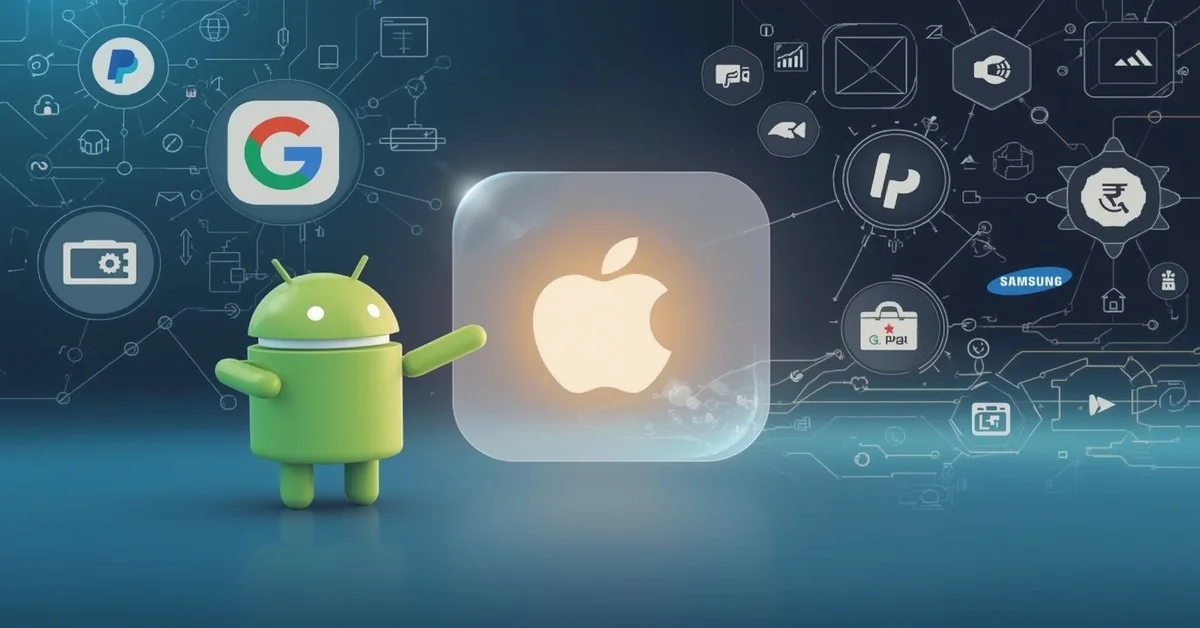
Apple Pay cannot be used on Android devices because it is exclusively designed for Apple’s ecosystem, working only with iPhones, iPads, Macs, and Apple Watches.
Here’s why:
- Apple’s closed system: Apple designs both its hardware and software. They keep tight control over what apps and services run on their devices.
- No Android version of Apple Pay: Apple has not made an app that works with Android. So even if you try to download Apple Pay from the web or third-party stores, it won’t work.
- Different hardware setup: Apple Pay relies on certain Apple-only features like Face ID, Touch ID, and the Secure Enclave chip that Android devices don’t have.
So if you’re using a Samsung, Xiaomi, Google Pixel, or any other Android brand, you can’t install or run Apple Pay directly. But don’t worry, there are great alternatives.
Best Alternatives to Apple Pay for Android Users
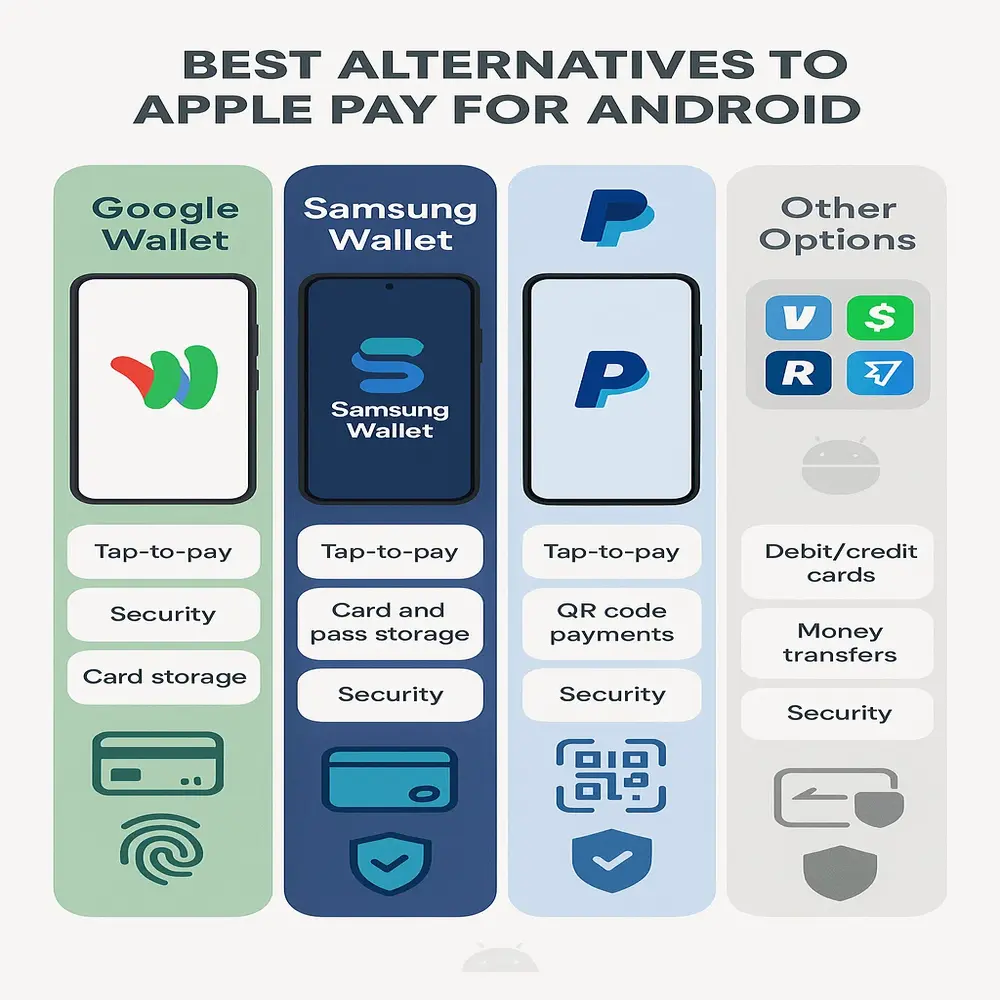
Android users have access to several top-notch mobile wallet apps that work just as well as Apple Pay. Some even offer more features. Here are the top options:
1. Google Wallet (formerly Google Pay)
Google Wallet is the closest thing to Apple Pay for Android users. It’s made by Google and works on most Android devices with NFC (Near Field Communication) support.
Key features:
- Add your debit and credit cards easily
- Use tap-to-pay at stores
- Pay within apps and on websites
- Store loyalty cards, boarding passes, and more
- Strong security using PIN, fingerprint, or face unlock
You can download Google Wallet from the Play Store for free. Once set up, just unlock your phone and tap it on a payment terminal.
2. Samsung Wallet
If you have a Samsung phone, Samsung Wallet is another great option.Samsung Wallet is a streamlined application that combines the key features of the former Samsung Pay and Samsung Pass, delivering a smooth and unified user experience.
Why people like it:
- Works with both NFC and MST (Magnetic Secure Transmission) for older payment machines
- Let you add credit/debit cards, tickets, digital keys, and more
- Secure and fast payments with biometrics
Important: Samsung Wallet is only supported on Samsung Galaxy smartphones and will not function on other Android brands.
3. PayPal App
PayPal is a trusted name in online payments, and its app now supports tap-to-pay features in many countries. You can link your PayPal account to Google Wallet or use the PayPal app for in-store and online purchases.
Pros of PayPal:
- Widely accepted by millions of merchants
- Great for online shopping and transferring money
- Easy to track your balance and payments
4. Other Options
- Venmo: Popular in the U.S. for peer-to-peer payments
- Cash App: Great for splitting bills or sending money
- Revolut, Wise, and other banking apps: Some offer tap-to-pay features
How to Set Up Google Wallet on Android (Step-by-Step)?
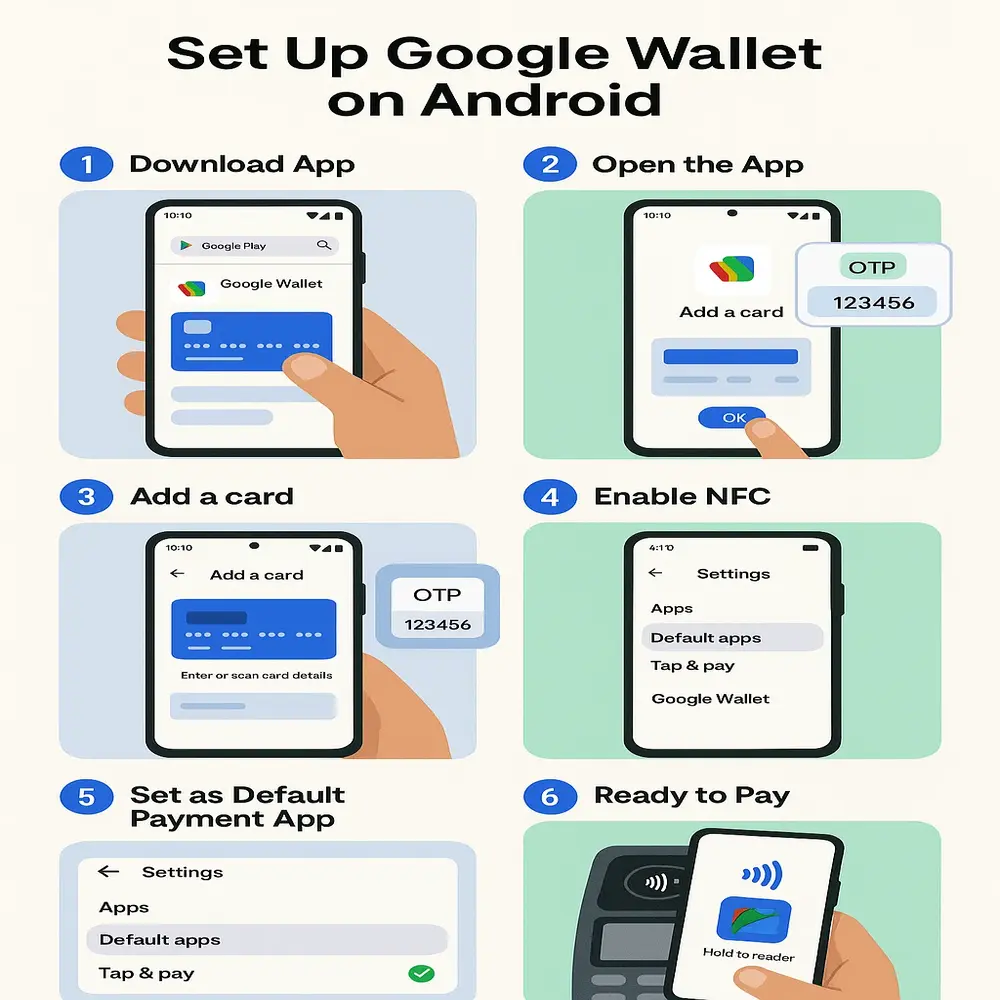
Here’s how to get started with Google Wallet, the top Apple Pay alternative:
- Download Google Wallet: Go to the Play Store and search “Google Wallet.” Install the app.
- Open the app: Tap the icon and follow the setup instructions.
- Add a payment method:
-
- Choose “Add a card.”
- Enter your card details or scan your card
- Your bank may ask to verify with an OTP or call
- Enable NFC:
-
- To enable mobile payments on Android, go to Settings > Connected Devices > Connection Preferences > NFC, and make sure NFC is turned on.
- Turn NFC on
- Make Google Wallet your default payment app:
-
- Settings > Apps > Default Apps > Tap & pay > Choose “Google Wallet”
- Ready to use: Now you can pay by unlocking your phone and holding it near a terminal.
That’s it! Once NFC is active and a payment app is set up, your Android phone can be used for secure, contactless payments at most retail locations.
Safety Tips for Using Mobile Payments
Just like Apple Pay, all the alternatives mentioned above use encryption and tokenization to protect your data. But it’s still important to follow good safety habits:
- Lock your phone with a strong password, PIN, or biometrics
- Don’t share your device with others when logged in to wallet apps
- Install apps only from the official Play Store
- Keep your phone’s software updated
- Use strong, unique passwords for your accounts
These steps help protect your money and personal info from hackers or theft.
Why Mobile Payments Are the Future?
Even though Apple Pay doesn’t work on Android, there’s no shortage of great mobile wallet options. And the trend toward digital payments is only growing. Here’s why many people are switching to mobile wallets:
- Speed: Pay in seconds without fishing for your wallet
- Convenience: They provide great convenience by keeping your cards, passes, and tickets organized in one simple, accessible app.
- Security: Safer than physical cards that can be stolen or cloned
- Cleanliness: Digital payments improve hygiene by reducing contact with cash and shared surfaces, making transactions safer and more convenient.
- Eco-friendly: Cutting down the need for plastic cards and paper receipts.
Whether you’re buying groceries, booking a cab, or shopping online, mobile wallets make it faster and easier.
Conclusion
Apple Pay doesn’t work on Android because it’s limited to Apple devices, but Android users have solid alternatives like Google Wallet, Samsung Wallet, and PayPal. These apps are easy to set up, secure, and widely accepted, making it simple to enjoy fast, contactless payments without needing an iPhone.