
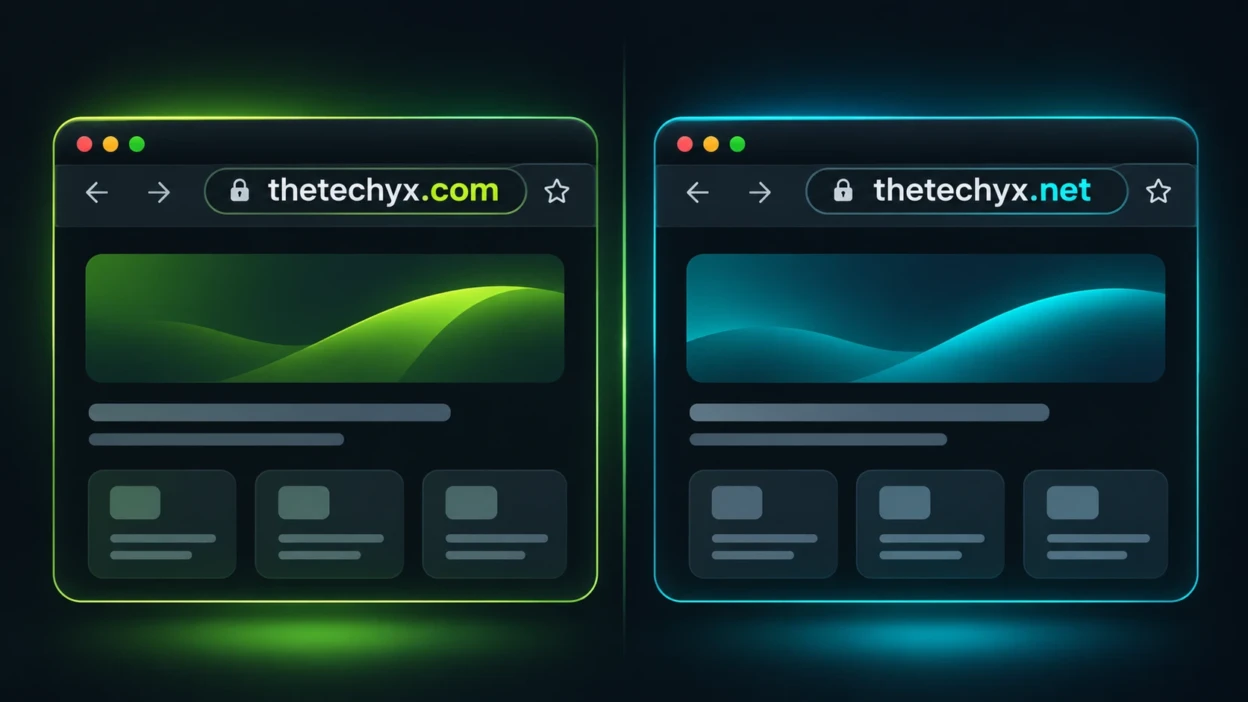
TheTechyX.com and TheTechyX.net have almost identical names, but they are different web addresses. Both publish technology content, although their visible articles, navigation menus, and website features are not the same.
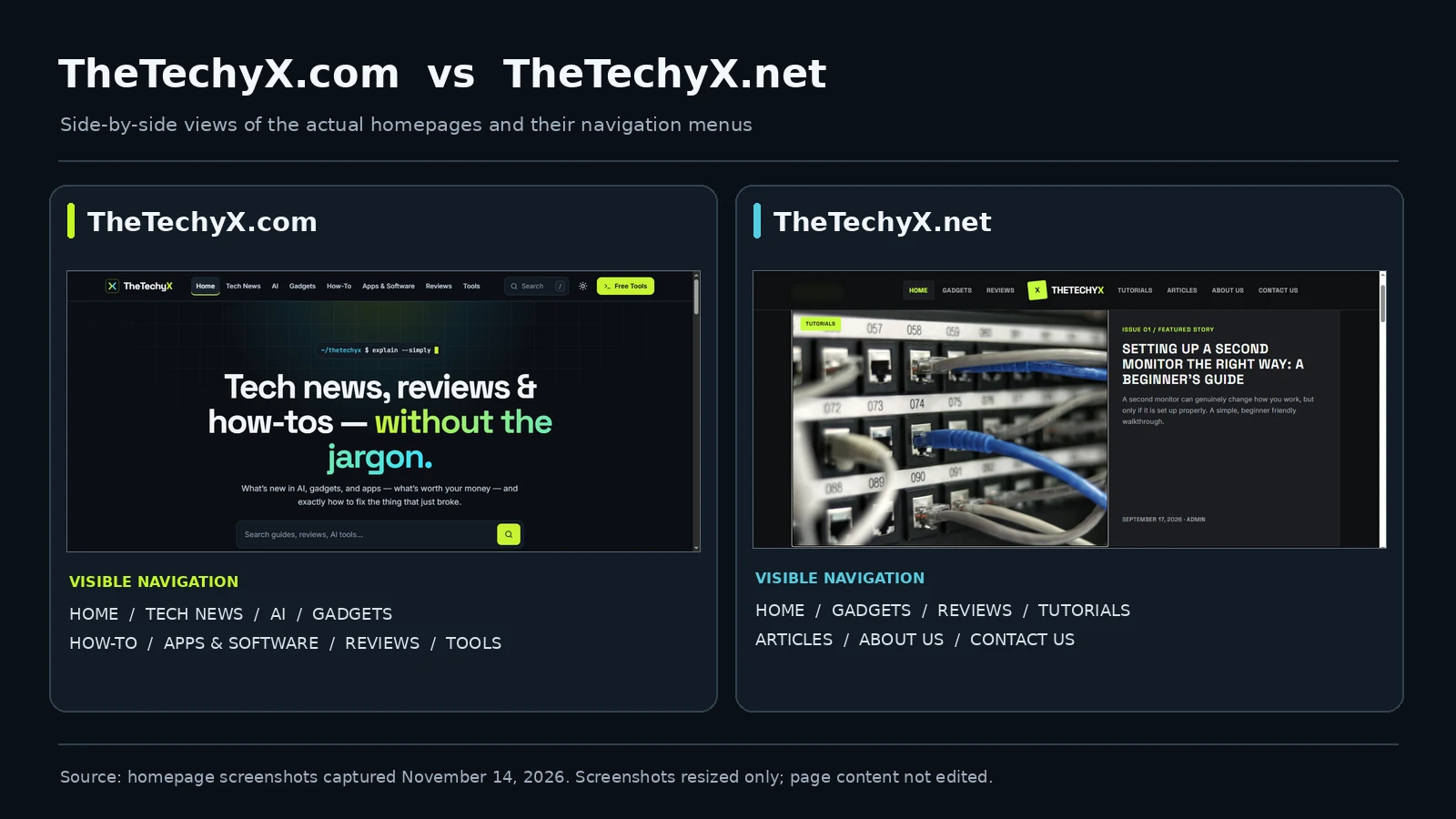
TheTechyX.com focuses on technology explanations, software guides, and free browser-based tools. TheTechyX.net highlights gadgets, reviews, and practical tutorials, including articles about setting up a second monitor and improving a home network.
These differences help readers identify the website they intended to visit. However, the publicly available information examined does not establish whether the two domains share an owner or have any official relationship. A similar name alone cannot prove either a connection or an attempt to impersonate another website.
TheTechyX.com vs TheTechyX.net at a Glance
The easiest way to distinguish these websites is to compare their exact domains and the features available on their homepages.
| Comparison Point | TheTechyX.com | TheTechyX.net |
|---|---|---|
| Website address | thetechyx.com | thetechyx.net |
| Main navigation | Tech News, AI, Gadgets, How-To, Apps & Software, Reviews, and Tools | Gadgets, Reviews, Tutorials, Articles, About Us, and Contact Us |
| Visible content examples | Password security, storage measurements, internet speeds, and Windows support | Second monitor setup, home networks, phone cameras, and repairable gadgets |
| Notable feature | A directory advertising four free browser tools | Gadget articles and beginner tutorials |
| Visible article attribution example | Ethan Wilson on a password-security guide | admin on a second-monitor tutorial |
| Contact information | Contact page and an email address published on its About page | Contact form and editorial inquiry information |
These observations describe the websites’ visible features. They do not establish which publisher is more trustworthy, whether its content has been independently tested, or who ultimately controls either domain.
What TheTechyX.com Offers?
TheTechyX.com presents itself as a website for people who want technology explained without unnecessary technical language. Its articles address common questions about computers, online security, artificial intelligence, and software.
For example, the site has published explanations about password length, download speeds, storage capacity, screen pixel density, and Windows support. Its homepage also includes topic sections, some of which are marked as coming soon. This distinction matters because a navigation category does not necessarily represent a fully developed collection of articles.
One feature that helps identify the .com website is its Free Tech Tools directory. It lists four utilities:
- Strong Password Generator: Creates passwords using selectable character settings.
- Download Time Calculator: Estimates file transfer time from file size and connection speed.
- Screen PPI Calculator: Calculates pixel density using screen resolution and physical size.
- Data Storage Converter: Converts storage quantities and explains decimal and binary measurements.
The website describes these tools as free and browser-based. Its publisher also says that the information entered into the tools remains on the user’s device. That is a published privacy claim, not independent proof of the tools’ security or data-handling behavior.
The website’s About page provides a contact email and describes its editorial approach. Some articles have named author bylines, including Ethan Wilson on a password-security guide. These details help readers inspect its published identity information, but they do not independently verify ownership or professional credentials.
TechBonafide has already examined this website in a separate article, TheTechyX.com Review: Tech Tutorials, Free Tools and Privacy Explained. That review discusses the tools, selected functionality checks, editorial limitations, and privacy statements in greater detail.
What TheTechyX.net Offers?
TheTechyX.net also describes itself as a technology publication, but its visible presentation emphasizes gadgets, product-related discussions, and beginner tutorials.
Its main navigation includes Gadgets, Reviews, Tutorials, and Articles. The homepage features practical subjects such as improving a cluttered home network, understanding smartphone camera specifications, and evaluating repairable gadgets.
One published example is Setting Up a Second Monitor the Right Way: A Beginner’s Guide. The article discusses display connections, resolution, monitor arrangement, and workspace comfort.
This gives readers a concrete way to distinguish the .net website from the .com website’s calculator and software-guide emphasis.
The .net homepage also displays a default WordPress post titled “Hello world!” Its presence suggests that some starter content remains visible. That is a website-maintenance observation, not evidence that the website is malicious or illegitimate.
On its About Us page, the publisher describes an approach based on original writing, research, and hands-on experience. Those are statements about its intended editorial practices. They do not independently establish that every article was tested or that its authors have particular qualifications.
The website also provides a Contact Us page with a form for questions, corrections, and editorial inquiries. The availability of a form is useful for contacting the publisher, but does not by itself verify the identity of the person or organization behind the website.
Are TheTechyX.com and TheTechyX.net Connected?
There is not enough independently verified public information in the examined pages to determine whether TheTechyX.com and TheTechyX.net have the same owner, operate under a shared business, or maintain an official partnership.
The sites have similar branding and cover related technology subjects. However, their content structures, contact arrangements, and visible article collections differ.
None of these observations settles the ownership question. Two websites can have similar names without being connected, and different websites can also be operated by the same person or organization.
Establishing a relationship would require stronger evidence, such as an explicit announcement from an authenticated operator, reliable business records, or consistent ownership information that can be independently corroborated.
Readers should therefore avoid assuming that content, policies, credentials, or claims published on one domain automatically apply to the other.
The responsible conclusion is limited but useful: the addresses identify two distinct web destinations, while their business or ownership relationship remains unconfirmed.
How to Tell the Two Sites Apart?
If you find one of these websites through Google, social media, an email, or another article, use the following checks to confirm where you are going.
Check the Domain, Not Just the Title
The most reliable starting point is the full website address in your browser. The addresses in this comparison are:
- TheTechyX.com:
https://thetechyx.com/ - TheTechyX.net:
https://thetechyx.net/
The difference is the final domain extension. The names may look identical in a headline, search result, or website logo, but the browser treats these as different domains.
Capitalization does not distinguish these domain names. Writing TheTechyX.com instead of thetechyx.com does not create a different domain. Changing .com to .net does.
Also check for extra words or misleading subdomains. A familiar name appearing inside a longer address does not necessarily mean you are visiting the intended publisher.
Confirm the Destination Before You Act
- Read the complete URL: Check the domain and its extension instead of relying only on the page title or logo.
- Inspect the homepage: Look for the content or tool you expected to find.
- Review the About and Contact pages: Compare the publisher’s descriptions and contact arrangements, remembering that published claims still need verification.
- Check links before opening them: On a desktop browser, hover over a link to inspect its destination. On many phones, touch and hold a link to preview its address. Check the final address again after navigation.
- Save the correct destination: If you regularly use a particular website, bookmark the exact domain after verifying it.
These steps also apply to other websites with similar names. The goal is to confirm the destination, not to judge a website solely by its domain extension.
Important: Before entering a password, sharing payment information, installing software, or uploading private files, verify that you are on the website you intended to visit. A familiar name, professional design, or HTTPS connection does not independently establish the site’s identity or safety.
The Federal Trade Commission’s phishing guidance explains why users should verify unexpected links and contact organizations through independently trusted channels when sensitive information is involved.
How to Evaluate Content, Privacy, and Safety?
Identifying the correct domain answers one question. Deciding whether to rely on the website’s information is a separate task.
Start by reading the specific article or tool page you intend to use. Look for a clear author, a meaningful publication or update date, supporting references, accurate technical details, and instructions appropriate for your device or software version.
For example, the .com website’s Privacy Policy states that its four free tools process inputs locally. The same policy describes possible collection of visitor information through cookies, analytics, and advertising services.
These statements should not be confused with a completed privacy audit. A claim about local calculator processing does not mean every request made by a webpage remains on the user’s device.
For the .net website, the About page makes claims about original writing and hands-on reviews. Readers should examine individual reviews for the actual device models, test conditions, supporting evidence, and limitations before relying on purchase recommendations.
Neither a polished design nor a visible contact page establishes that a website is completely safe. Likewise, an unfinished page or generic author label does not prove that a publisher is fraudulent.
HTTPS is useful because it protects information in transit when correctly implemented, but it is not proof that a publisher is the organization a reader expected.
For an additional check, Google’s Safe Browsing Site Status tool can provide information about certain detected threats. A clean result does not establish complete security, confirm ownership, or guarantee that every article is accurate.
Do not paste existing account passwords or confidential business information into an unfamiliar online tool. If you need to generate and save credentials, consider using a reputable password manager with a built-in generator.
TechBonafide’s guide to checking whether a technology website is trustworthy before following its advice provides a broader checklist for evaluating author accountability, evidence, technical accuracy, and safety.
Which Website Should You Visit?
The appropriate choice depends on the information you are trying to find.
- For password, storage, internet-speed, or screen-density calculations: TheTechyX.com lists tools and related explanations for those tasks.
- For introductory gadget discussions or tutorials about monitors and home networks: TheTechyX.net has published articles on those subjects.
- For detailed product purchasing decisions: Check the quality of the specific review, including device details and evidence of testing, rather than relying on either website’s general promises.
- For security-sensitive instructions: Verify the steps against current official documentation before making changes that could affect your accounts, files, or devices.
- For verifying a publisher’s identity: Do not treat either domain’s branding as sufficient proof of ownership or affiliation.
Choosing the site with the content you need does not mean declaring it safer or more reliable. Those judgments require evidence related to the particular article, tool, and action involved.
Final Takeaway
TheTechyX.com and TheTechyX.net are different web addresses with overlapping technology interests but noticeably different visible features. The .com website emphasizes software explanations and free browser tools, while the .net website emphasizes gadgets and practical tutorials.
The public information examined does not establish whether the websites are connected by ownership or another formal relationship. It also does not justify calling either domain a scam or guaranteeing that either is safe.
When you encounter either name, check the exact address, match the content to your original purpose, and verify important technical or security claims before acting. Those simple habits are more useful than relying on a familiar logo or similar website name.

Tech Bonafide is the editorial identity of TechBonafide, an independent technology publication covering AI, software, cybersecurity, gadgets, and emerging technology.