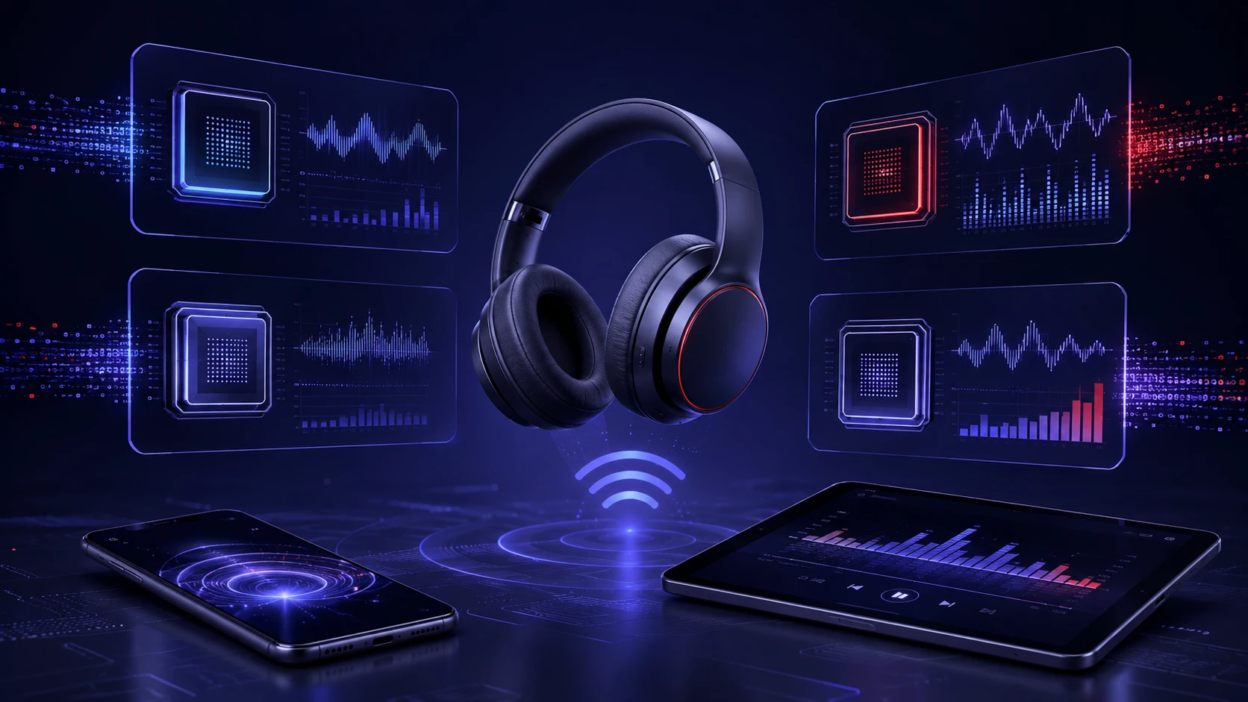
Bluetooth audio can sound excellent, but the result depends on the codec your phone, laptop, earbuds, and headphones negotiate behind the scenes. A codec is the method used to compress and transmit audio over Bluetooth, then decode it on the receiving device. Understanding the tradeoffs between sound quality, connection stability, and delay makes it easier to choose gear that fits how you listen.
What A Bluetooth Codec Actually Does?
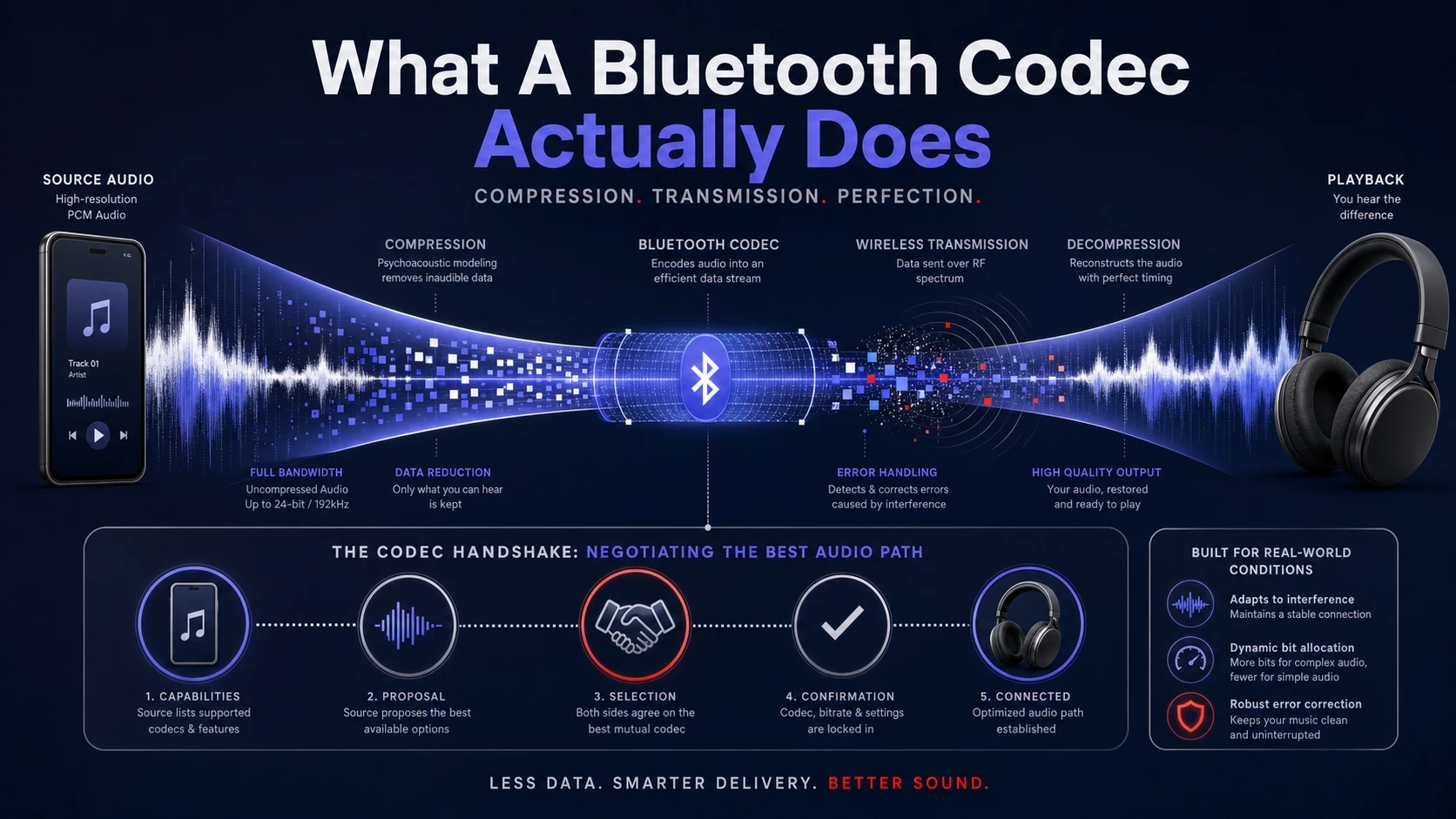
Bluetooth has limited bandwidth, so audio must be compressed before it is sent. The codec decides how the signal is reduced, how much data is used, and how it handles errors when wireless conditions get noisy.
When you press play, your source device and headphones agree on a single codec they both support. That negotiated choice matters more than marketing labels, because you only get the benefits of a codec when both sides use it.
Core Factors That Change What You Hear?
Codec discussions often focus on bit rate, but that is only one part of the story. Perceived quality is also shaped by the tuning of your headphones, the mastering of the track, and the strength of the Bluetooth link.
Still, codecs do influence the most common pain points. These are the factors worth checking before buying a new pair of wireless headphones or picking settings on your phone.
- Compression Efficiency: How well the codec preserves detail at a given data rate.
- Bit Rate Range: The typical data rate the codec uses, which can be fixed or adaptive.
- Latency Behavior: The delay between video and sound, plus how consistent that delay remains.
- Error Resilience: How the codec copes with interference and packet loss without obvious glitches.
- Power Use: How much processing and radio time the codec tends to require, affecting battery life.
Once you know which factor you care about most, the codec choice becomes much clearer.
SBC Explained
SBC is the baseline codec for Bluetooth audio and is supported on virtually every device. Because it is mandatory in the Bluetooth A2DP profile, it is the fallback when no other shared codec exists.
Sound quality with SBC varies widely because implementations differ, and the chosen settings are not always optimal. With a strong connection and good tuning, SBC can sound fine, but it is also the codec most likely to feel soft in detail or less controlled in busy passages.
Where SBC Makes Sense?
SBC is the most reliable choice for compatibility. It is also a safe option when you move between multiple devices and do not want pairing surprises.
- Universal Support: Works with nearly all phones, tablets, laptops, and Bluetooth receivers.
- Predictable Pairing: Reduces the risk of codec mismatches across older hardware.
- Acceptable For Casual Listening: Often sufficient for podcasts, calls routed through media, and background music.
If you mainly want stable audio everywhere, SBC is rarely a deal breaker.
AAC Explained
AAC is widely used for streaming and downloads, and it is also a common Bluetooth codec. It can sound very good, but the results depend heavily on how the source device encodes it in real time.
On many mobile ecosystems, AAC is a practical middle ground that balances quality and stability. On other platforms, it can be less consistent, especially if the encoder is less efficient or the device is under heavy load.
What To Expect From AAC?
AAC can deliver clean highs and solid midrange detail when the implementation is strong. It is generally not aimed at ultra low latency, so video sync can vary by device and app.
- Good Perceived Quality: Often maintains clarity at moderate data rates.
- Common Device Support: Frequently available on phones, tablets, and many headphones.
- Variable Consistency: Can differ across chipsets and operating systems.
If your primary source is a phone that handles AAC well, it can be an easy choice for daily listening.
aptX Explained
aptX is a family of codecs designed to improve Bluetooth audio quality and, in some variants, reduce latency. Standard aptX is often positioned as a step up from basic Bluetooth audio, with an emphasis on efficient compression and stable performance.
Support depends on both the sending device and the headphones, and licensing can affect availability on certain platforms. When it is available on both sides, it usually offers a consistent, pleasing sound with less perceived smearing than many baseline setups.
aptX Variants You May See
aptX branding can refer to multiple related codecs. Each has a different target, so reading the exact supported variant on both devices matters.
- aptX: A general purpose option focused on quality and stability.
- aptX HD: A higher data approach aimed at preserving more detail.
- aptX Adaptive: Adjusts behavior based on conditions, balancing quality and responsiveness.
- aptX Low Latency: Targets reduced delay, but requires compatible transmitters and receivers.
Choosing within the aptX family depends on whether you prioritize sound quality, gaming responsiveness, or resilience in crowded wireless environments.
LDAC Explained
LDAC is designed to allow higher data rates over Bluetooth when conditions permit. It can prioritize maximum throughput for sound quality, or it can step down when the connection becomes unstable.
In practice, LDAC performance depends on distance, interference, and how your device manages the link. When the signal is strong, LDAC can sound open and detailed, but when conditions worsen it may shift modes to keep playback smooth.
What Makes LDAC Different?
LDAC is most appealing to listeners chasing the best possible Bluetooth fidelity. It is less about latency and more about providing more room for the audio signal to survive compression.
- Higher Potential Throughput: Can carry more audio data when the link is clean.
- Adaptive Operation: May lower its rate to avoid dropouts when interference rises.
- Best With Strong Signals: Benefits are easiest to notice at close range in low interference areas.
If you listen in environments with many competing devices, testing stability matters as much as chasing peak quality.
SBC AAC aptX And LDAC Compared
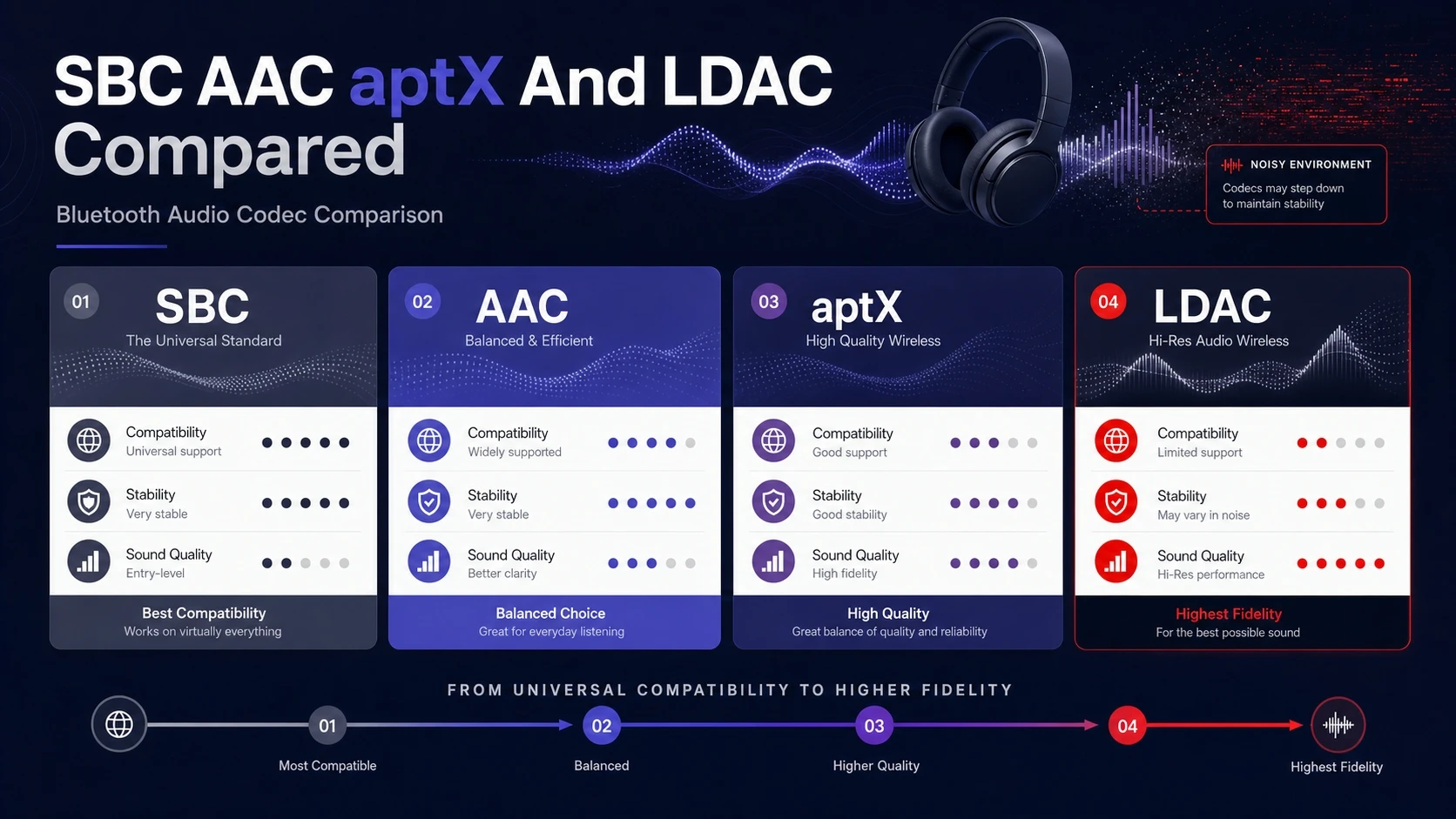
Specs are often presented as a simple ranking, but real performance also includes how well devices implement each codec. The table below provides a practical comparison focused on what listeners typically notice.
| Codec | Typical Strength | Common Tradeoff |
|---|---|---|
| SBC | Universal compatibility across Bluetooth audio devices | Quality and tuning vary widely by device and settings |
| AAC | Solid quality at moderate rates on strong implementations | Consistency can differ across platforms and chipsets |
| aptX | Balanced sound and stability when both sides support it | Availability depends on device support and licensing |
| LDAC | Higher potential fidelity with strong connections | Can step down or become less stable in heavy interference |
Use this comparison as a filter, then confirm what your specific phone and headphones actually negotiate during playback.
How To Check Which Codec You Are Using?
Many people buy LDAC or aptX headphones but never confirm the codec is active. The process depends on your operating system, but the principle is the same, you need to verify the negotiated codec in Bluetooth audio settings.
- Confirm Device Support: Check the codec list on both the source device and the headphones or earbuds specifications.
- Connect And Start Playback: Begin playing audio so the system negotiates the active codec.
- Open Bluetooth Audio Details: Look for an audio codec field in the Bluetooth device settings or developer options.
- Verify Stability: Walk around your typical listening area and watch for mode changes or dropouts.
After you verify what is actually in use, you can make decisions based on real behavior, not just the box label.
Sound Quality Vs Latency Vs Stability
If you mostly listen to music, you will usually prefer the most stable high quality codec your devices can sustain. If you watch a lot of video or play games, latency becomes a bigger concern than peak fidelity.
Interference changes everything. A codec that sounds great at your desk can become less enjoyable on a crowded commute if it triggers frequent rate shifts or occasional stutters.
- Music Listening: Prioritize stable higher quality modes over maximum advertised rates.
- Video Streaming: Look for consistent sync and avoid settings that create noticeable delay.
- Gaming: Favor low latency solutions and consider dedicated dongles when supported.
- Travel And Crowded Areas: Stability can matter more than marginal detail improvements.
Matching the codec to your use case prevents the common trap of chasing specs that do not fit your daily environment.
Device Compatibility And Ecosystem Considerations
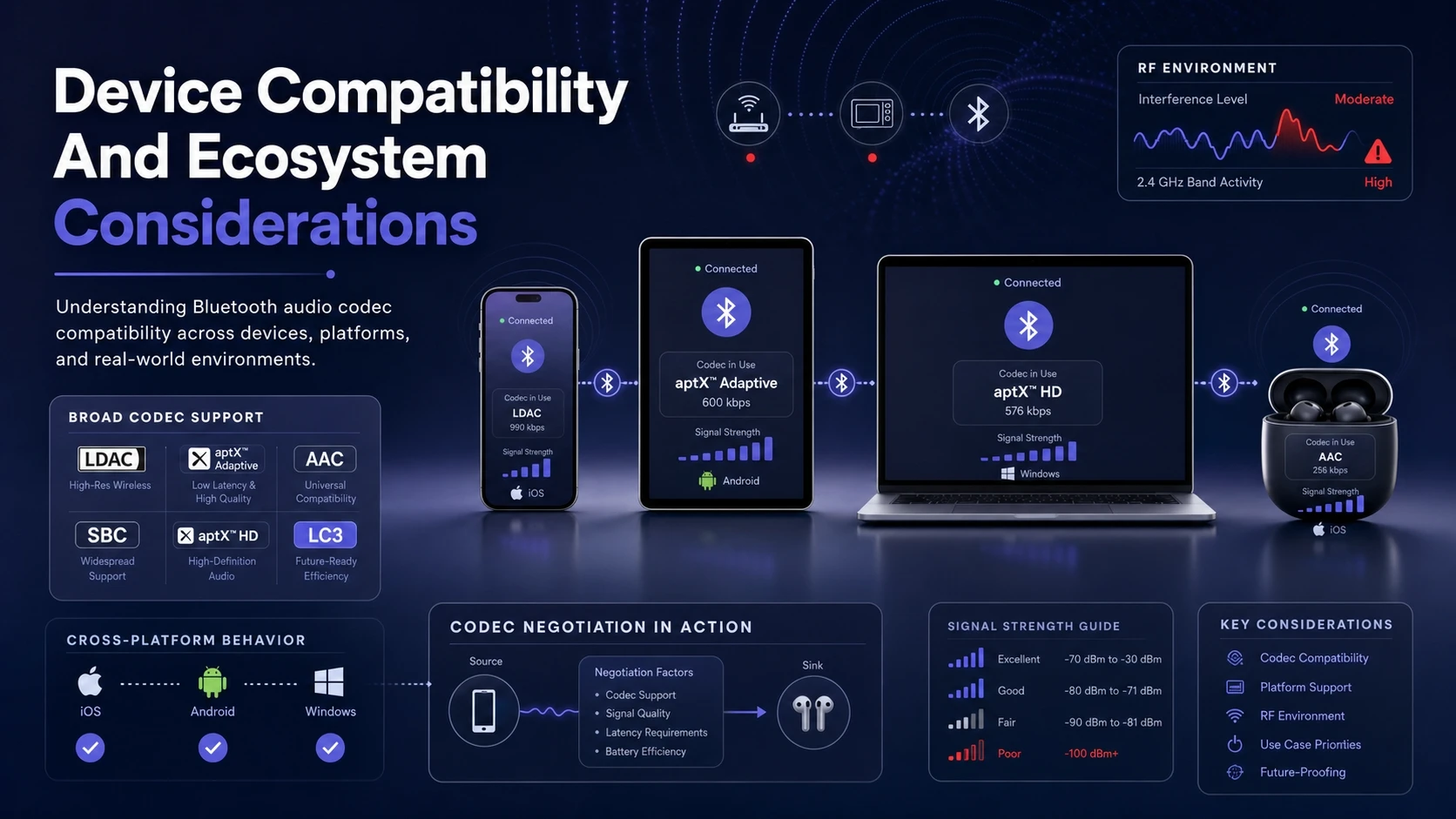
Codec support is not uniform across all phones and computers, and operating systems can prioritize certain codecs during negotiation. Headphones can also ship with multiple codecs but still default to a safer option when the link is weak.
Pay attention to your full chain, including the streaming app and the Bluetooth chipset generation. If you switch between a work laptop and a personal phone, consistency may matter more than peak performance on a single device.
- Phone And Tablet Support: Confirm which codecs your device can transmit, not just decode.
- Windows And Mac Behavior: Check which Bluetooth audio codec options are exposed in system settings.
- True Wireless Earbuds: Small antennas and crowded RF environments can make stability differences more obvious.
When you want a cleaner setup across devices, choosing headphones with broad codec support gives you more reliable results.
When An External Bluetooth Transmitter Helps?
If your laptop or desktop only offers basic Bluetooth audio, a dedicated USB transmitter can add codec support and improve connection behavior. This can also be useful for TVs and game consoles that do not expose advanced codec options.
Tech-focused buyers often overlook the transmitter side, but it is half of the codec handshake. When you want aptX variants or better consistency, upgrading the source can matter as much as upgrading the headphones.
Conclusion
SBC is the universal baseline, AAC can be an excellent daily driver on the right devices, aptX focuses on balanced performance with useful variants, and LDAC aims at higher potential fidelity when conditions are strong. The best codec is the one your devices actually use consistently in your typical listening environment.
Confirm codec support on both ends, verify the active codec during playback, and prioritize stability if you listen in busy wireless spaces. With those checks in place, Bluetooth audio choices become simpler and far less dependent on marketing claims.
Frequently Asked Questions
Which Bluetooth codec sounds best?
Sound quality depends on the full device chain, not only the codec name. LDAC can offer higher potential fidelity on strong connections, while aptX and AAC can sound excellent when implemented well. The best choice is the one that stays stable without frequent dropouts or mode changes.
Why do my headphones switch codecs or quality modes?
Many codecs adapt when interference rises or signal strength drops. The source and headphones may renegotiate to a more stable setting to prevent stuttering. Staying closer to the source, reducing obstacles, or avoiding crowded wireless zones can help.
Does a higher bit rate always mean better audio?
Not always, because efficiency and implementation matter. A well tuned codec at a moderate rate can sound better than a poorly implemented high rate option. Stability also affects perceived quality, since dropouts and aggressive switching can be more noticeable than small detail differences.