How much VRAM do you need to run AI models locally? The answer depends on the AI model, its size, memory settings, and the tasks you want to perform. Running AI on your own computer can reduce reliance on cloud services and give you more control over your data. However, your GPU must have enough video memory (VRAM) to handle the model and its active workload. While 8GB VRAM can support many smaller AI models, 12GB to 16GB offers more flexibility, and 24GB or higher can accommodate more demanding setups. This guide explains local AI VRAM requirements, compares different GPU memory capacities, and helps you choose suitable hardware for chat, coding, image generation, and fine-tuning.
Before investing in a dedicated GPU, it is also worth considering whether running AI on your own computer is the right choice. Our comparison of local AI vs cloud AI explores the differences in privacy, performance, cost, and hardware requirements to help users choose the approach that best suits their needs.
What VRAM Does for Local AI?
VRAM is the dedicated memory on a GPU used to store model weights, the active prompt context, and temporary working buffers. When VRAM is sufficient, the GPU can keep everything close and compute efficiently. When available VRAM is insufficient, some AI runtimes can move model layers or cached data into system RAM. This process, known as CPU offloading, allows certain larger models to run on GPUs with limited memory, but it often reduces generation speed. Other runtimes may fail to load the model or display an out-of-memory error.
For local AI, VRAM is mainly about fitting the model and its runtime memory at the same time. Capacity determines whether a model loads fully onto the GPU, while memory bandwidth and processing power influence how quickly tokens or images are produced. Both matter, but capacity is the first gate for GPU-based inference.
What Determines VRAM Requirements?
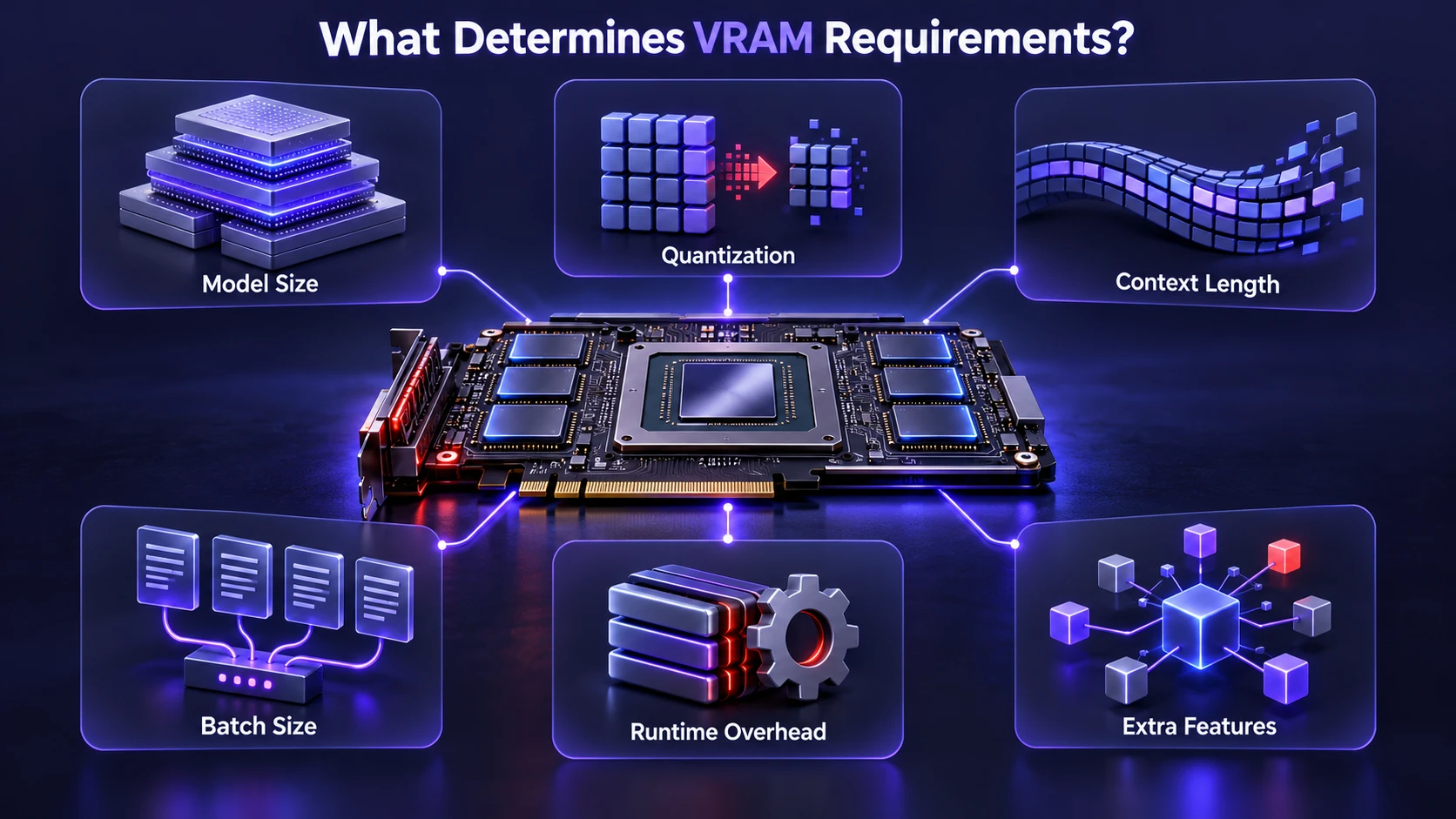
Local AI workloads are not all the same, and a single number like 8GB or 16GB only makes sense in context. These variables change VRAM usage more than most people expect. Planning around them helps avoid buying too little memory or spending unnecessarily on hardware.
- Model Size: More parameters mean more model weights to store, which increases baseline VRAM requirements.
- Precision and Quantization: Lower precision reduces the memory needed for model weights, often with a manageable quality tradeoff for many tasks.
- Context Length: Longer prompts and chat histories increase memory consumption for attention caches, which can become another major VRAM requirement.
- Batch Size and Parallel Requests: Serving multiple requests or using larger batches can increase activation, cache, and buffer memory usage.
- Framework Overhead: Different AI runtimes reserve working memory differently, and some allocate additional memory to improve performance.
- Extra Features: Retrieval pipelines, embedding models, and other supporting components may require additional memory, depending on whether they operate on the GPU or CPU.
Once these factors are clear, it becomes easier to choose a GPU tier that matches your actual workloads rather than relying only on a model’s advertised parameter count.
VRAM Tiers for Running Local LLMs
For text generation, much of the VRAM is consumed by model weights and the key-value (KV) cache that stores information used during generation. Quantization is one of the main techniques used to make larger models fit into GPUs with limited memory. The following tiers focus on practical local setups and realistic performance expectations.
Users with limited GPU memory can also consider small language models, which are designed to work with fewer computing resources. These models can be useful for summarization, basic writing assistance, and other focused tasks without requiring the memory capacity of much larger language models.
| GPU VRAM | Typical Local LLM Capability | Recommended Use |
|---|---|---|
| 6 GB | Small 3B–4B models and selected larger models with strong quantization | Basic offline chat, summarization, and lightweight assistance |
| 8 GB | Many 7B–8B models using 4-bit quantization | Everyday AI chat, writing, and basic coding |
| 12 GB | Many 8B–14B models using suitable quantization and context settings | Regular local AI use, coding, and document analysis |
| 16 GB | Many 13B–14B models at higher precision, plus selected 20B-class quantized models | More demanding conversations, coding, and analysis |
| 24 GB | Many 30B–32B models using around 4-bit quantization, subject to runtime overhead | Advanced coding, complex tasks, and larger local models |
| 32 GB+ | Larger models, higher-precision settings, or additional context and workload capacity | Advanced development, heavier local inference, and specialized AI workflows |
These figures are approximate guidelines rather than guaranteed requirements. Actual VRAM consumption depends on model architecture, weight format, context length, batch size, and inference software. A model that fits with a short prompt may exceed available memory when processing a long document or handling several requests. Always check the exact model file size and expected runtime memory before choosing a GPU.
A simple way to estimate memory usage is to multiply the number of model parameters by the number of bytes used for each weight. For example, an 8-billion-parameter model stored at 4-bit precision needs approximately 4GB for its raw weights, before quantization metadata, the KV cache, and other runtime memory are added. For a more detailed technical explanation, Hugging Face provides a guide covering LLM memory requirements and inference optimization.
Real model downloads also demonstrate why VRAM planning matters. For example, Ollama’s Qwen3 model library lists a 32B model variant with a download size of approximately 20GB. The model’s storage size is not its complete runtime memory requirement, because the software must also allocate memory for context and processing. This is why a 24GB GPU is a more realistic starting point for many 30B–32B models at roughly 4-bit precision than a 16GB card.
These tiers assume you are primarily performing inference rather than full model training. If you expect long context windows, multiple simultaneous requests, or demanding background applications, consider choosing a GPU with additional VRAM headroom.
Why Context Length Can Increase VRAM Fast?
Context length is the maximum number of tokens an AI model can process within its context window, including the input and generated output. A longer context window can help a model work with extended conversations, documents, and code, provided the model supports that length. However, processing more tokens generally requires additional memory for the key-value (KV) cache, which stores information used during text generation. The amount of memory required varies by model architecture and cache settings. Longer context also does not automatically guarantee better answers, especially when prompts contain unnecessary information.
If you keep long chat histories, summarize less, or feed large files directly into prompts, VRAM usage generally rises even when the model weights stay the same. This is why two users running the same model can experience very different memory requirements. If you want long context locally, additional VRAM can be especially valuable, although GPU processing power and memory bandwidth also influence performance.
Users running local models through Ollama can adjust their context settings based on available hardware. The official Ollama context length documentation explains how context settings affect memory requirements and how to inspect model allocation. Checking these settings can help users understand why a model runs comfortably with short conversations but consumes more memory when processing larger prompts.
Quantization and Precision Choices

Quantization reduces how many bits are used to store model weights, lowering memory requirements. It can allow a model that would not fit at higher precision to run locally with acceptable quality. The main tradeoff is possible accuracy and response-quality loss, especially at very low bit widths. The impact depends on the model, quantization method, and task, so users should compare results before assuming that a smaller model file provides the same quality.
For many personal workflows, moderate quantization offers a useful balance between memory consumption and output quality. If quality is the priority, additional VRAM can allow higher precision or less aggressive quantization. If the main goal is to fit a particular model onto available hardware, quantization is often one of the most practical options.
Understanding the different precision formats can make local AI setup easier. Our detailed explanation of AI model quantization covers how lower-bit formats reduce memory requirements, how they can affect performance, and why choosing the right precision matters when running models on consumer hardware.
VRAM Needs for Image Generation Models
AI image generation has different VRAM requirements depending on the model architecture, resolution, precision, and additional processing tools. Older or lighter Stable Diffusion workflows may run on GPUs with 6GB to 8GB of VRAM when suitable memory-saving settings are enabled. Larger models, such as Stable Diffusion XL and more demanding FLUX-based workflows, may benefit from 12GB to 16GB or significantly more memory, depending on their configuration.
Higher image resolutions, larger batch sizes, multiple ControlNet modules, upscalers, and additional model components can increase peak VRAM usage. Increasing the number of generation steps usually affects processing time more directly than peak memory consumption.
For users mainly interested in image generation, a 12GB GPU can be a practical starting point for many workflows, while 16GB to 24GB or more provides additional flexibility. However, there is no single VRAM requirement that applies to every image-generation model. Quantization, memory-efficient attention, and CPU offloading can help some workflows run on GPUs with less memory.
Users facing GPU out-of-memory errors can explore memory-saving techniques before purchasing new hardware. Hugging Face’s Diffusers memory optimization guide explains methods for reducing memory usage in supported image-generation pipelines, including moving selected model components between the CPU and GPU.
Users interested in more advanced image-generation workflows can also explore how different model families operate. Our guide to FLUX AI image generation models explains their capabilities, practical applications, and considerations for integrating them into AI workflows.
VRAM Needs for Training and Fine Tuning
Training and fine-tuning generally require more GPU memory than ordinary inference because they involve gradients, optimizer states, and additional intermediate data. Fully fine-tuning a large language model can require substantially more memory than a typical consumer GPU provides. However, parameter-efficient methods such as Low-Rank Adaptation (LoRA) and Quantized Low-Rank Adaptation (QLoRA) reduce memory requirements by updating a smaller number of parameters. These methods can make selected fine-tuning tasks practical on consumer hardware, although the required VRAM still depends on the model, training configuration, and sequence length.
For developers who want to customize an existing language model, QLoRA fine-tuning offers a memory-efficient alternative to updating every model parameter. It combines low-bit quantization with lightweight trainable adapters, allowing some large models to be fine-tuned with substantially less GPU memory than conventional full fine-tuning.
If you plan to fine-tune models regularly, prioritize sufficient VRAM alongside GPU processing performance. Also ensure your system RAM and storage are capable of handling the workload, since dataset loading, preprocessing, and caching can become bottlenecks even with a powerful GPU.
How to Estimate VRAM Before You Buy?
The safest approach is to decide which tasks you will run locally and then choose a VRAM tier that matches those tasks with additional headroom. Headroom matters because real usage includes the operating system, graphical interface, background applications, and inference framework overhead. It also provides flexibility if you decide to experiment with larger models in the future.
- List Your Workloads: Separate text chat, coding, image generation, embeddings, and any fine-tuning plans.
- Choose Target Model Classes: Pick a realistic parameter range for your intended tasks rather than focusing only on the largest available models.
- Decide on Context Expectations: Short conversations can work with less VRAM, while long documents and extended sessions generally need more memory.
- Account for Precision Choices: Decide whether you are comfortable using quantized models or require higher-precision versions.
- Reserve Memory Headroom: Keep additional VRAM available for runtime buffers, context growth, and your normal desktop workload.
Once you understand these requirements, selecting between 8GB, 12GB, 16GB, 24GB, or higher becomes a more informed decision rather than a guess. Checking actual model memory estimates and testing available hardware can provide greater confidence before purchasing a GPU.
Common Bottlenecks Beyond VRAM
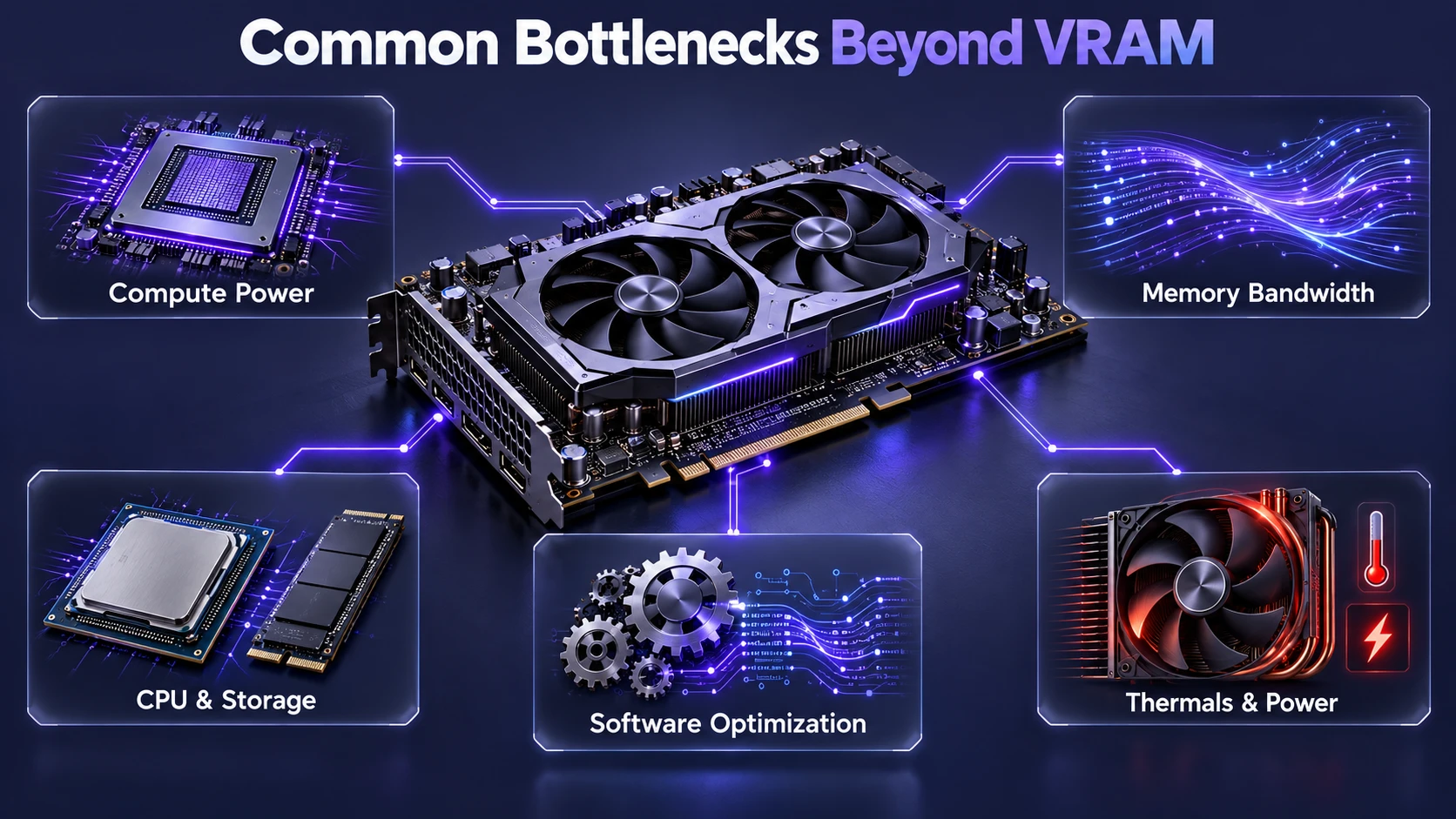
VRAM determines which models can fit on your GPU, but it is not the only performance limitation. If token generation feels slow even with sufficient VRAM, the GPU may be limited by processing power, memory bandwidth, or software optimization. Storage speed and CPU performance can also matter when models are frequently loaded and unloaded.
Different processors also handle AI workloads in different ways. A CPU can run supported models using system RAM, while a dedicated GPU often provides faster processing for demanding inference tasks. Neural Processing Units (NPUs) can accelerate certain supported AI features with a focus on power efficiency. For a closer comparison, read our guide on CPU vs GPU vs NPU and how each processor handles computing tasks.
Thermal conditions and power limits can also reduce sustained performance. A GPU that has enough memory for a model but regularly throttles under heavy workloads may deliver inconsistent results. Stable power delivery, adequate cooling, and good airflow help maintain responsive local AI performance during longer sessions.
Choosing A GPU Tier for Your PC
Picking a GPU for local AI should be tied to the workloads you actually run. A balanced system also avoids spending everything on VRAM while neglecting RAM, storage, and a capable CPU.
If you also use your computer for gaming, consider graphics performance alongside local AI requirements. Gaming and AI applications use VRAM differently, so a GPU that performs well in games may not have enough memory for your preferred language models. Our guide to VRAM requirements for gaming explains how memory capacity affects different gaming resolutions and graphics settings.
For many beginners and regular users, a GPU with 12GB to 16GB VRAM provides a useful balance between capability and memory capacity. However, developers planning to run 30B-class models, use long context windows, or perform demanding image-generation tasks should also consider 24GB or higher, depending on their workloads and budget.
- Choose 6GB to 8GB: Suitable for basic AI chat, summarization, and light coding with smaller quantized models and shorter context windows.
- Choose 12GB: A useful middle ground for capable quantized language models and many supported image-generation workflows.
- Choose 16GB: Offers additional flexibility for larger quantized models, extended conversations, heavier coding tasks, and more demanding image-generation setups.
- Choose 24GB or More: Better suited to many 30B-class models, advanced local inference, demanding creative AI workflows, and selected fine-tuning tasks.
Before purchasing a GPU for local AI, check the memory requirements of the models you intend to use and compare them with your available system RAM, storage, and processor capabilities. A balanced PC configuration can help prevent slow model loading, unexpected memory errors, and unnecessary hardware expenses. Testing your preferred models on existing hardware, when possible, can also help you decide whether a GPU upgrade is necessary.
Conclusion
The amount of VRAM needed for local AI depends on the models and applications you plan to run. A GPU with 6GB to 8GB can handle many smaller quantized language models, while 12GB to 16GB offers more flexibility for everyday AI chat, coding, and selected image-generation workflows. Users interested in larger 30B-class models, longer contexts, or demanding creative AI applications may benefit from 24GB or more. Fine-tuning requirements vary considerably and should be evaluated separately from inference. Before buying a GPU, compare model size, precision, context length, software compatibility, and available memory headroom.
Choose your VRAM tier based on the tasks you run most, your tolerance for quantization, and how long you need your model’s context window to be. A little extra headroom can save time and frustration later while giving you more flexibility to explore new local AI workloads.
Frequently Asked Questions
Can I Run Local AI Models Without A Dedicated GPU?
Yes, many AI models can run on a CPU using system RAM, but performance is usually slower than on a compatible dedicated GPU. A GPU with sufficient VRAM can improve token generation speed and make the experience more responsive. If you plan to use local AI frequently, dedicated GPU acceleration may be a practical investment, although it is not a strict requirement for every model.
Is More VRAM Always Better for Local LLMs?
More VRAM expands the range of models and context lengths you can run, but it does not guarantee higher generation speed by itself. Compute performance, memory bandwidth, and software optimization also affect how quickly a model responds. The best approach is to choose enough VRAM to fit your target models comfortably and then compare the processing capabilities of compatible GPUs.
How Much VRAM Should I Target If I Want Both Chat and Image Generation?
A balanced starting point is often 12GB VRAM, since it can support capable quantized language models and many image-generation workflows. If you want higher resolutions, more image-generation components, or longer language-model contexts, 16GB or more provides additional flexibility. More demanding image models may benefit from 24GB or higher, depending on their architecture and memory-saving settings.
Is 8GB VRAM Enough to Run AI Models Locally?
Yes, an 8GB GPU can run many smaller AI language models, especially those with approximately 7B to 8B parameters using suitable 4-bit quantization. It can also support selected image-generation workflows when memory-saving settings are enabled. However, larger models, long context windows, and demanding image-generation tasks may require more VRAM. Users planning frequent local AI work should compare the exact model requirements before deciding whether 8GB is sufficient.