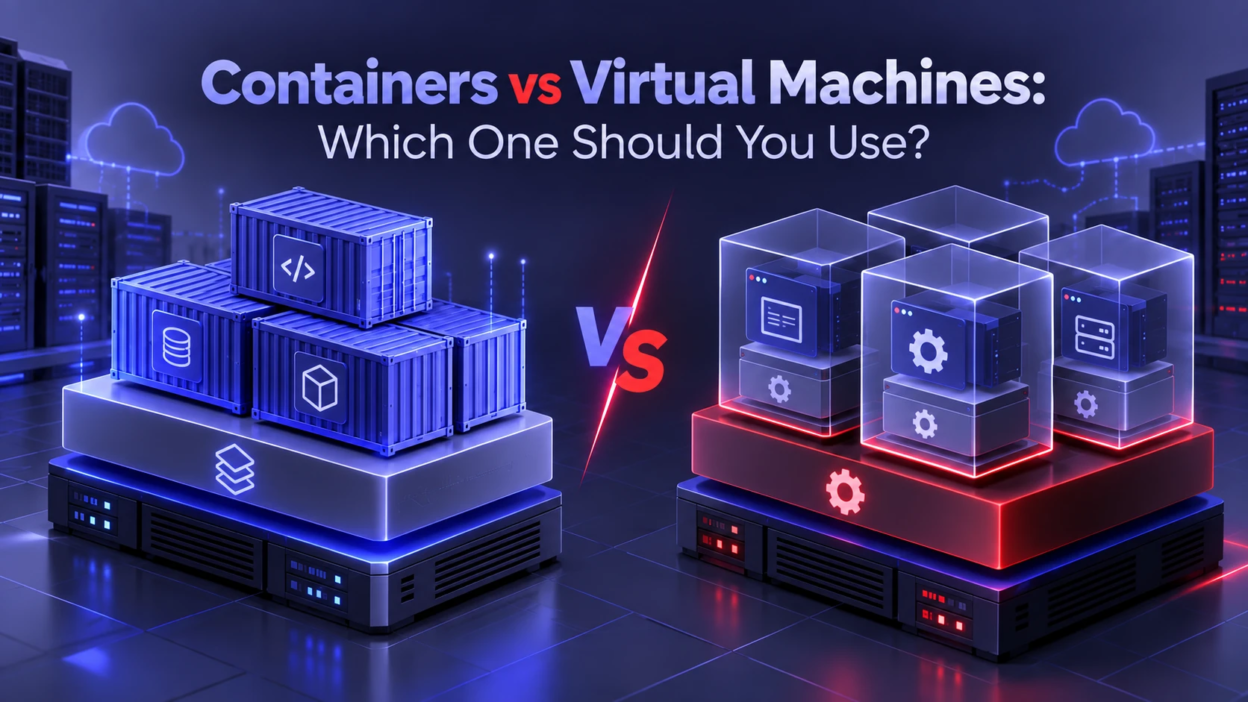
Containers and virtual machines solve the same core problem running software reliably across environments, but they do it in very different ways. Picking the right one affects security boundaries, performance, portability, operational complexity, and cloud cost. This guide breaks down how each works, where each fits best, and how to choose with confidence.
Core Architecture Differences
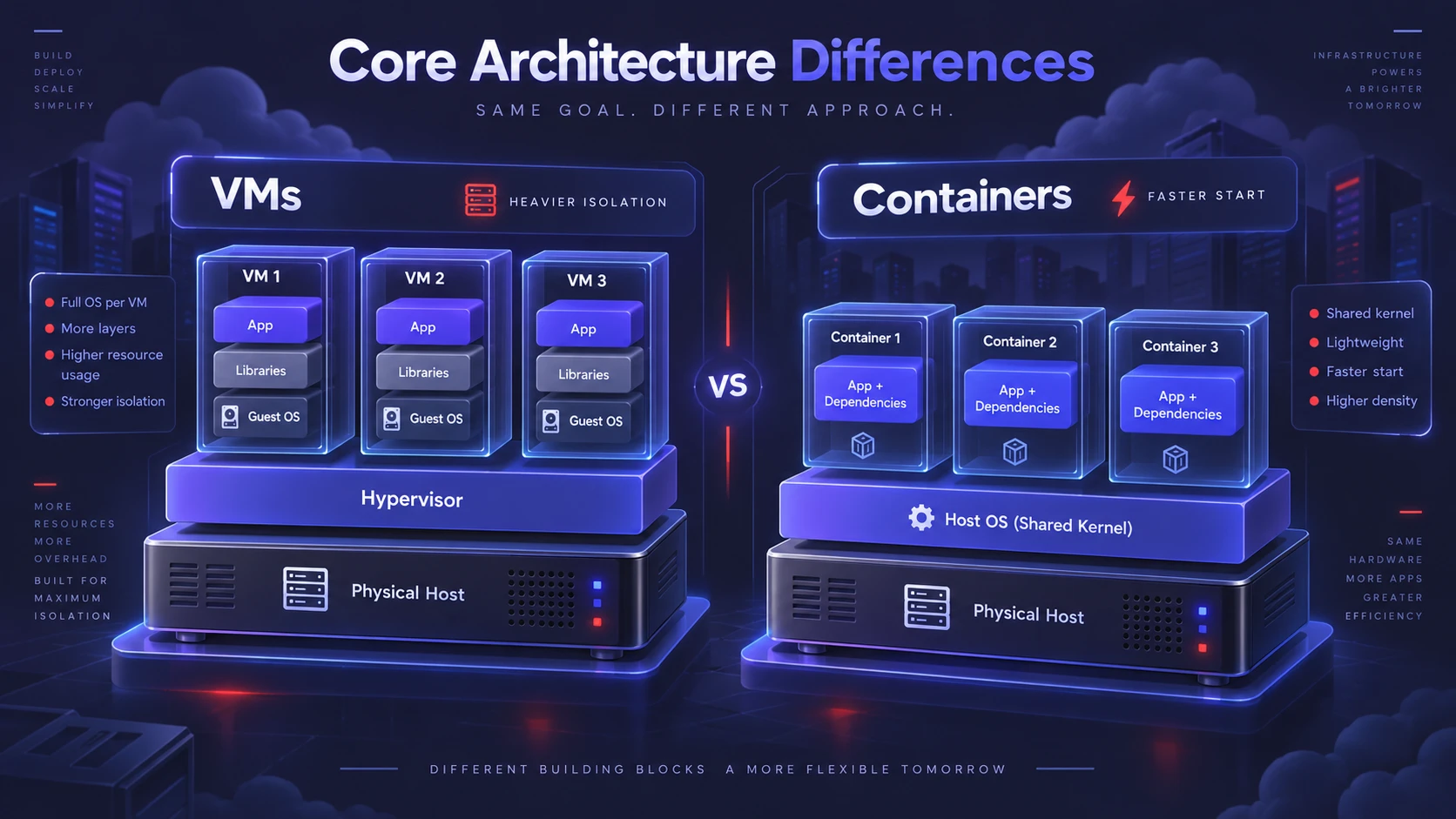
A virtual machine virtualizes hardware. A hypervisor carves a physical host into multiple VMs, and each VM includes its own guest operating system, libraries, and application stack.
A container virtualizes the operating system. Containers share the host OS kernel and isolate processes using namespaces and control groups, while packaging the app and its dependencies as an image.
This difference drives most tradeoffs. VMs are heavier but can provide stronger isolation. Containers are lighter and faster to start, but rely on shared kernel behavior.
Resource Efficiency And Performance
VMs consume more CPU, memory, and storage because every VM runs a full OS. That overhead is often acceptable for long lived workloads, specialized kernels, or strict segmentation requirements.
Containers usually pack more workloads onto the same host because they share the kernel and avoid duplicate OS layers. Startup times are typically seconds or less, which supports bursty scaling and rapid rollouts.
- Boot And Start Time: VMs boot an OS, while containers start a process with prebuilt layers.
- Density: Containers commonly allow higher workload density per node under the same resource limits.
- IO And Network Overhead: Both can be fast, but virtualization layers, storage drivers, and network overlays influence real results.
Performance still depends on configuration. CPU pinning, huge pages, storage class choice, and network mode can matter more than the VM or container label.
Isolation And Security Boundaries
VMs isolate at the hardware virtualization layer. A compromised guest OS is still separated from the host by the hypervisor boundary, which is why VMs remain common for multi tenant environments.
Containers isolate at the process level. A container breakout risk is tied to the host kernel and container runtime configuration, so hardening is essential for sensitive workloads.
- Kernel Sharing: Containers share a kernel, so kernel vulnerabilities can have broader impact.
- Privilege Model: Running as root inside a container can be dangerous without proper restrictions.
- Supply Chain Risk: Container images can embed outdated packages, secrets, or malicious layers if not controlled.
Strong container security is achievable with the right controls. Focus on minimal base images, image signing, vulnerability scanning, runtime policies, and least privilege defaults.
Portability And Compatibility
VMs are portable across compatible hypervisors, but they carry a full OS and often larger disk images. That can make transfers slower and complicate standardization when teams maintain many guest OS variants.
Containers are designed for consistency across environments. The image defines the runtime dependencies, which helps reduce drift between development, testing, and production.
Compatibility still has constraints. Linux containers require a Linux kernel, and Windows containers require Windows kernel support, so cross OS portability is not automatic.
Management And Operational Complexity
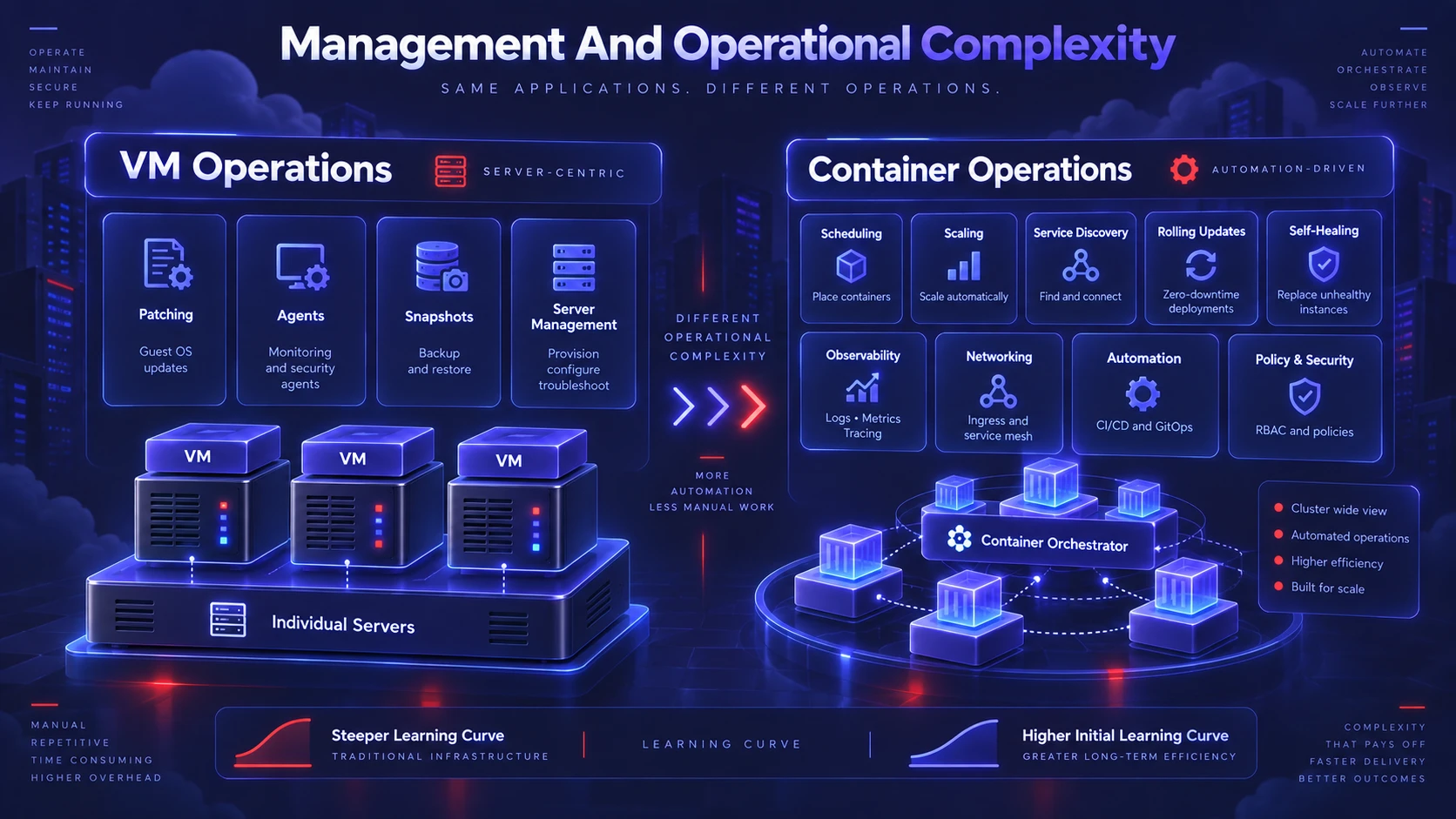
VM operations look familiar to many infrastructure teams. You patch the guest OS, manage agents, handle snapshots, and treat each VM like a small server.
Container operations shift effort toward orchestration and automation. Platforms such as Kubernetes manage scheduling, scaling, service discovery, rolling updates, and self healing, but they add a learning curve.
- Patch Responsibility: VMs require guest OS patching, while containers emphasize rebuilding images and keeping hosts minimal and patched.
- Observability: Containers benefit from centralized logging, metrics, and tracing due to ephemeral instances.
- Networking: Container networks can involve overlays, ingress controllers, and policy engines beyond typical VM networks.
If your team is building a cloud native platform, containers often align better with automated delivery and microservices. If you need straightforward server management, VMs may keep operations simpler.
Use Cases That Favor Containers
Containers shine when you need rapid deployment, efficient scaling, and consistent packaging. They fit well with stateless services and standardized pipelines.
- Microservices: Independent services deploy and scale separately with minimal overhead.
- CI And CD Pipelines: Build once and run the same image across environments to reduce drift.
- API And Web Services: Horizontal scaling becomes easier with fast startup and lightweight instances.
- Batch Jobs: Short lived tasks can run, finish, and release resources quickly.
Containers also support developer productivity. Standard images, reproducible builds, and local parity reduce time spent debugging environment issues.
Use Cases That Favor Virtual Machines
VMs are a strong fit when you need strong isolation, custom OS requirements, or legacy workloads that do not containerize cleanly. They also remain common when compliance and segmentation standards are strict.
- Legacy Applications: Software that expects full OS control or specific system services often fits better on VMs.
- Mixed Operating Systems: Running Linux and Windows side by side is straightforward with VMs on the same hardware.
- High Isolation Workloads: Tenant separation and sensitive workloads often prefer a hypervisor boundary.
- Desktop Virtualization: VDI and developer desktops are typically VM based.
VMs can also be the safer baseline when teams lack mature container security and orchestration practices. They offer familiar controls and predictable change management.
Containers And VMs Together In Modern Clouds
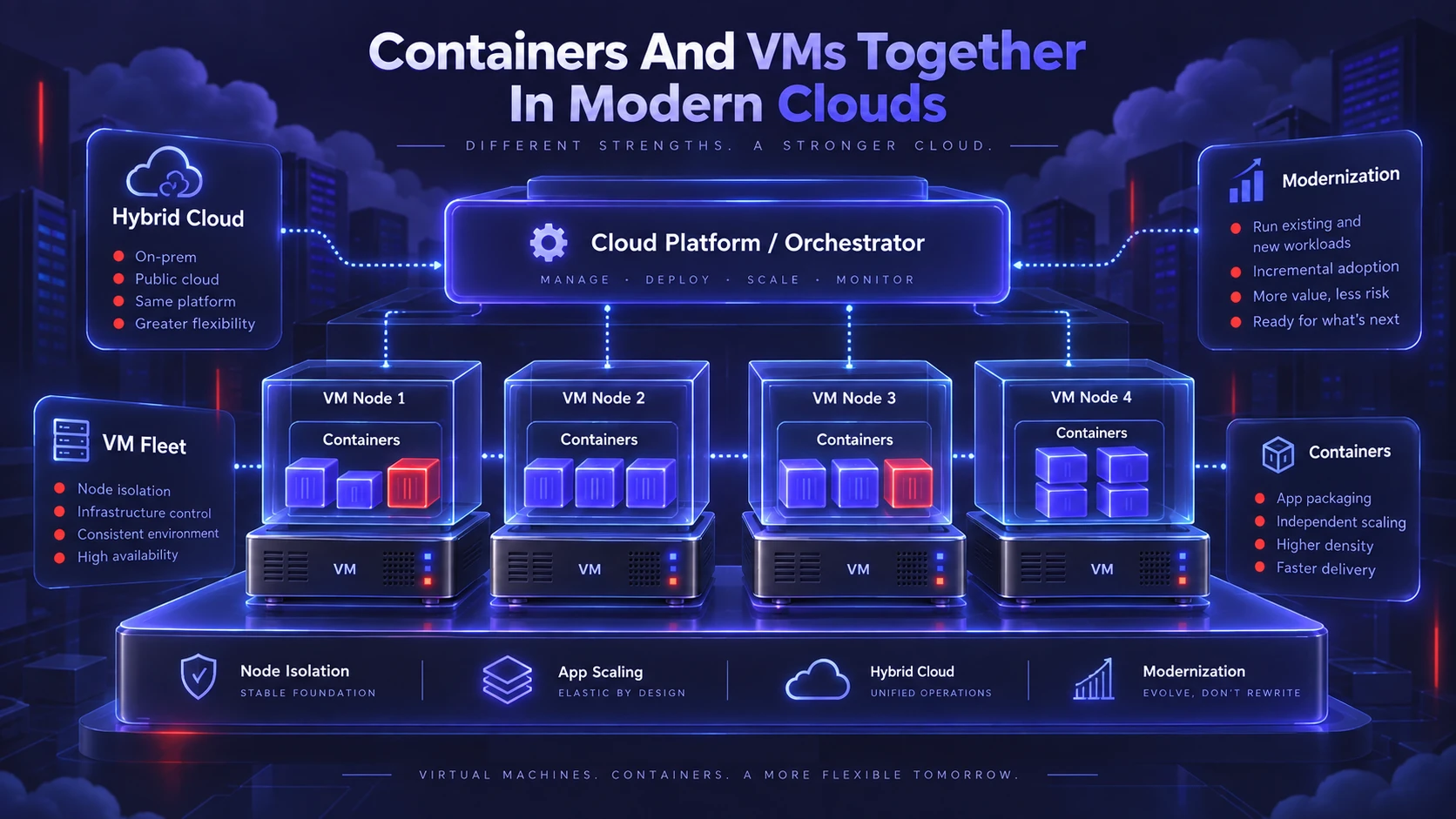
Many production environments combine both. A common pattern runs a container orchestrator on a VM fleet to balance isolation, manageability, and elasticity.
In that model, VMs provide node level boundaries and standard infrastructure controls. Containers provide the app level packaging and scaling. This hybrid approach is often the quickest path to modernization without a full platform rewrite.
Key Differences At A Glance
| Area | Containers | Virtual Machines |
|---|---|---|
| Isolation | Process isolation with shared host kernel | Hardware virtualization with separate guest OS |
| Startup Time | Typically very fast | Typically slower due to OS boot |
| Resource Overhead | Lower overhead and higher density | Higher overhead due to full OS per VM |
| Best Fit | Cloud native apps and scalable services | Legacy apps and strong isolation needs |
Use the table as a quick filter, then validate the choice against security needs, team skills, and delivery requirements.
How To Choose The Right Approach?
The best choice depends on workload traits and organizational readiness. A clear decision process prevents costly rework later.
- Security And Compliance Needs: Choose VMs when you require stronger tenant boundaries or have strict isolation mandates. Choose containers when you can enforce hardened runtimes and image governance.
- Workload Stability: Choose containers for rapidly changing services and frequent deployments. Choose VMs for long lived, stateful, or OS dependent workloads.
- Team Skills And Tooling: Choose containers when you can support orchestration, observability, and policy controls. Choose VMs when your current operational model is server centric and needs minimal change.
- Cost And Capacity Goals: Choose containers when maximizing host utilization is important. Choose VMs when overhead is acceptable and isolation is the priority.
A mixed approach is often optimal. Keep sensitive or hard to modernize components on VMs, and move suitable services into containers to gain speed and efficiency.
Common Pitfalls To Avoid
Many issues come from treating containers like small VMs. Containers work best when you embrace immutable images, automated rebuilds, and declarative infrastructure.
Also avoid running privileged containers or using bloated base images. Keep the host minimal, enforce least privilege, and build a clear image lifecycle with scanning and controlled registries.
Conclusion
Containers are best for fast delivery, efficient scaling, and consistent packaging across environments. Virtual machines are best for strong isolation, legacy compatibility, and full OS control.
If you need a practical path forward, use containers for modern services and run them on a well managed VM or node layer when additional boundaries help. The right answer is the one that matches your risk profile, workload needs, and ability to operate the platform confidently.
Frequently Asked Questions
Are Containers More Secure Than Virtual Machines?
Containers can be secure when hardened correctly, but their shared kernel model changes the risk profile. VMs usually provide a stronger default isolation boundary. The better option depends on your threat model, tenant separation needs, and security controls.
Do Containers Replace Virtual Machines In The Cloud?
Containers do not fully replace VMs in most environments. Many teams run containers on top of VMs to combine orchestration benefits with familiar infrastructure controls. VMs still matter for legacy systems, mixed OS needs, and strict isolation.
When Should You Use Kubernetes Instead Of VMs?
Kubernetes is a good fit when you need automated scaling, rolling deployments, and resilient service management across many workloads. It adds operational complexity, so it is less suitable for small, stable apps with minimal change. Choose it when you can invest in platform practices and observability.