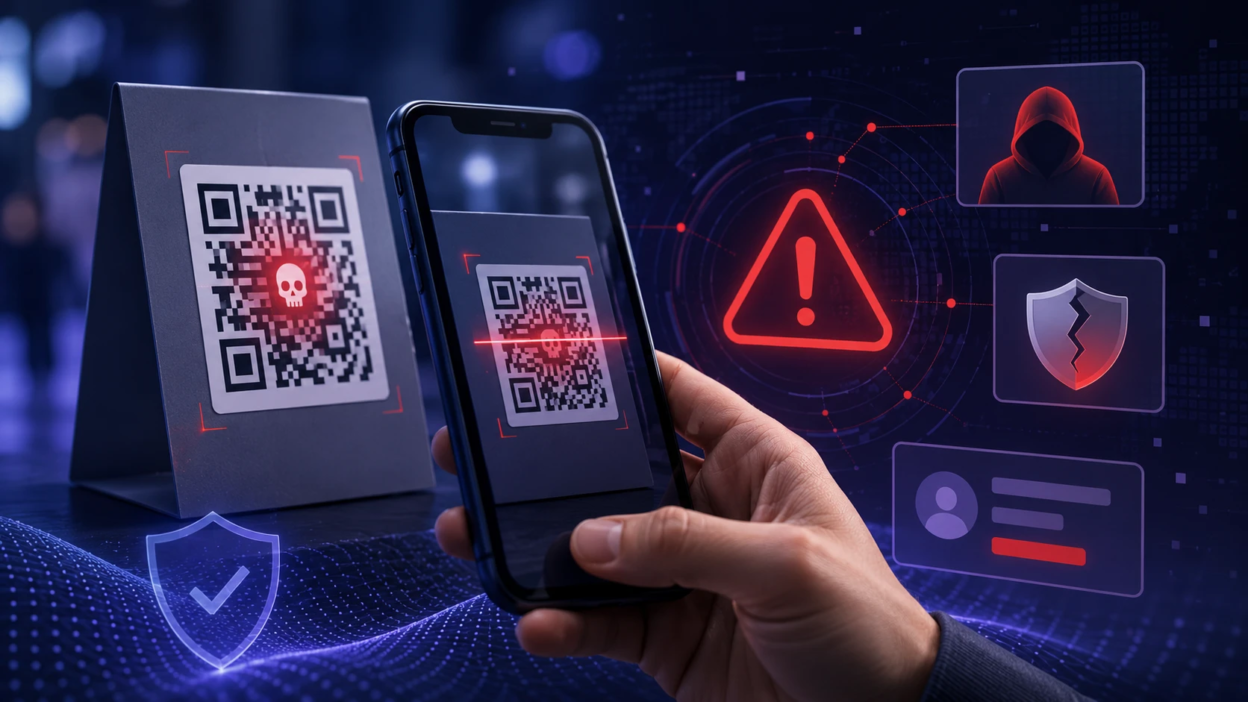
QR code phishing, also called quishing, is a scam that uses a QR code to push you toward a malicious site, a fake login page, or a harmful download. The goal is to steal passwords, payment details, or device access while making the interaction feel quick and trustworthy. Because QR codes hide the destination link, the risk is easy to miss until it is too late.
What QR Code Phishing Means?
QR code phishing is a form of social engineering where the QR code acts as the bait. Instead of clicking a suspicious link in an email, you scan a square code that looks harmless and often appears in a familiar place. The scan can open a web page, trigger an app prompt, or launch a message to a prefilled recipient.
Attackers rely on speed and habit. Many people scan first and evaluate later, especially when a code is placed on packaging, flyers, parking signs, payment terminals, or emails that look official.
How Quishing Scams Work?
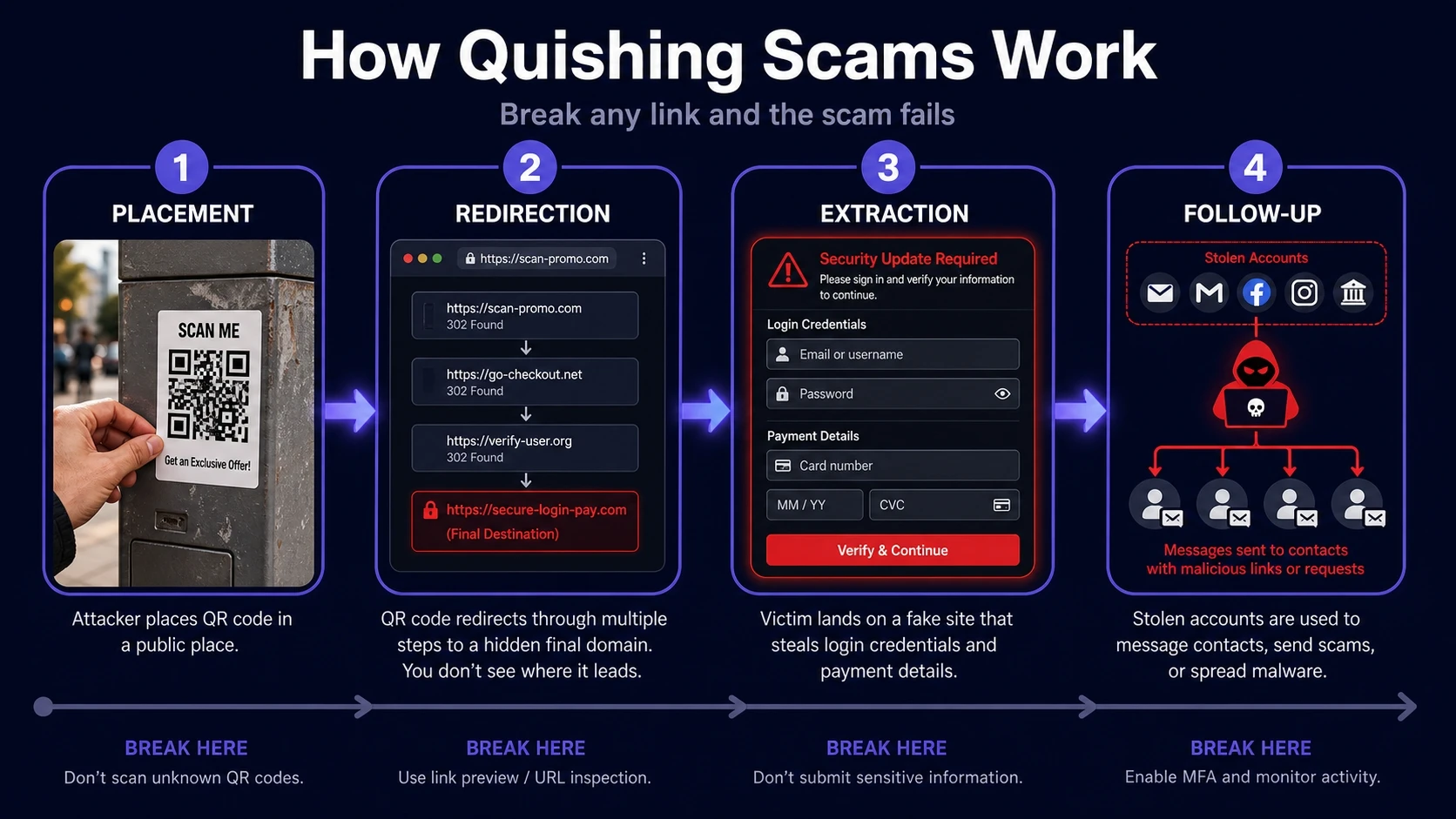
A quishing scam usually follows a short chain of actions. The scammer only needs one weak moment where the victim scans and proceeds without verifying the destination.
- Placement: A QR code is printed, pasted, or embedded in a message where it looks expected.
- Redirection: The code opens a site that may redirect several times to hide the final domain.
- Extraction: The site asks for logins, payment details, or prompts an app install that grants access.
- Follow up: Stolen accounts are used for transfers, password resets, or further phishing inside your contacts.
Once you understand the chain, the defense becomes clearer. Break any link in it and the scam fails.
Common Places Where QR Phishing Appears
QR code phishing works best where scanning feels normal. That is why scammers often target public locations and routine business workflows.
- Public Posters And Stickers: Codes placed over legitimate signage in transit stops, parking meters, or building lobbies.
- Restaurant Menus And Table Tents: Fake codes that lead to lookalike ordering or feedback pages.
- Invoices And Shipping Notices: QR codes that claim to verify delivery, pay a balance, or reschedule.
- Login And Security Emails: Messages urging a scan to restore access, confirm identity, or review alerts.
- Event Tickets And Registrations: Codes that claim to activate entry, download a pass, or confirm seating.
These placements exploit context. The code feels like part of a normal process, so scrutiny drops.
Warning Signs Of A Quishing Attempt
QR phishing usually shows small inconsistencies rather than obvious errors. Paying attention to a few signals can prevent most losses.
- Urgency Or Pressure: Language that pushes immediate action, especially around account lockouts or fees.
- Unexpected Payment Requests: A code that suddenly routes you to pay, refund, or update billing.
- Strange Domains: Misspellings, extra words, or unfamiliar top level domains after you scan.
- Permission Prompts: Requests to install an app, allow device access, or enable notifications to proceed.
- Too Much Personal Data: Forms asking for full credentials, card details, or government identifiers.
One warning sign is enough to pause. Quishing succeeds when victims ignore early friction and continue anyway.
What Happens After You Scan A Malicious QR Code?
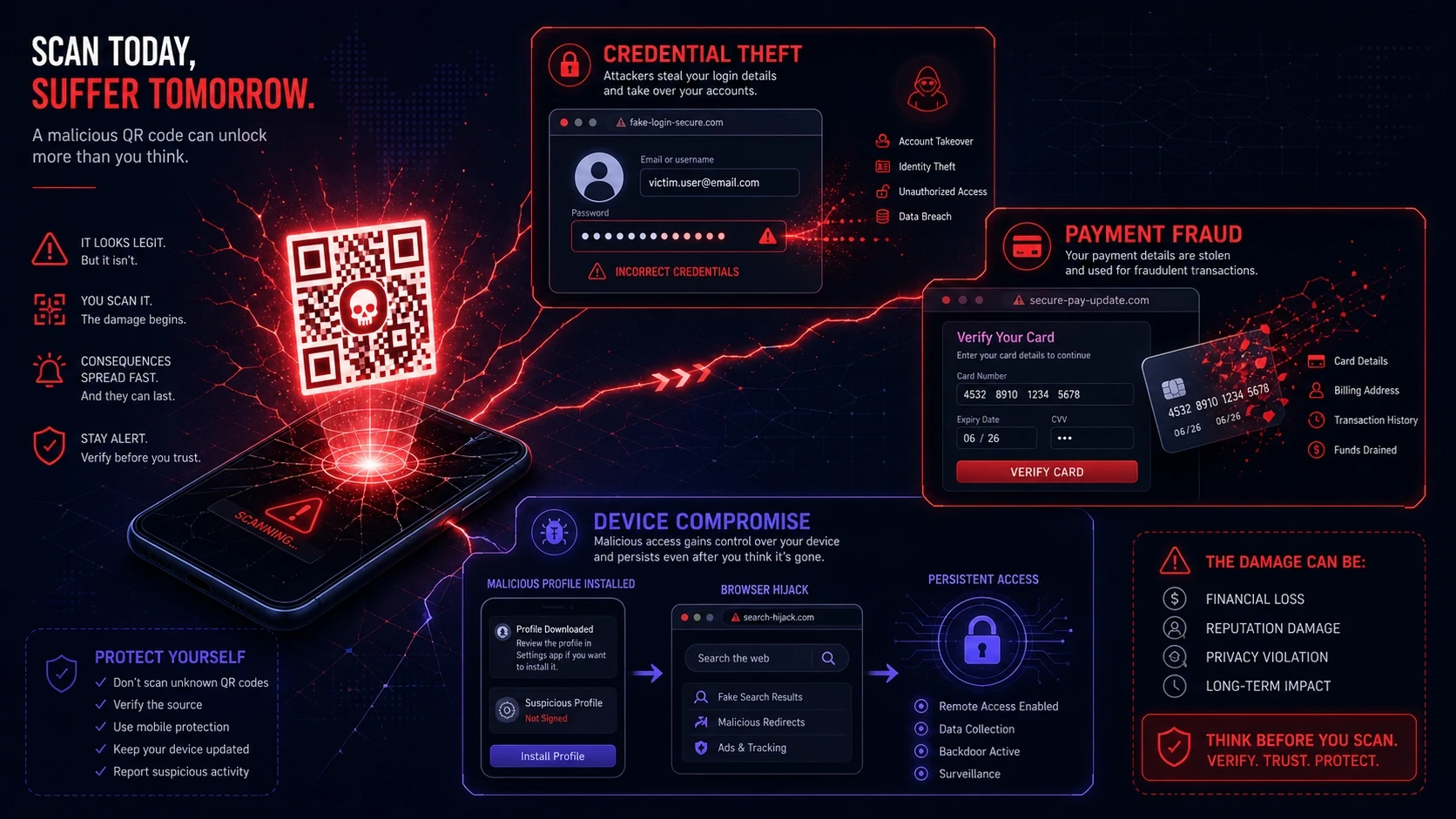
A QR scan can lead to several types of harm, depending on what the attacker built behind the code. Some outcomes are immediate, while others show up later as accounts are abused.
The most common outcome is credential theft through a fake sign-in page. Another is payment fraud through a counterfeit portal that mimics a real service and captures card details. Some campaigns aim for device compromise by pushing mobile configuration profiles, malicious apps, or browser prompts that enable persistent access.
Quishing Vs Traditional Phishing
Quishing overlaps with regular phishing but adds a key advantage for attackers. The link destination is not visible until after scanning, and many camera apps open it with a single tap.
| Attack Method | What The Victim Sees | Main Risk |
|---|---|---|
| Email Link Phishing | A clickable URL or button | Victim clicks without checking the domain |
| SMS Smishing | A short message with a link | Fast clicks on mobile lead to fake login pages |
| QR Code Phishing | A QR code that looks official | Hidden destination and quick open flows reduce scrutiny |
| Voice Vishing | A phone call from a claimed authority | Victim shares codes, passwords, or approves transfers |
The common thread is social engineering. The difference is how the lure is delivered and how much visibility you have before you interact.
How To Spot A Quishing Scam Before Scanning?
The safest time to stop a quishing scam is before the scan. Focus on the physical and contextual clues around the QR code.
- Check For Tampering: Look for stickers placed over another code, uneven edges, or mismatched branding.
- Validate The Source: Prefer codes that come from official apps, known portals, or trusted printed materials.
- Look For Process Mismatch: A parking sign that asks for a login, or a menu that asks for a card, is a red flag.
- Ask For A Plain URL: Legit businesses can provide a readable web address you can type yourself.
These checks take seconds. They also reduce the chance you will engage with an attacker-controlled destination.
Safe QR Scanning Habits That Reduce Risk
You can scan QR codes safely if you treat each scan like clicking a link. The goal is to reveal and verify the destination before you submit any data.
- Preview The Link: Use a scanner that shows the full URL before opening it.
- Verify The Domain: Confirm the exact spelling and brand domain, not just the page design.
- Avoid Credential Entry From QR Pages: If a scan leads to login, open the service directly in your browser or app.
- Use MFA And Passkeys: Strong authentication reduces damage when passwords are exposed.
- Keep Devices Updated: Security patches help block drive-by exploits and malicious installs.
These habits are practical for individuals and teams. They also align with basic zero trust thinking for everyday browsing.
What To Do If You Think You Fell For QR Code Phishing?
Fast action can limit the impact. Focus first on access control, then on financial and device safety.
- Disconnect And Close: Exit the page, disable mobile data or Wi-Fi briefly, and stop any downloads.
- Change Credentials: Update the affected password from a known safe path and rotate reused passwords.
- Secure Accounts: Enable MFA, review logged-in devices, and revoke suspicious sessions or app access.
- Notify Financial Providers: If payment data was entered, contact the bank and monitor transactions.
- Scan And Review Device Settings: Remove unknown profiles, check installed apps, and run a mobile security scan.
After containment, document what happened. That record helps with internal reporting or disputes if fraud occurs.
How Organizations Can Reduce Quishing Risk?
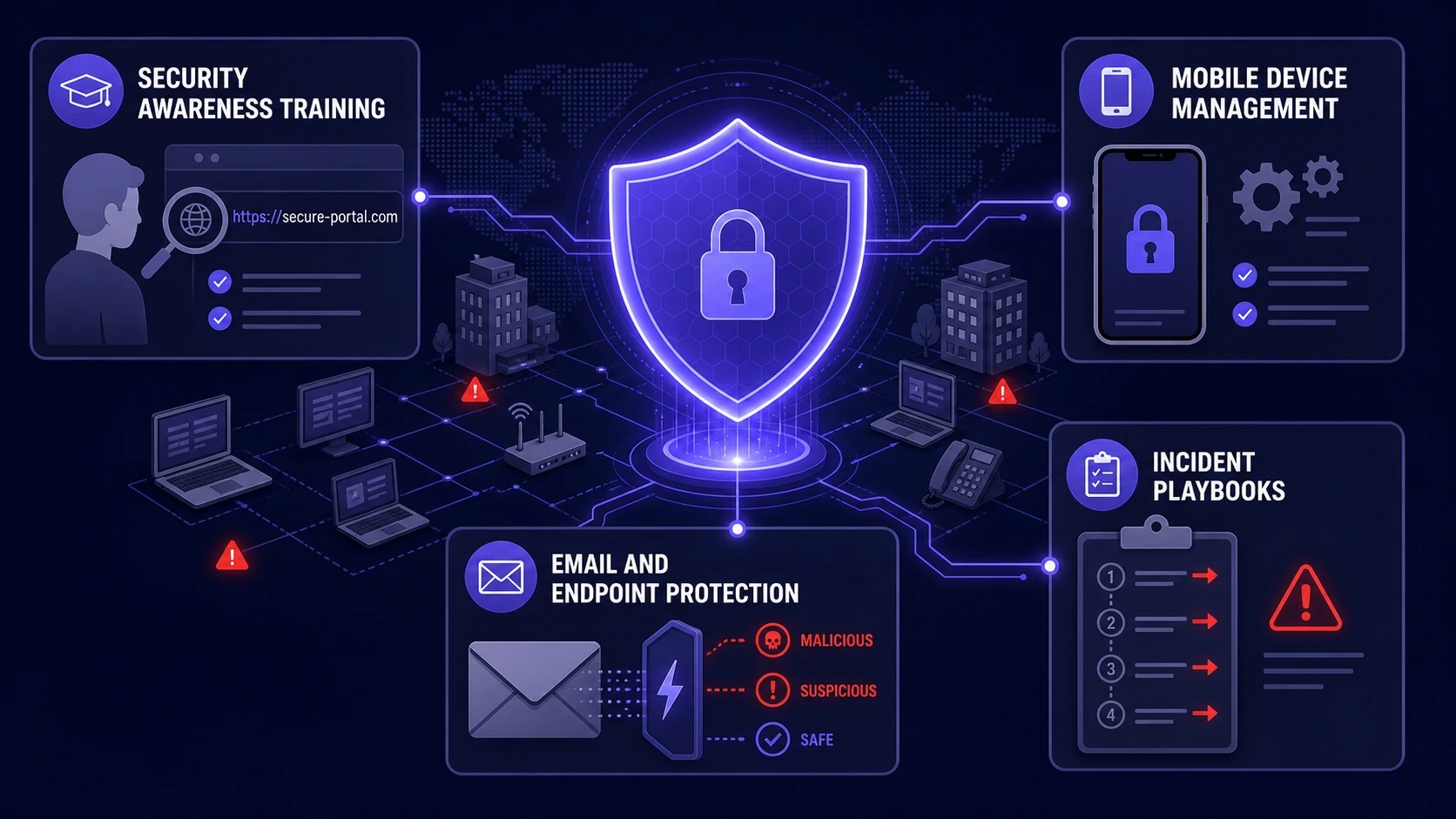
Businesses face higher exposure because QR codes are used in marketing, payments, logistics, and workplace access. A few controls can lower risk without blocking legitimate QR use.
- Security Awareness Training: Teach staff to verify domains after scanning and to avoid entering credentials from QR pages.
- Mobile Device Management: Enforce app install controls, block unknown configuration profiles, and require device updates.
- Email And Endpoint Protection: Filter QR images in inbound mail and inspect destinations through secure web gateways.
- Incident Playbooks: Define quick steps for reporting, credential resets, and session revocation after suspected scans.
If you need to operationalize these controls, Tech Bonafide-style cybersecurity guidance typically focuses on practical, layered defenses that fit real teams. A security assessment and policy review can also uncover risky QR workflows in marketing, facilities, and finance.
Conclusion
QR code phishing is effective because it hides the link behind a familiar scan action. The best defense is to slow down, preview the destination, and avoid entering sensitive information from QR-driven pages. Simple habits, strong authentication, and basic device hygiene make quishing far less likely to succeed.
If you manage a team, treat QR codes as part of your phishing surface. Clear policies, mobile controls, and rapid response steps can prevent one scan from becoming a larger incident.
Frequently Asked Questions
Is QR Code Phishing Only A Mobile Threat?
It is most common on mobile because scanning happens there, but the impact can spread to desktops and cloud accounts. A stolen login can be used from any device. Treat it as an account security risk, not just a phone risk.
Should I Trust QR Codes In Emails From Known Brands?
Not automatically. Attackers can spoof senders or compromise accounts, and a QR code hides the destination until you scan. If an email asks you to scan to log in or fix security issues, go directly to the brand’s official site or app instead.
What Is The Safest Way To Use QR Codes For Payments?
Use official payment apps that show the payee details clearly before you confirm. Avoid QR stickers that look tampered with, especially in public places. When possible, verify the merchant name and amount on-screen before approving the transaction.