Repeated multi-factor authentication prompts can look like harmless noise, but they are often a deliberate tactic to pressure a user into approving a login they did not start. This technique is commonly called an MFA fatigue attack, and it can turn a strong security control into a fast path to account takeover.
MFA Fatigue Attacks Defined?
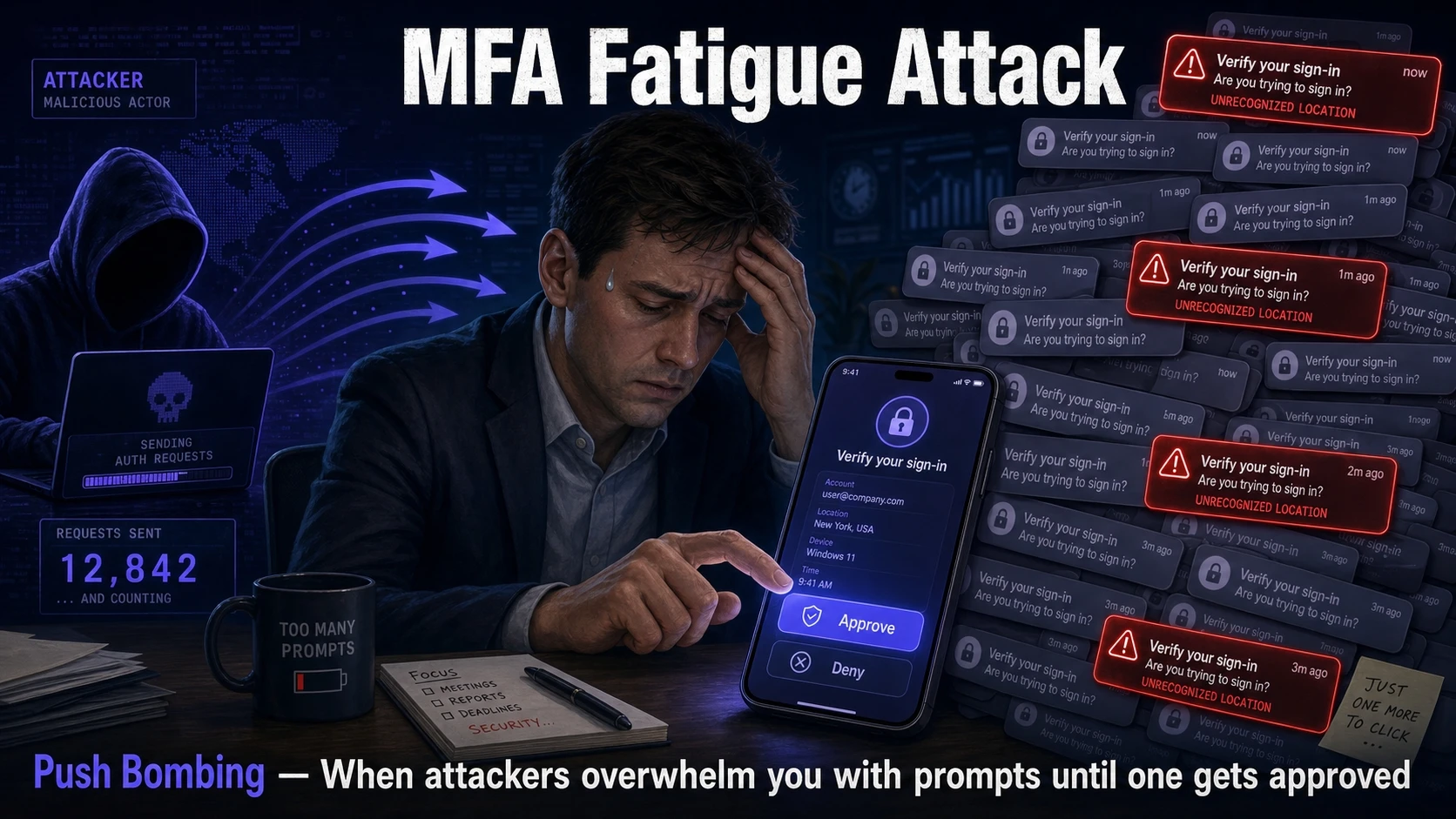
An MFA fatigue attack is a method where an attacker triggers many MFA requests to a target user in a short period of time. The attacker relies on annoyance, confusion, or distraction to get the user to approve one request.
This pattern is also known as push bombing when push notifications are involved. It can also happen through phone calls, SMS codes, or authenticator app prompts, depending on the MFA method in use.
Why Repeated Login Prompts Are Dangerous?
MFA is designed to add a second gate after passwords. Fatigue attacks target the human decision point at that gate rather than trying to break encryption or bypass the MFA system directly.
When prompts keep appearing, some users begin to treat them like background alerts. A single mistaken approval can grant the attacker a valid session, and that session often survives password resets until it is revoked.
- Conditioning And Alert Blindness: Frequent prompts train users to click quickly rather than verify details.
- Context Switching Pressure: Prompts arrive during meetings, commutes, or deep work, making careful checks less likely.
- False Assumption Of System Error: Users may think the identity provider is glitching and approve to stop interruptions.
- Social Engineering Add On: Attackers sometimes pair prompts with a helpdesk style message that nudges approval.
That mix of friction and psychology is why repeated prompts are not just annoying. They are an active threat signal.
How MFA Fatigue Attacks Typically Unfold?
The attacker usually starts with a stolen password obtained from phishing, credential stuffing, malware, or a previous breach. Once the password works, the attacker repeatedly attempts sign-in to trigger MFA challenges.
In many environments, the MFA prompt provides minimal context, so the user cannot easily distinguish a legitimate request from a malicious one. If approval happens, the attacker completes login and may enroll a new MFA method if controls are weak.
- Credential Validation: The attacker confirms the username and password are correct through an authentication attempt.
- Prompt Flooding: The attacker triggers many MFA requests to create urgency and wear down attention.
- Single Approval Event: The user approves one request, often to make the prompts stop.
- Session Establishment: The attacker gains access using a valid token or session cookie.
- Privilege Expansion: The attacker looks for sensitive apps, mailbox rules, OAuth grants, or admin pathways.
Once access is gained, containment becomes harder if the attacker quickly creates persistence.
Signals Your Organization Is Being Targeted
MFA fatigue attacks leave traces across identity logs and endpoint telemetry. Catching them early requires both technical monitoring and a clear user reporting path.
- High Volume Denied Prompts: Many denied or ignored MFA challenges for the same account within minutes.
- Repeated Sign In Failures Followed By Success: A burst of attempts that suddenly turns into a successful authentication.
- New Device Or Location Patterns: Login attempts from unusual IP ranges, ASNs, or geographies for that user.
- Helpdesk Tickets About Prompts: Users report strange notifications or unexpected MFA requests.
- MFA Method Changes: New authenticator enrollments, phone number updates, or backup method activation.
These indicators become much more actionable when security teams can correlate identity events with device posture and network context.
Which MFA Methods Are Most Vulnerable?
Not all MFA is equally resistant to fatigue. Push-based approval with a simple approve button is the most frequently abused because it reduces user effort and encourages rapid tapping.
SMS and voice can also be abused when attackers can repeatedly trigger code delivery or use voice calls to pressure a user. Phishing resistant methods reduce the chance that user action alone can be exploited.
| MFA Method | Fatigue Risk Level | What Makes It Risky Or Safer |
|---|---|---|
| Push Approval | High | One tap approvals can be accepted under pressure or distraction |
| Authenticator App Codes | Medium | Requires typing a code which slows impulsive approvals |
| Number Matching Push | Medium To Low | User must confirm a number shown on the sign in screen |
| FIDO2 Security Keys | Low | Bound to origin and device making remote approval much harder |
This comparison helps prioritize upgrades without delaying practical improvements that can be made immediately in policy and user training.
Controls That Stop MFA Fatigue Attacks
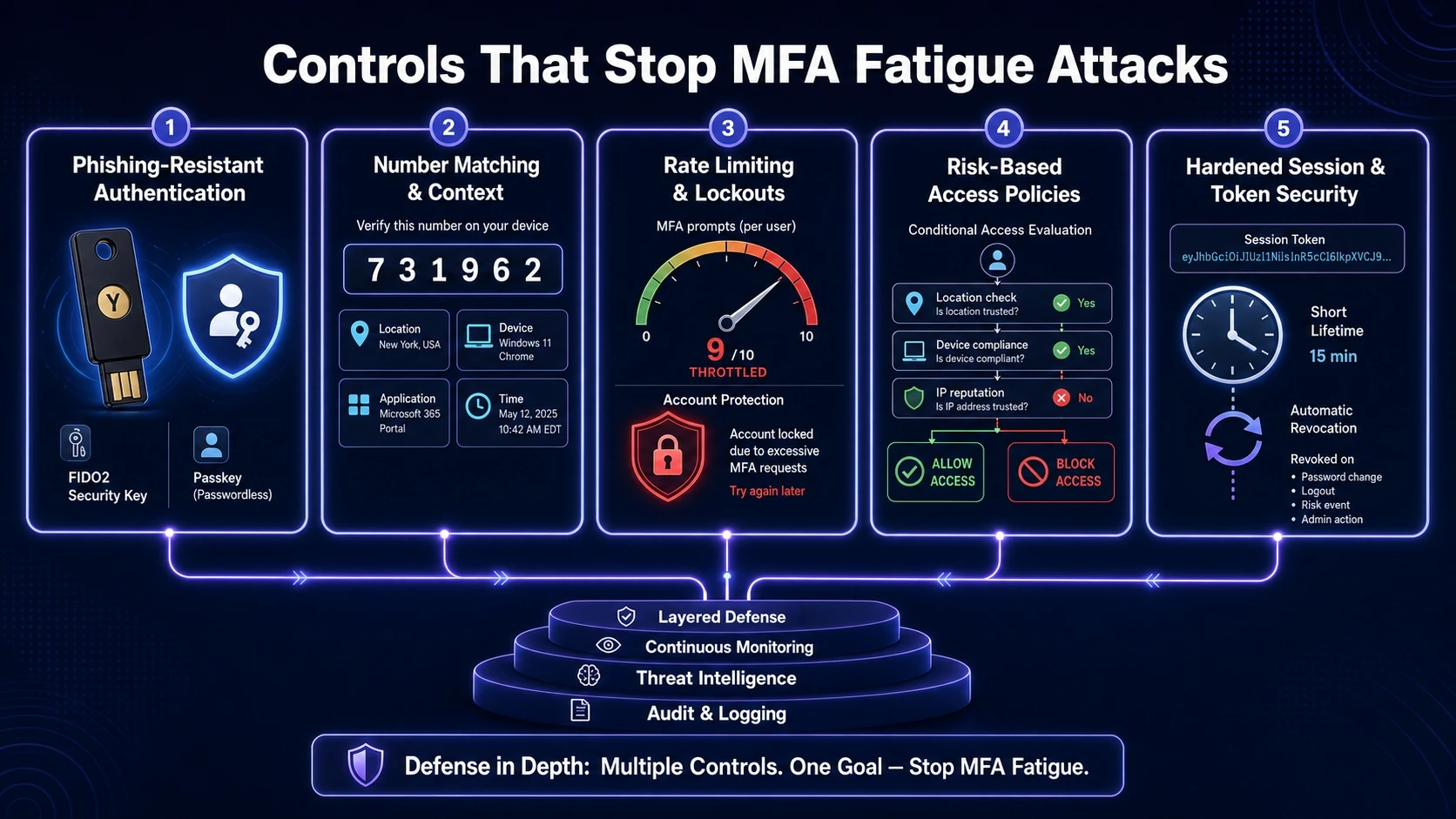
Defense works best in layers because the attacker is exploiting both technology and behavior. The goal is to reduce prompt volume, increase challenge context, and block suspicious sign-in patterns before the user sees them.
Use Phishing Resistant Authentication
Security keys using FIDO2 and passkeys provide strong protection because they are tied to the legitimate sign-in origin. They also remove the approval pattern that fatigue attacks depend on.
Where a full migration is not possible, prioritize phishing resistant methods for administrators, finance, HR, and anyone with access to production systems.
Enable Number Matching And Additional Context
Number matching forces the user to verify information from the sign-in screen. Adding context such as location, device, and application name makes the prompt meaningful rather than a generic approve or deny.
If your identity provider supports it, show the requesting app and approximate location every time. Clear context reduces accidental approvals.
Rate Limit Prompts And Add Lockouts
Rate limiting blocks the flood that creates fatigue. Lockouts and step up challenges after repeated denials can stop attackers from continuing to spam prompts.
- Prompt Throttling: Limit the number of challenges per account per time window.
- Adaptive Lockouts: Temporarily block authentication after repeated denials or suspicious patterns.
- Self Service Recovery Controls: Require stronger verification for MFA method resets.
These controls reduce noise for users and shrink the window attackers rely on.
Adopt Risk Based Access Policies
Conditional access policies can block sign-ins based on location anomalies, impossible travel, device compliance, or risky IP reputation. This prevents many MFA prompts from ever reaching the user.
Pair this with device health checks, managed endpoints, and least privilege access so a compromised session cannot move laterally as easily.
Harden Session And Token Security
If an attacker gets in once, they often ride the session token. Shorter session lifetimes for high risk apps, token binding where supported, and rapid revocation capabilities limit the damage.
Require reauthentication for sensitive actions such as changing MFA methods, viewing billing data, exporting customer lists, or modifying security settings.
User Guidance That Actually Works
Policies fail if users only hear generic advice. The most effective guidance is simple, repeatable, and tied to a fast reporting workflow.
- Never Approve Unexpected Prompts: Treat any unrequested prompt as a potential compromise and deny it.
- Report Immediately: Use a single channel such as a security hotline or ticket type so the team can respond fast.
- Change Password From A Known Good Device: Reset credentials only after verifying the device is trusted and malware free.
- Check For Method Changes: Review enrolled MFA methods and remove anything unfamiliar.
When the organization responds quickly and consistently, users are less likely to approve prompts just to make them stop.
How Tech Bonafide Can Help Reduce Identity Risk?
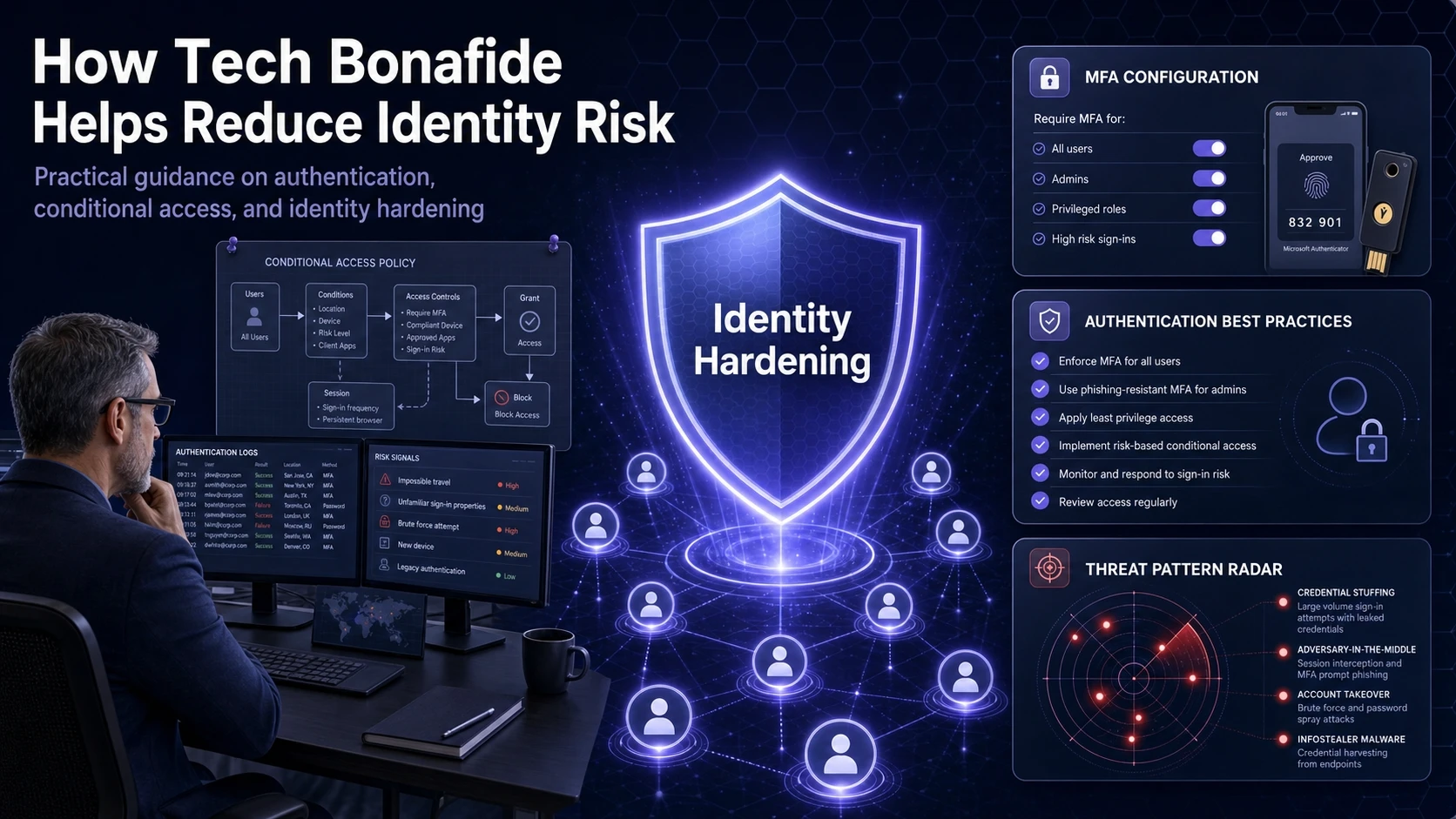
Stopping MFA fatigue attacks usually requires tightening identity configuration, tuning conditional access, and improving detection around authentication logs. Tech Bonafide supports security focused teams with practical guidance on identity hardening, authentication best practices, and broader cybersecurity improvements that align with modern threat patterns.
If your organization is reviewing MFA methods, conditional access policies, or incident response playbooks, a structured assessment can identify where prompt flooding could succeed and which controls to prioritize first.
Conclusion
MFA fatigue attacks succeed when repeated prompts turn security into background noise. The danger is not the prompt itself, but the moment a user approves a request that was never theirs.
Reduce risk by upgrading to phishing resistant authentication where possible, adding context and number matching, limiting prompt volume, and enforcing risk based access policies. Combine these controls with clear user reporting and fast response, and repeated login prompts become a warning signal rather than an entry point.
Frequently Asked Questions
Is MFA fatigue the same as MFA bypass?
No. MFA fatigue relies on the user approving a legitimate MFA request under pressure, so the attacker completes authentication normally. A bypass usually refers to exploiting a technical weakness to skip MFA entirely.
Should we disable push notifications to prevent MFA fatigue attacks?
Disabling push can reduce risk, but it can also increase friction and lead to unsafe workarounds. A better approach is enabling number matching, adding prompt context, rate limiting challenges, and moving high risk users to phishing resistant methods.
What should a user do right after receiving repeated MFA prompts?
Deny the requests and report the incident through the approved channel immediately. Then change the password from a trusted device, review enrolled MFA methods, and ask the security team to revoke active sessions and investigate sign-in logs.