


Ad-funded short links can place advertisements, tracking systems, and additional redirects between users and their intended websites. These services may collect click information, display promotional pages, or require visitors to complete certain steps before reaching the destination. AdsWynk is sometimes discussed in connection with this business model, although its current operation as a URL-shortening service has not been independently confirmed. Understanding how monetized redirects generally work can help users recognize privacy risks, avoid suspicious links, and browse more safely.
Is AdsWynk.com Actually An Ad-Funded Link Shortener?
AdsWynk.com has been described in some online discussions as a platform associated with shortened links and advertising revenue. However, a public website assessment conducted in October 2026 described its visible homepage as a general-interest blog covering technology, finance, education, and lifestyle topics. That assessment did not establish the existence of a functioning public link-shortening service or publisher earnings dashboard.
This distinction matters because the general operation of monetized URL shorteners should not be confused with the verified features of a particular website. Without access to a working AdsWynk short link, its actual redirect procedures, advertising arrangements, and tracking behavior cannot be confirmed. The following sections therefore explain how ad-funded short links commonly operate, rather than claiming to document AdsWynk’s internal systems.
What Ad-Funded Short Links are?
An ad-funded short link is a shortened URL that generates revenue by displaying advertisements or monetized interstitial pages before directing visitors to their intended websites. The short link acts as an intermediary, and the redirect may happen immediately or after certain conditions are satisfied, depending on the service.
Some gateways are quick and minimal, while others add timers, CAPTCHA challenges, or multiple hops. The main purpose is monetization, but the added steps can also create opportunities for tracking and abuse if the operator or advertising partners do not maintain appropriate safeguards.
How Ad-Funded Short Links Route Before the Destination Loads?
When someone clicks an ad-funded short link, the browser typically contacts the shortening service before reaching the intended website. The service may record basic request information and determine whether the visitor should be redirected immediately or shown an intermediate page.
Depending on the platform, this intermediate page might display advertising, run browser scripts, or require an additional action before forwarding the visitor. Some services also apply security checks to identify automated or suspicious traffic. These are possible features of ad-funded shortening systems, not confirmed details of AdsWynk.com’s infrastructure.
- Initial request: The browser connects to the shortening service, which identifies the link and looks up its configured destination.
- Possible policy checks: Depending on the service, automated systems may evaluate unusual traffic, repeated requests, or geographic restrictions.
- Optional advertising page: Some services display advertisements, countdowns, or additional instructions before allowing the visitor to continue.
- Final navigation: The browser receives a redirect instruction or follows a destination link, allowing the visitor to continue to the intended website.
These additional checkpoints help explain why some ad-funded short links take longer to load than direct links. The intermediary may be designed to support advertising and traffic measurement rather than simply provide the fastest possible navigation.
What Data Can Be Observed During the Redirect Chain?
Even without directly knowing a visitor’s identity, websites involved in a redirect chain may observe several technical details. Much of this information is standard web telemetry, but combining different signals can create privacy concerns.
Commonly observed signals may include IP addresses, approximate locations, device types, browser and operating system details, referral information, and click timing. Depending on implementation, identifiers can also be stored in cookies, local storage, or appended as URL parameters. Understanding browser cookies and other stored website data helps explain how websites can recognize returning visitors and how certain types of tracking information may persist between browsing sessions.
- Network metadata: IP addresses, autonomous system numbers (ASNs), and inferred geographic regions may be used for traffic analysis, advertising, or fraud detection.
- Browser fingerprint inputs: User agents, languages, time zones, and browser capabilities may be combined to help distinguish devices or browsing sessions.
- Referral and campaign context: Referrer information and URL tracking parameters may help identify where a click originated.
- Interaction telemetry: Some intermediate pages may record timer completion, page activity, focus changes, or other interactions to measure visitor engagement.
Not every ad-funded short link collects all of this information. The actual data collected depends on the platform, its advertising technology, browser settings, and applicable privacy requirements.
Where the Risks Come From?
Some risks associated with ad-funded short links arise from additional redirects, intermediate pages, and third-party advertising systems. Each additional page or script can introduce another opportunity for misleading content, unwanted downloads, intrusive advertising, or phishing attempts.
Another concern is the lack of destination transparency. A shortened URL often hides the final website address, making it harder for users to identify suspicious domains before navigating to them.
- Malvertising exposure: Malicious or misleading advertisements may direct visitors toward deceptive landing pages, unwanted software, or abusive browser notification requests.
- Destination spoofing: A short link may conceal an unexpected or fraudulent destination. The FTC guidance on recognizing and avoiding phishing scams explains how deceptive messages and links can lead people to websites designed to steal account credentials or sensitive information.
- Privacy leakage: Tracking parameters, advertising scripts, and third-party services may share information about a visitor’s browsing activity across multiple domains.
- Account takeovers and scams: Criminals may distribute deceptive short links through compromised social accounts, chat messages, or fraudulent promotions. These tactics can overlap with phishing and fake giveaways on Discord, where misleading links direct visitors toward fake sign-in pages or attempts to steal account information.
Being cautious does not mean every shortened link should be treated as malicious. Instead, users should understand how additional redirects may affect privacy and recognize when suspicious behavior makes a link too risky to follow.
What Legitimate Publishers Use These Links for?
Publishers sometimes use ad-funded short links to generate revenue from visitors who may not interact with traditional display advertisements. Shortening services can also provide centralized link management, click measurement, and destination controls.
Some publishers choose monetized links to help cover hosting expenses when distributing free downloads, tutorials, or community resources. Others use shortening services to measure engagement from channels where detailed analytics may be limited, including messaging applications and social platforms.
However, responsible publishers should clearly communicate when links contain advertising or additional navigation steps. They should also monitor destination changes and advertising partners to reduce the possibility of visitors encountering misleading or inappropriate content.
Signals That a Short Link May Be Unsafe
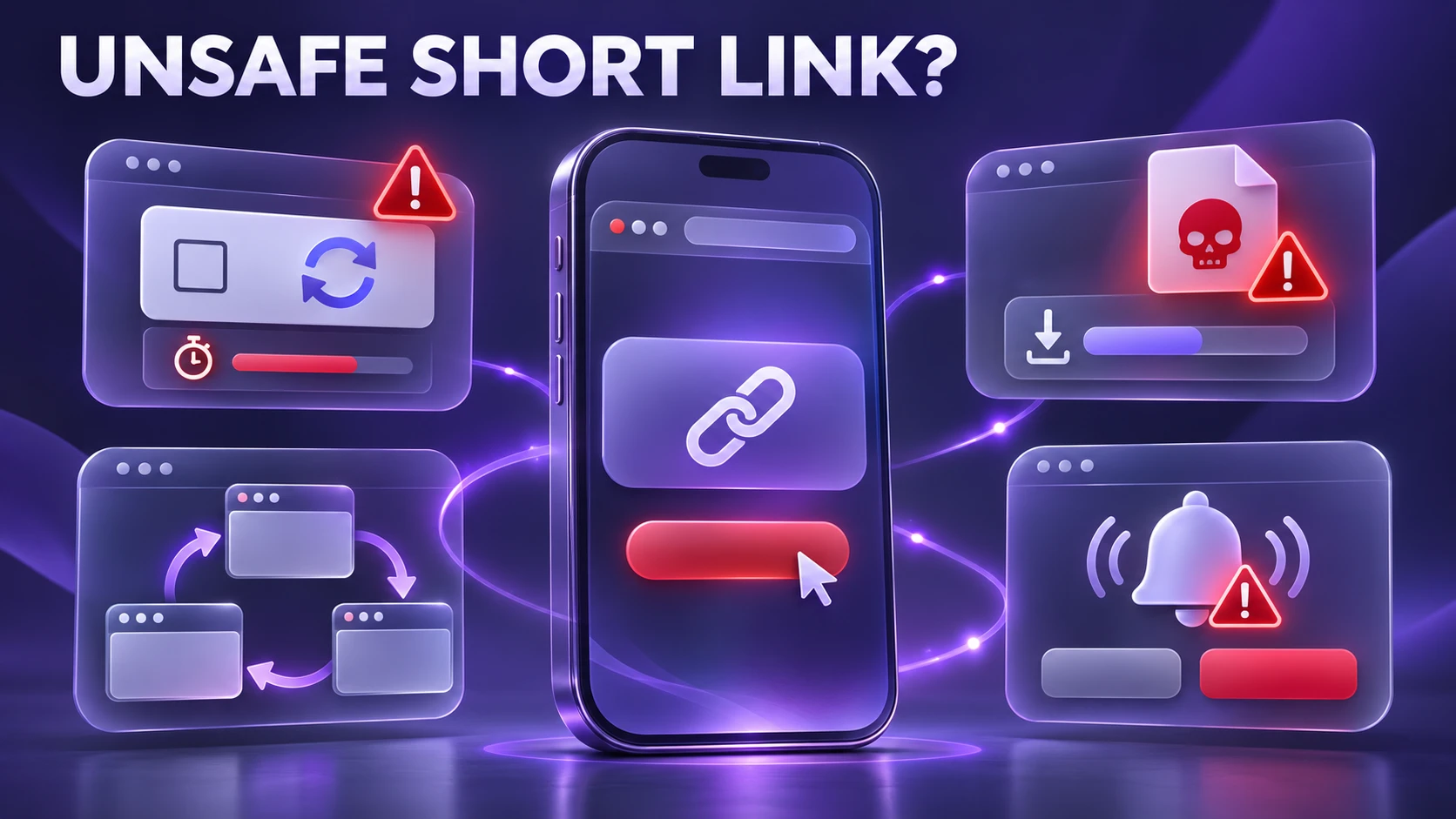
No single warning sign proves that a shortened link is malicious. However, several suspicious behaviors appearing together should encourage users to pause and verify the destination before continuing.
- Excessive interstitial friction: Multiple countdown timers, repeated verification challenges, or forced notification prompts can indicate a questionable redirect experience. Particularly suspicious instructions may involve fake CAPTCHA malware, where an apparently routine verification step tricks visitors into running commands, downloading files, or performing other unsafe actions.
- Unexpected file prompts: Automatic downloads, requests to install unfamiliar extensions, or instructions to execute commands should be treated as warning signs.
- Domain churn: Repeated redirects through unrelated websites can make it difficult to determine which service is controlling navigation and where the visitor will eventually arrive.
- Overly aggressive permissions: Requests for push notifications, clipboard access, or other browser permissions without an understandable purpose may indicate an intrusive or deceptive page.
These issues can be particularly difficult to identify on mobile devices, where smaller screens may hide parts of a destination address. Before entering passwords, downloading files, or providing payment information, take time to check whether a tech website is trustworthy. Confirm the domain name, look for clear publisher information, and avoid pages that demand unnecessary permissions or unexpected downloads.
Ways to Click More Safely Without Losing Productivity
Safer browsing involves reducing uncertainty about unfamiliar links and limiting unnecessary access to personal information. Browser settings, careful link inspection, and basic security precautions can help users avoid common problems.
- Check the destination: When possible, inspect the destination address without visiting an unfamiliar website. You can also use Google Safe Browsing’s Site Status tool to check whether a domain has been identified as dangerous. Remember that link-expansion services may contact the destination themselves, and a clean security result does not prove that every page or redirect is safe. Avoid submitting private or tokenized URLs to public checking services.
- Harden your browser: Keep your browser updated, review third-party cookie settings, and block unnecessary website permissions. If unfamiliar websites repeatedly request push notifications, follow Chrome’s official notification settings guide to manage these requests. Avoid granting permissions merely to pass through an advertising or redirect page.
- Understand private browsing: A separate browser profile or private window can help limit the reuse of existing cookies and browsing sessions, but it cannot make an unsafe link trustworthy. As explained in Mozilla’s explanation of private browsing, private sessions do not make users anonymous to websites or network operators. If a link appears malicious, avoid opening it altogether.
- Review tracking parameters: Long URLs may contain advertising identifiers, referral information, or session-related values. Some tracking parameters can be removed without affecting the destination, but others are necessary for authentication, navigation, or website functionality. Avoid deleting unfamiliar parameters automatically, especially from login, payment, or account-related links.
- Use security protection: Reputable DNS filtering services, browser security features, and carefully selected security extensions may help block known malicious websites encountered during a redirect. However, these tools cannot detect every new or previously unidentified threat.
These precautions can reduce some of the risks associated with ad-funded links, although no browser setting guarantees complete protection. Readers who regularly encounter unfamiliar websites may also benefit from comparing browsers designed with privacy protections, including their approaches to tracker blocking, cookies, and fingerprinting protection.
What to Do If You Already Clicked a Suspicious Short Link?
Accidentally opening a suspicious shortened link does not automatically mean your device or accounts have been compromised. The appropriate response depends on what happened after the page loaded.
If you only opened the page and did not download files, grant permissions, or enter personal information, close the suspicious tab and check for unexpected browser permissions or downloads. If the page requested account credentials, avoid submitting them and visit the legitimate service directly through its official website or application.
If you entered a password, change it through the official service, review active sessions, and enable multifactor authentication where available. If a file was downloaded or installed unexpectedly, use reputable security software to scan the device and investigate any unfamiliar applications or extensions.
Avoid returning to a suspicious page simply to determine where it redirects. When the destination cannot be established safely, requesting a direct link from the original sender may be the better option.
Redirect Methods and What They Mean?
Website redirects can occur through HTTP responses, HTML instructions, or browser scripts. Each method works differently and can affect what loads before the visitor reaches the final page. MDN’s documentation on HTTP redirections explains these mechanisms and their technical differences. However, no redirect method alone guarantees that the destination is trustworthy.
| Redirect Method | How It Works | Privacy and Security Considerations |
|---|---|---|
| HTTP 301 or 302 | The server tells the browser to request another URL. | Usually does not require displaying an intermediate HTML page, but the destination may still be unsafe. |
| Meta Refresh | An HTML page instructs the browser to navigate after a specified delay. | The intermediate page may load resources or content before navigation occurs. |
| JavaScript Redirect | Browser scripts initiate navigation to another address. | Scripts may perform additional operations before redirecting, depending on their implementation. |
| Multi-Hop Redirect Chain | The browser passes through several URLs or domains. | More intermediaries can make the final destination and data-sharing behavior harder to evaluate. |
Understanding these differences helps explain why some links load intermediate pages, display advertising, or take longer to reach their destinations. It can also help users describe suspicious navigation behavior when reporting a potentially harmful link.
What This Means for Site Owners and Marketers?
Website owners should consider how ad-funded short links affect visitor trust, navigation, and conversion rates. Additional advertising pages can create friction, and some visitors may abandon the process before reaching the intended content. Aggressive redirect behavior may also attract scrutiny from browser protection systems or security filters.
For teams that rely on monetization or tracking, transparency and user safety should remain priorities. Clear advertising disclosures, limited redirects, and careful management of third-party advertising partners can help reduce unnecessary friction and misleading browsing experiences.
- Limit redirect hops: Keep navigation paths as short and understandable as possible so visitors can reach their intended content without unnecessary delays.
- Control destinations: Monitor link targets, review destination changes, and establish safeguards against unauthorized modifications or misleading redirects.
- Monitor complaints: Investigate reports of unexpected downloads, intrusive notifications, misleading advertisements, and suspicious popups to identify possible problems.
Publishers should evaluate whether the benefits of ad-funded redirects outweigh the additional steps imposed on visitors. Transparent monetization practices, clear destination information, and carefully configured analytics can help reduce unnecessary friction. Website owners should also regularly review outbound links and advertising partners to identify misleading redirects or unwanted content.
Conclusion
Ad-funded short links can introduce advertising pages, tracking systems, and additional navigation steps before visitors reach their intended websites. These mechanisms are common concepts in link monetization, but they should not be attributed to AdsWynk.com without verifying that the platform currently provides the relevant services.
For readers, the safest approach is to verify unfamiliar destinations, avoid unnecessary permission requests, and remain cautious around repeated redirects or unexpected downloads. Publishers should prioritize transparent linking practices, responsible advertising partnerships, and clear destination information. Understanding these precautions can make browsing through shortened links more predictable while reducing unnecessary privacy and security risks.
Frequently Asked Questions
Do Ad-Funded Short Links Always Track You?
Not every ad-funded short link collects the same information. A shortening service may record technical details such as IP addresses, request times, browser information, and referral data for analytics or security purposes. Additional tracking can depend on cookies, advertising partners, and browser scripts. Users can reduce certain forms of tracking through browser privacy settings, although these settings do not prevent every service from observing basic connection information.
Why Do Some Short Links Show a Timer Before Redirecting?
Some ad-funded shortening services use countdown timers to keep visitors on an advertising page before allowing them to continue. Depending on the platform, timers may support advertising requirements or automated traffic controls. However, repeated countdowns, misleading buttons, and redirects to unrelated domains can indicate an unreliable or potentially unsafe browsing experience.
Can A Short Link Be Checked Without Opening It Fully?
Some link-checking services can follow standard HTTP redirects and report the resulting destination. However, they may not reproduce JavaScript redirects, advertising conditions, or location-dependent behavior. These services may also access the supplied URL themselves, potentially exposing private link tokens or triggering one-time links. If you cannot establish the destination safely, request a direct website address from the sender or avoid the link.


