

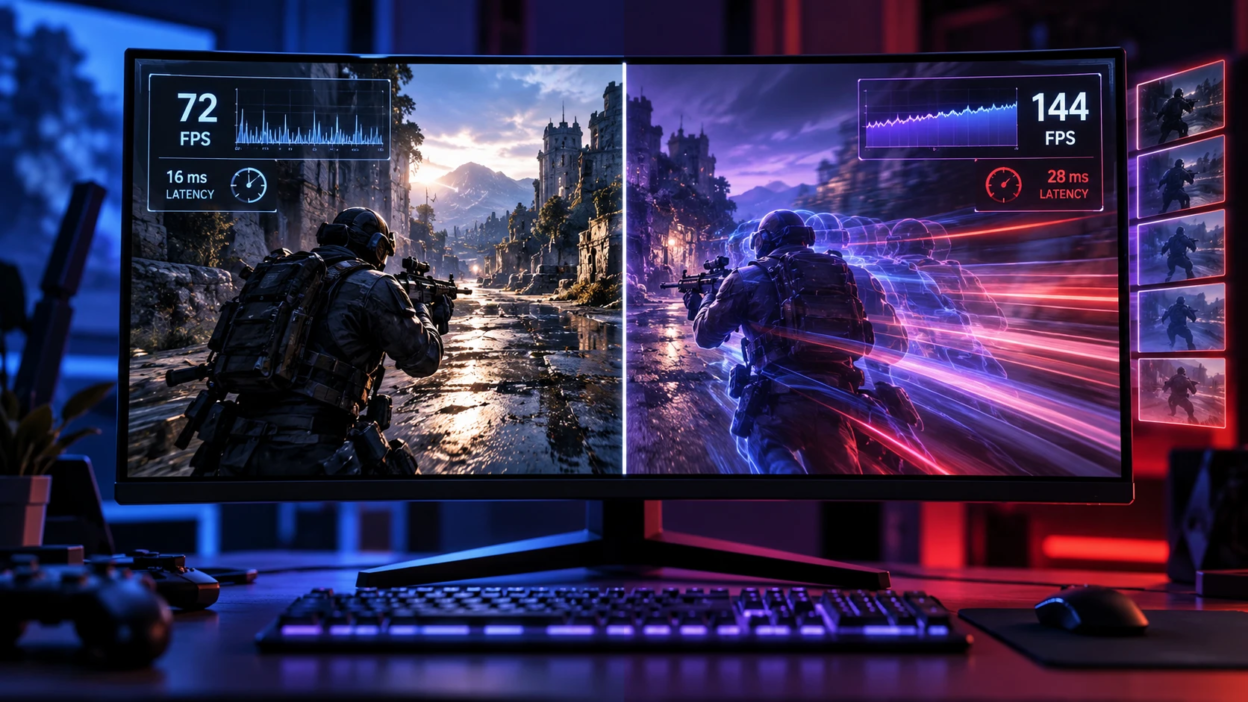
Frame generation has changed how PC gaming performance is discussed. Instead of only rendering more real frames, the GPU can create additional in-between frames to raise displayed FPS. That can look smooth, but it also changes the timing, input feel, and even how you should measure performance.
What Native FPS Really Measures
Native FPS is the rate at which the game produces and presents engine-rendered frames. These frames are based on the game’s current simulation state, but rendering, input sampling, physics, and other simulation work are not always tied to a strict one-frame-per-simulation-step relationship.
Because native frames are engine-produced, they tend to preserve consistent motion clarity and predictable latency. When gamers talk about a game feeling snappy, they are usually describing strong native frame pacing and low end-to-end input delay.
What Frame Generation is Doing Under the Hood
Frame generation creates additional displayed frames using information from engine-rendered frames and motion data. Depending on the technology, this can involve motion vectors, depth information, optical flow, or machine-learning models to synthesize one or more frames that were not rendered normally by the game engine.
Those generated frames can raise the FPS counter and make camera pans look smoother. The important trade-off is that the generated frame does not include a new simulation tick, so it cannot reflect newly sampled input in the same way a native frame can.
NVIDIA’s DLSS Frame Generation is one example of this approach, while newer Multi Frame Generation versions can synthesize multiple displayed frames for each rendered frame.
Why Do Gamers Want Frame Generation?
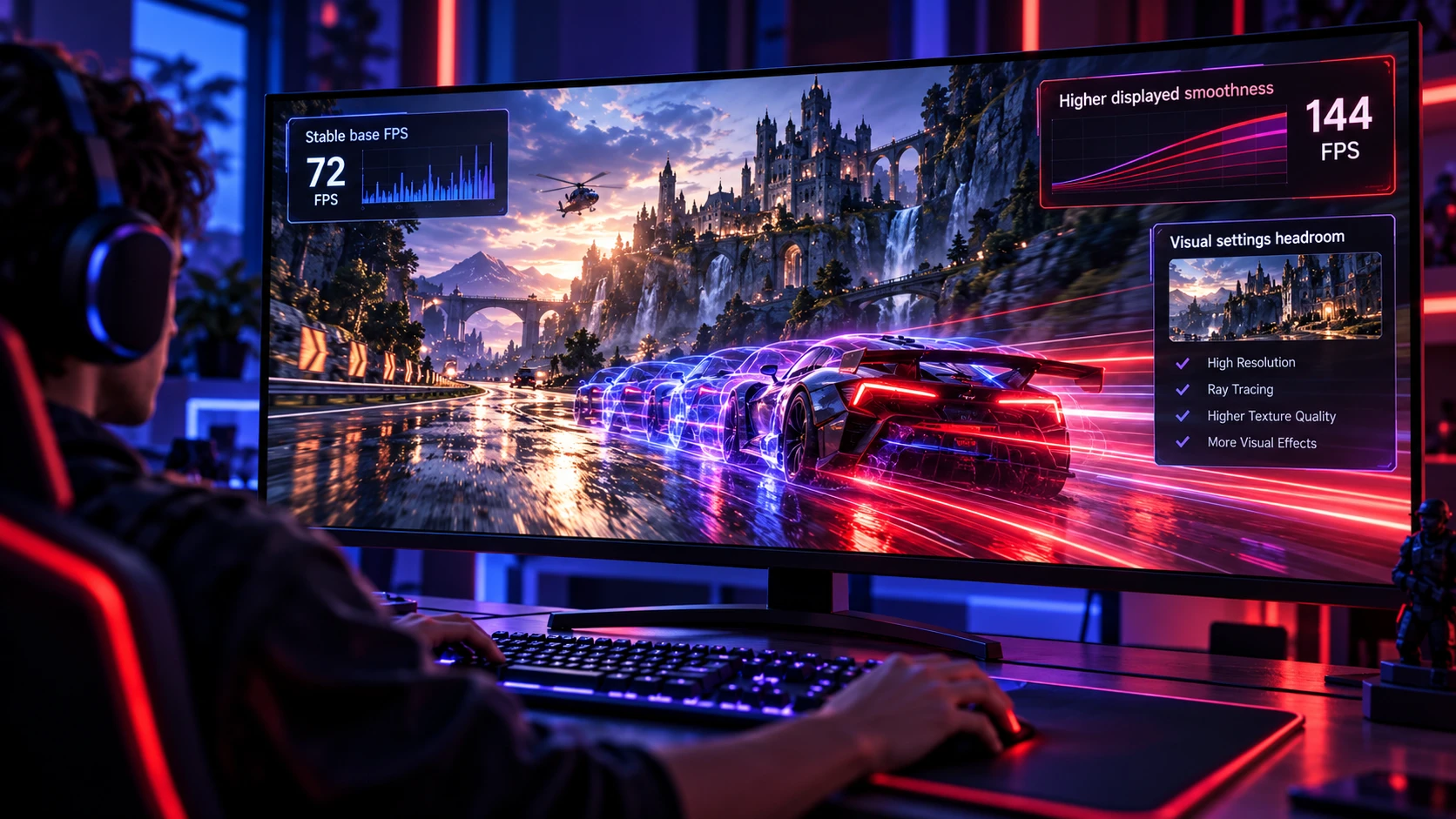
The strongest appeal is obvious on demanding settings like high resolution and heavy ray tracing. When your GPU struggles to keep native FPS high, frame generation can lift perceived smoothness without needing to drop settings as aggressively.
It can also reduce the need for aggressive visual compromises. When frame generation is paired with technologies such as DLSS Super Resolution or FSR Upscaling, players may gain more performance headroom for demanding visual settings.
For an AMD hardware example, our coverage of the Radeon RX 9070 Series explains how AMD’s newer GPU architecture incorporates updated FSR and AI-assisted graphics features.
- Higher displayed smoothness: More on-screen updates can make panning and tracking targets feel steadier, especially on high refresh monitors.
- Better looking settings headroom: You can keep effects like ray traced reflections, shadows, and global illumination enabled more often.
- Smoother presentation with a stable base: When native frame pacing is already consistent, generated frames can increase displayed smoothness. They do not fix underlying CPU spikes, shader-compilation stutter, or unstable base frame times.
Those gains are real, but they come with conditions that matter more in some genres than others.
What Gamers Give Up With Frame Generation
One important trade-off is latency. Generated frames do not represent a newly rendered game-state update, and frame-generation processing can add latency compared with the same rendering path without generation. Low-latency technologies such as NVIDIA Reflex or AMD Anti-Lag 2 can reduce parts of the overall pipeline delay, but the result still depends heavily on base FPS and the game’s implementation.
Artifacts are the second cost. Because the generated frame is a prediction, it can break on fast motion, fine details, transparency, particle effects, HUD elements, and abrupt camera changes.
- Higher input latency: Mouse and controller response can feel less immediate, especially if the base FPS is low.
- Interpolation artifacts: Ghosting, wobble, and edge tearing can show up around moving objects and thin geometry.
- UI and text instability: Overlays, nameplates, and crosshairs can shimmer or distort during rapid motion.
- Less reliable competitive feel: In twitch shooters, the visual smoothness can mask the fact that the simulation is still running at the lower base rate.
These trade-offs are why the best setting is not universal. It depends on your base FPS, refresh rate, and what you value more, feel or smoothness.
Base FPS Matters More Than the Generated FPS
Frame generation is best treated as a multiplier on an already decent base. If your native FPS is too low, generated frames can look smooth while input feels noticeably delayed, and artifacting becomes more obvious.
A healthier approach is to first stabilize native performance with settings, resolution scaling, and sensible CPU limits. Once the base is solid, frame generation can be a finishing tool for higher perceived fluidity.
Frame Pacing and Stutter Considerations
Gamers often chase high FPS but forget frame pacing. Uneven delivery can feel worse than a lower but consistent rate, and frame generation does not automatically fix poor pacing from CPU spikes, shader compilation, or background tasks.
If your native frame time graph is spiky, the generated frames can amplify the perception of inconsistency. Smooth results usually require stable base frame times, correct VRR configuration, and appropriate caps.
Input Latency: What You Can and Cannot Offset
Low-latency technologies can reduce delays in different parts of the rendering pipeline. NVIDIA Reflex, for example, synchronizes CPU and GPU work to reduce system latency. It can improve responsiveness alongside frame generation, but generated frames still do not become new engine-rendered simulation updates.
To keep control response reasonable, focus on raising base FPS first. Then use frame generation to increase displayed FPS, while keeping an eye on how aiming, parrying, and micro adjustments feel.
Visual Quality Trade-Offs to Watch For
Generated frames are most likely to fail where the motion estimation is ambiguous. Transparent effects, thin wires, foliage, fast camera rotation, and objects crossing each other can confuse prediction.
Pay attention to motion clarity as well. Native frames can preserve more natural blur behavior and less temporal instability, while generated frames can introduce a synthetic look during high contrast movement.
NVIDIA continues to expand AI-assisted rendering beyond basic frame generation. For more context on where its graphics stack is heading, see our coverage of NVIDIA DLSS 5 and its newer neural-rendering approach.
Best Use Cases By Game Type
Single-player cinematic games often benefit most because the goal is smooth presentation with high settings. Competitive games care more about reaction time and consistent native responsiveness.
- Story-driven action and RPGs: Usually a strong match when base FPS is stable and visuals are prioritized.
- Open-world games with heavy ray tracing: Helpful for maintaining smooth traversal without dropping to low settings.
- Competitive shooters and fighters: Often better to prioritize native FPS and lower latency over generated smoothness.
- Sim racing and rhythm games: Can be sensitive to latency, so testing is essential before committing.
Once you know your genre and tolerance for delay, the choice becomes clearer.
How to Choose Settings Without Guesswork?
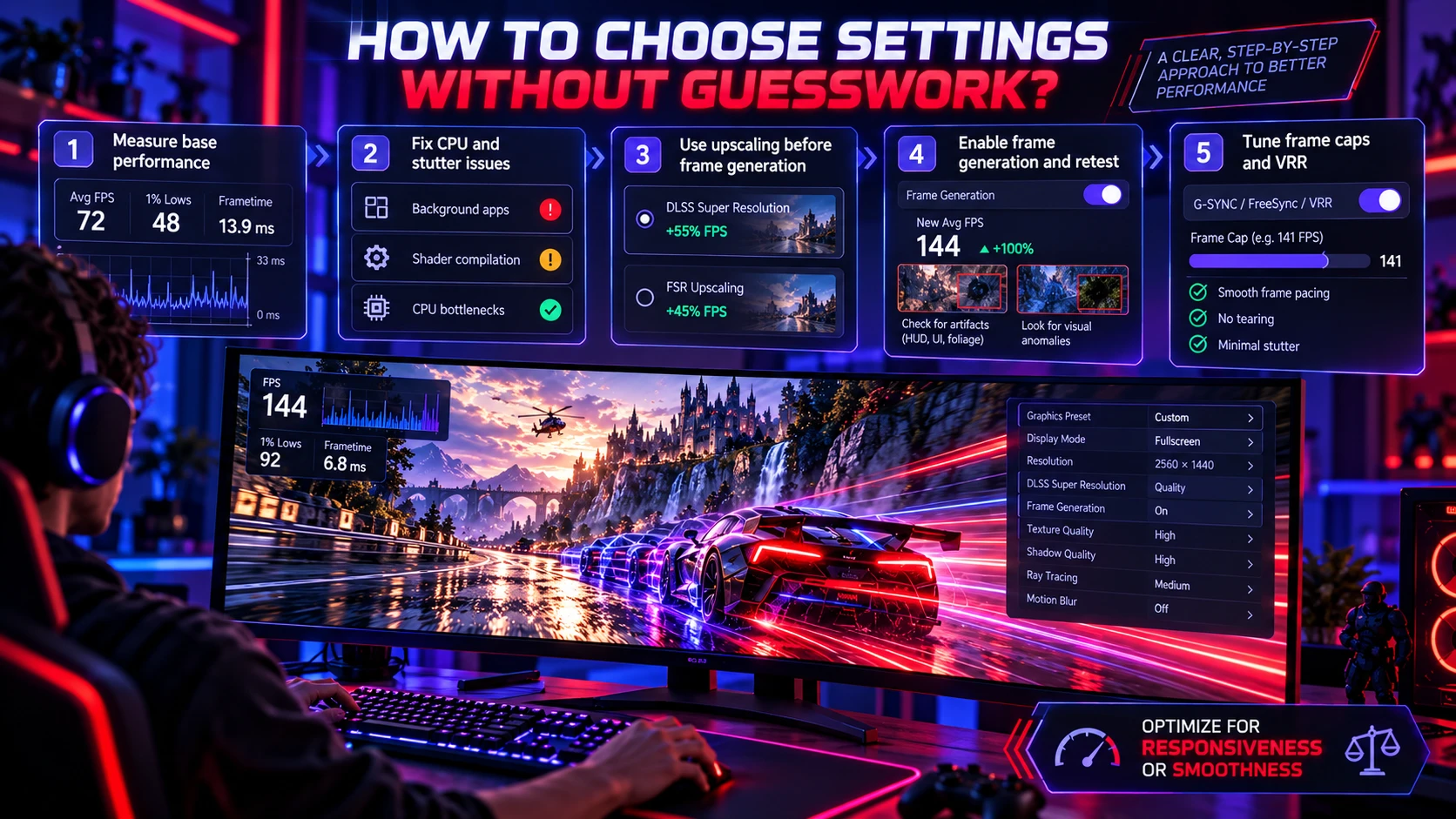
Start by deciding what you are optimizing for, competitive responsiveness or visual smoothness. Then verify the base FPS and frametime consistency before enabling any generation features.
- Measure base performance: Turn off frame generation and check average FPS, 1 percent lows, and frametime stability in the scenes you actually play.
- Fix CPU and stutter issues first: Close background apps, confirm shader compilation is complete, and avoid ultra settings that create CPU bottlenecks.
- Use upscaling before frame generation: If needed, enable DLSS Super Resolution or FSR Upscaling to raise the rendered base FPS and create more performance headroom before enabling frame generation.
- Enable frame generation and retest: Watch for latency feel, artifacting around HUD and foliage, and stability during fast turns.
- Tune frame caps and VRR: Confirm that G-SYNC, FreeSync, or another supported VRR mode is enabled and operating correctly. Choose a frame-rate cap that fits your display’s refresh range and game settings, then check for tearing, stutter, and latency during actual gameplay.
This sequence keeps you from mistaking a higher FPS number for better overall playability.
Native FPS vs. Frame Generation: Quick Comparison
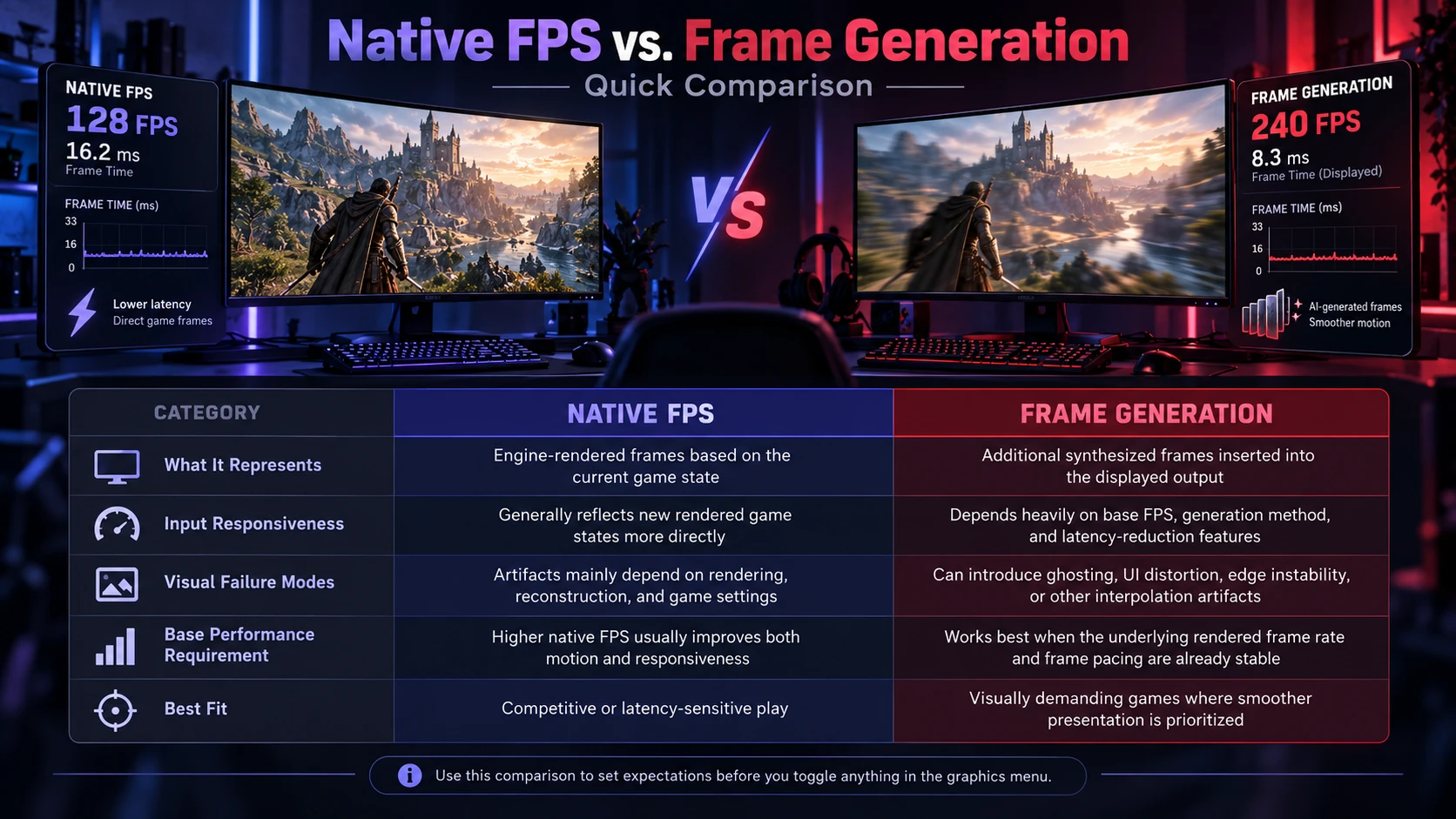
| Category | Native FPS | Frame Generation |
|---|---|---|
| What It Represents | Engine-rendered frames based on the current game state | Additional synthesized frames inserted into the displayed output |
| Input Responsiveness | Generally reflects new rendered game states more directly | Depends heavily on base FPS, generation method, and latency-reduction features |
| Visual Failure Modes | Artifacts mainly depend on rendering, reconstruction, and game settings | Can introduce ghosting, UI distortion, edge instability, or other interpolation artifacts |
| Base Performance Requirement | Higher native FPS usually improves both motion and responsiveness | Works best when the underlying rendered frame rate and frame pacing are already stable |
| Best Fit | Competitive or latency-sensitive play | Visually demanding games where smoother presentation is prioritized |
Use this comparison to set expectations before you toggle anything in the graphics menu.
Hardware and Setup Factors That Change the Outcome
Your CPU, GPU, and display chain all influence the result. A CPU-limited system may show high displayed FPS with frame generation while the underlying game workload remains constrained. If you want to understand how these processors divide gaming workloads, our guide to CPU vs GPU vs NPU explains what each processor actually does.
Monitor refresh rate and variable refresh rate (VRR) support matter as well. VRR technologies synchronize display refresh with GPU output to reduce tearing and stutter within supported operating conditions, so stable base performance and a properly configured display can matter more than chasing the highest generated FPS number.
Display technology also affects motion clarity and responsiveness, so readers choosing a gaming screen can compare OLED vs Mini-LED for refresh rate, input lag, VRR support, and motion handling.
Where TechBonafide Can Help With Smarter Performance Tuning
If you are upgrading or troubleshooting a gaming PC, the right choice is rarely one setting. It is the whole stack, GPU tier, CPU balance, RAM stability, storage performance, drivers, and display configuration.
TechBonafide covers practical hardware guidance and performance tuning topics that help gamers decide when frame generation makes sense, and when native FPS improvements through settings and component choices deliver a better experience.
Conclusion
Native FPS remains an important measure of engine-rendered performance because it shows how frequently the game is producing new rendered frames. Frame generation is a useful presentation tool when base performance is already stable and you want smoother motion while keeping demanding visual settings enabled.
The best approach is to stabilize base frametimes first, use upscaling when needed, then add frame generation if the trade-offs fit your game type and sensitivity to input feel. When you treat generated FPS as presentation polish rather than raw performance, you make better decisions and get a better play experience.
Frequently Asked Questions
Does Frame Generation Increase Real Performance?
It increases displayed FPS, but the generated frames are not newly rendered game-state updates. The underlying rendered frame rate still has a major effect on responsiveness, while input sampling and simulation timing can operate separately depending on the game engine. As a result, the game can look smoother without receiving the same responsiveness benefit as an equivalent increase in native rendered FPS.
Is Native FPS Always Better for Competitive Gaming?
Native FPS is usually better when timing and reaction matter because it tends to keep latency lower and feedback more consistent. Some players may still prefer frame generation for smoother tracking, but it is worth testing carefully in ranked play. If aiming feels floaty, prioritizing base FPS is the safer choice.
What Should I Adjust First if Frame Generation Feels Bad?
Raise base FPS and improve frametime stability before changing anything else. Lower a few heavy settings, use upscaling, and verify VRR and an appropriate FPS cap are set correctly. If artifacts remain distracting, disabling frame generation may provide a cleaner and more reliable image.


