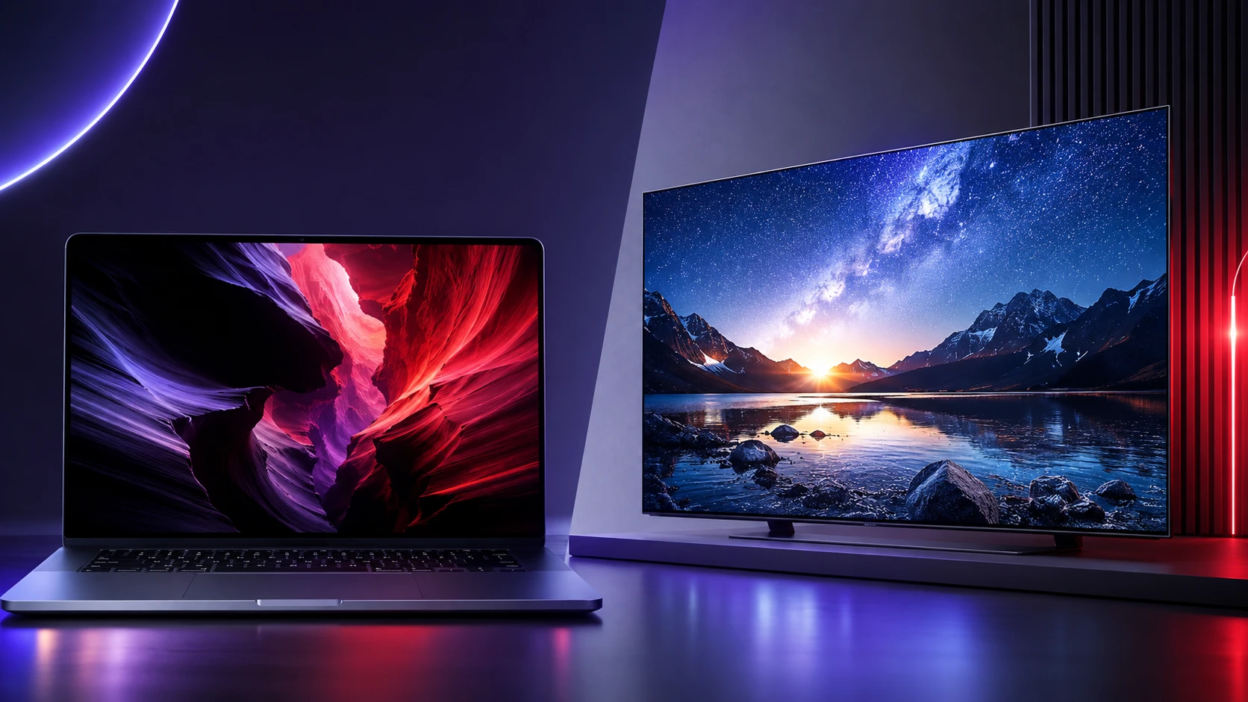
OLED and mini-LED are the two premium display technologies most buyers compare when upgrading a laptop or TV. Both can look stunning, but they achieve high contrast, color, and brightness in very different ways. Understanding those differences helps you pick a screen that fits your room lighting, content habits, and long-term expectations.
How OLED And Mini LED Work?
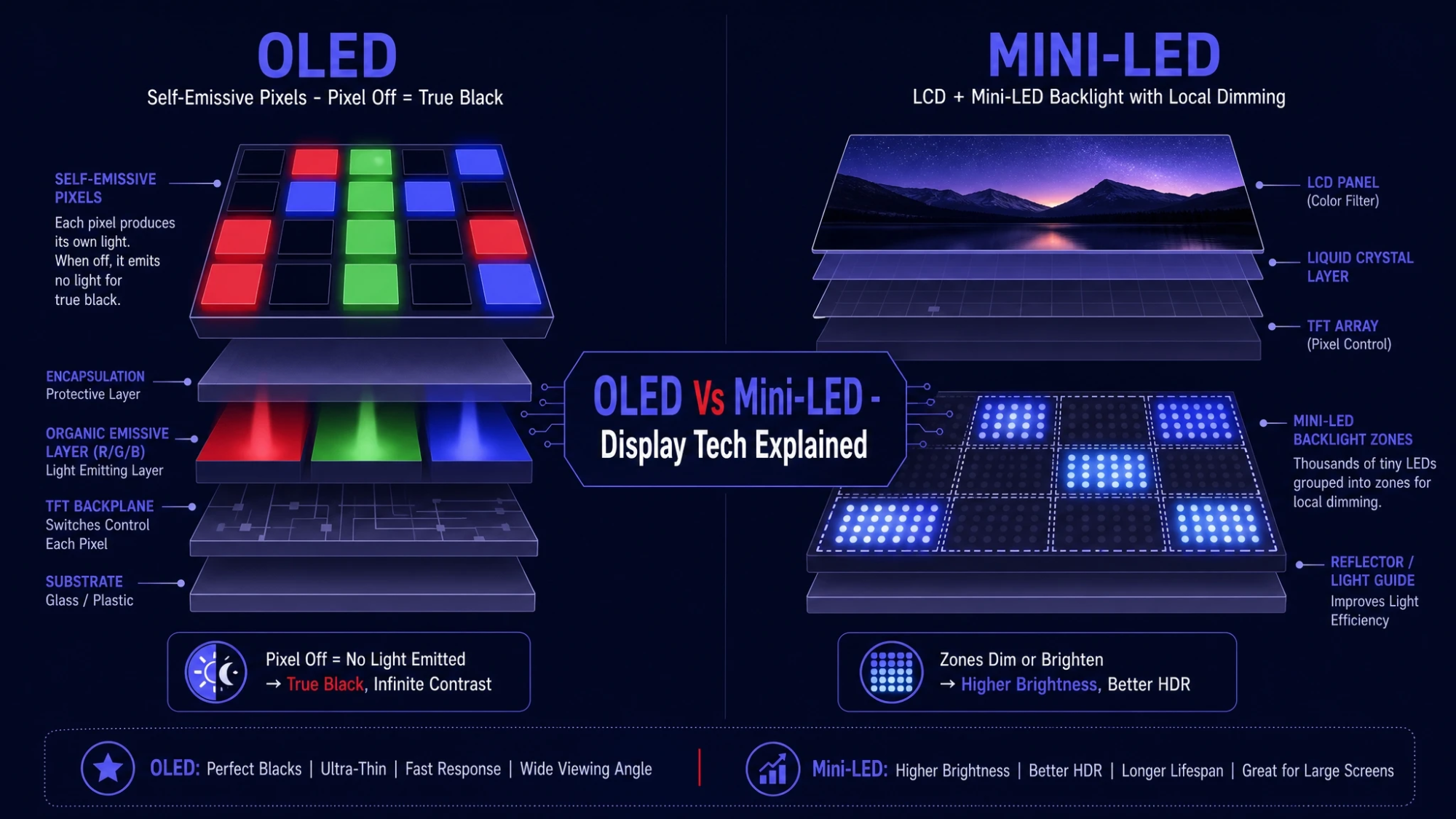
OLED uses self-emissive pixels, meaning each pixel produces its own light and can turn fully off. That enables near-perfect blacks and very fine control over highlight detail. It also reduces the need for a strong backlight layer, which helps with thin designs and uniformity.
Mini-LED is still an LCD panel, but it uses a backlight made of thousands of tiny LEDs. Those LEDs are grouped into local dimming zones that can brighten and dim independently behind the LCD layer. The result is much higher contrast than standard LED LCD, along with very strong peak brightness.
Black Levels And Contrast
If deep blacks and shadow detail matter most, OLED usually leads. Because each pixel can shut off, dark scenes stay dark without backlight glow. This is especially noticeable in a dim room when watching movies with lots of night scenes.
Mini-LED can deliver excellent contrast for an LCD, but it depends on zone count and the quality of the dimming algorithm. Small bright objects on dark backgrounds can cause blooming, which looks like a soft halo around highlights. Higher-end mini-LED sets reduce this, but they rarely eliminate it completely.
Brightness And Room Lighting
Mini-LED typically wins on sustained brightness, which helps in bright living rooms and office spaces with glare. Higher full-screen brightness also improves visibility for sports, news, and daytime viewing. Many mini-LED TVs and laptops can maintain brightness across large bright areas without dimming as aggressively.
OLED can reach high peak brightness on small highlights, but its full-screen brightness is usually lower than strong mini-LED implementations. In a very bright room, OLED can still look great, but reflections and overall luminance can become the deciding factor. If you often watch with lots of daylight, mini-LED can feel more effortless.
HDR Performance And Tone Mapping
HDR impact comes from both contrast and brightness, plus how the display maps content to its capabilities. OLED delivers precise highlight placement because it controls light at the pixel level. That precision helps preserve fine detail in HDR movies, especially in mixed scenes with dark and bright elements.
Mini-LED can deliver an intense HDR punch due to higher peak and sustained brightness. The trade-off is that local dimming can compress subtle gradients or create blooming in challenging scenes. A well-tuned mini-LED TV can still look spectacular for HDR, especially with content that benefits from high luminance.
Color Accuracy And Viewing Angles
Both technologies can cover wide color gamuts and support accurate calibration. OLED often looks consistent across the screen and tends to keep colors stable at wider viewing angles. That matters in living rooms where people sit off-center.
Mini-LED quality varies more because it depends on the underlying LCD panel type. IPS-based panels typically have better viewing angles but lower native contrast, which the backlight tries to compensate for. VA-based panels often have stronger native contrast but can lose color and brightness off-axis.
Motion Handling And Gaming
OLED pixels switch extremely fast, which reduces motion blur and makes fast camera pans look clean. Many OLED TVs and some OLED laptops offer high refresh rates, low input lag, and modern gaming features. Fast response can also reveal stutter in low frame-rate content, but motion settings can help if you prefer smoother playback.
Mini-LED gaming performance can be excellent, especially on higher-end TVs and gaming laptops with high refresh rate panels. LCD response times are usually slower than OLED, so motion clarity depends on the panel and overdrive tuning. Mini-LED can still be a strong choice for competitive play if it combines high refresh, low input lag, and good motion processing.
- Competitive Gaming Priority: Choose the panel with the lowest input lag and a high refresh rate that your device and GPU can sustain.
- Single Player HDR Priority: OLED often excels in contrast-rich scenes, while mini-LED can deliver striking brightness for specular highlights.
- Variable Refresh Rate Support: Confirm the TV or laptop supports the VRR standard you use, and check for flicker behavior at low frame rates.
Once you narrow your gaming needs, the choice becomes more about your room lighting and how sensitive you are to blooming or black crush.
Burn In Risk And Long Term Reliability
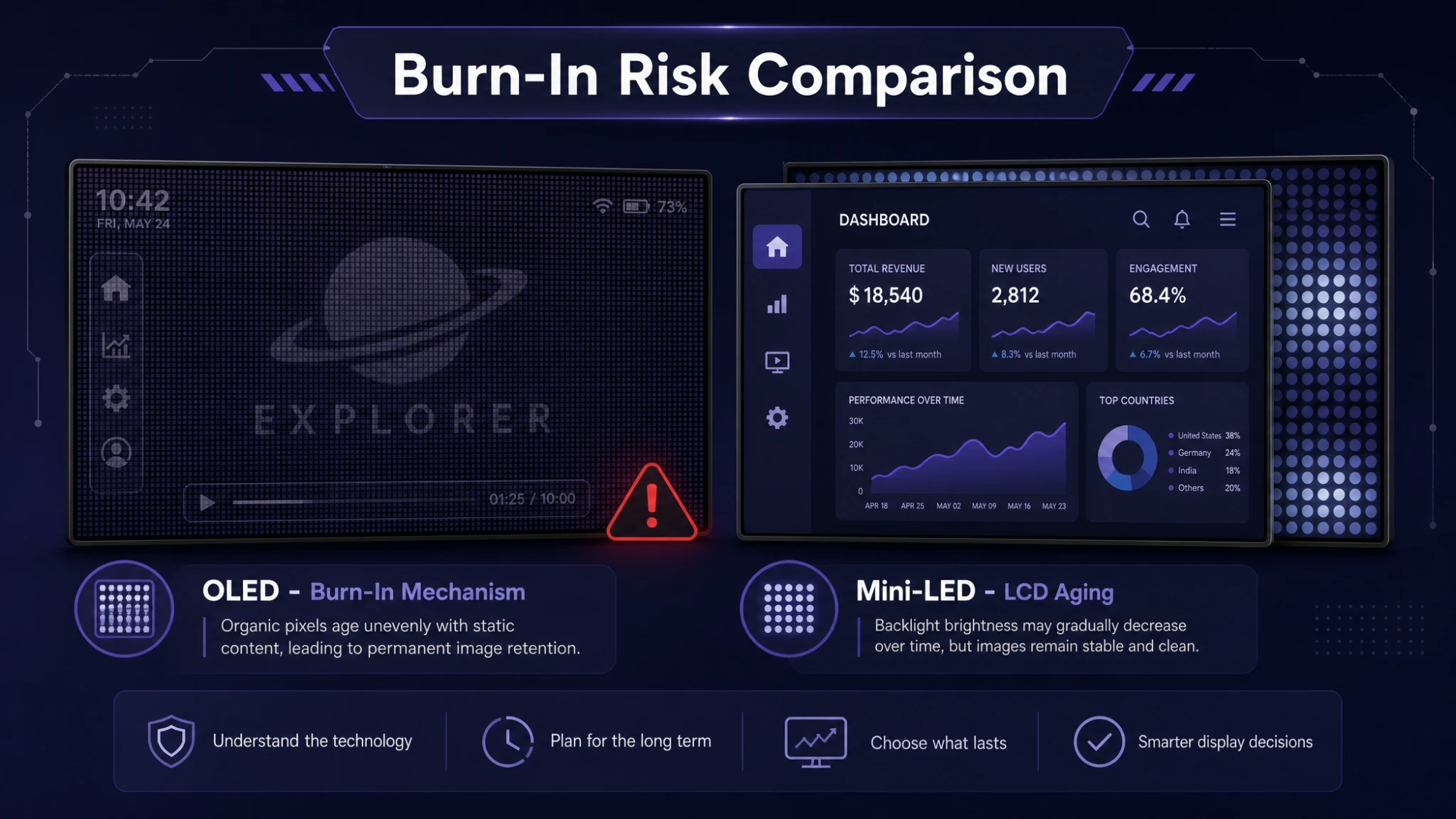
OLED can experience image retention and, in rare cases, permanent burn-in when static elements remain on screen for long periods. Modern OLED panels include mitigation features like pixel shifting, logo dimming, and compensation cycles. For most mixed-use viewing, the risk is manageable, but it rises with heavy static content such as HUD-heavy games, news tickers, or always-on desktop taskbars.
Mini-LED does not have the same burn-in mechanism because it is an LCD with a backlight. It can still show issues like temporary image persistence, uniformity changes, or backlight aging over time, but permanent burn-in is generally not the primary concern. If your daily use includes long static UI sessions, mini-LED can be the more worry-free pick.
Laptop Considerations
Laptops introduce extra constraints like battery life, panel power draw, screen finish, and how you use the device. OLED laptops often look incredible for creative work and media, with deep blacks and rich contrast. However, bright full-screen content can consume more power on OLED because more pixels light up, which can affect battery life during web browsing or document work.
Mini-LED laptops can deliver very high brightness for outdoor use and strong HDR for creators who work with bright highlights. They may use more power when the backlight runs high, but power behavior can be more predictable for typical desktop workloads. If you frequently edit photos, color grade, or work in bright cafés, mini-LED can offer practical advantages.
- Portability Focus: Check battery life reviews and note whether the panel is OLED or mini-LED, since that can change real-world runtime.
- Text Clarity Focus: Look at panel resolution and subpixel layout, since some OLED panels can render text slightly differently than LCD.
- Creator Focus: Confirm color gamut coverage, factory calibration, and whether the laptop supports accurate color modes.
Those checks keep you from buying a great-looking screen that does not match how you actually use your laptop.
TV Considerations
For TVs, your room lighting and seating layout matter even more. OLED shines in dark-room movie watching due to perfect blacks and minimal blooming. It is also excellent for wide seating areas where off-axis viewing is common.
Mini-LED can be a better fit for bright rooms, large screen sizes, and viewers who want strong HDR impact without worrying about static elements on screen. Sports and daytime TV can look especially vivid on a bright mini-LED. The best choice depends on whether you value black depth or raw brightness more.
OLED Vs Mini LED Side By Side
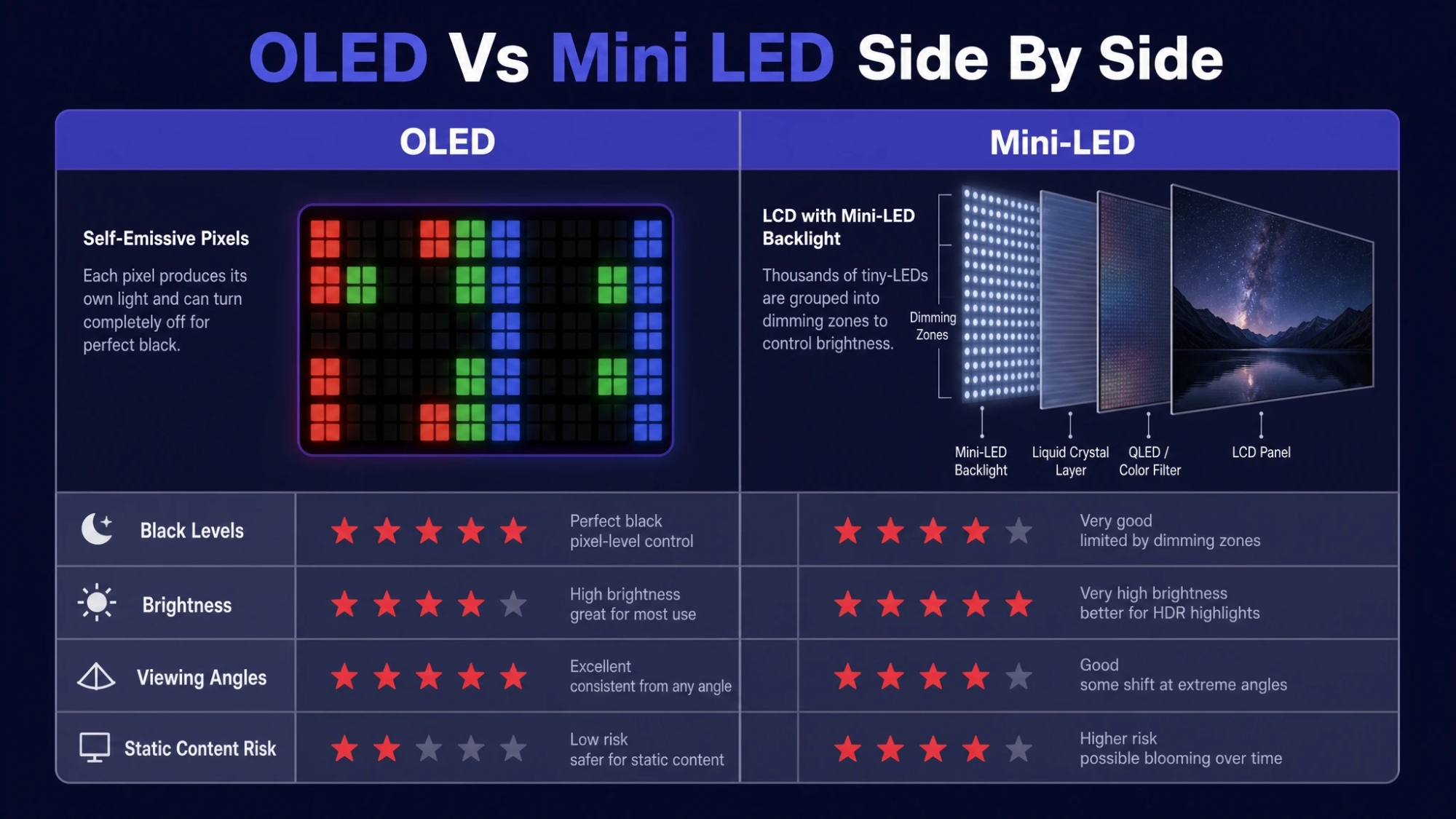
| Category | OLED | Mini-LED |
|---|---|---|
| Black Levels | Near-perfect blacks with pixel-level control | Very good, but can show blooming in hard scenes |
| Brightness | Strong highlights, lower full-screen brightness | Very high peak and sustained brightness |
| Viewing Angles | Typically excellent with stable color | Depends on panel type, often weaker off-axis |
| Static Content Risk | Higher long-term burn-in risk with heavy static UI | Lower burn-in risk, typical LCD aging concerns |
Use the table to pick the trade-offs you can live with, then confirm specs like refresh rate, HDMI features, and calibration options.
How To Choose The Right Screen?
The better screen is the one that matches your environment and habits. OLED is usually the first choice for cinematic contrast, dark-room viewing, and wide seating setups. Mini-LED is often the smarter choice for bright rooms, strong HDR brightness, and long sessions with static content.
- Measure Your Room Light: If you fight glare most days, prioritize higher sustained brightness and good reflection handling.
- Map Your Content Mix: Movies and story games lean toward OLED, while sports, news, and mixed daytime viewing often favor mini-LED.
- Consider Static UI Time: Long desktop work or always-on HUD use points toward mini-LED for peace of mind.
- Check Gaming Features: Confirm refresh rate, VRR support, and input lag performance for your platform.
- Validate Color Needs: If you do creative work, look for accurate modes, wide gamut support, and consistent panel uniformity.
After those checks, budget and availability usually make the final decision straightforward.
Conclusion
OLED and mini-LED both deliver premium image quality, but they excel in different conditions. OLED is the contrast king with excellent viewing angles and precise HDR detail, making it a top pick for movies and dim-room sessions. Mini-LED brings higher sustained brightness and lower burn-in risk, which can be ideal for bright spaces, sports, and heavy static UI use.