Account security keeps getting harder as phishing, data breaches, and credential stuffing become more automated. Passkeys are designed to replace passwords with a simpler sign-in that is tougher to steal and easier to use. The practical question is not whether passkeys are perfect, but whether they reduce the most common ways accounts get compromised.
What Passwords Actually Protect And Where They Fail?
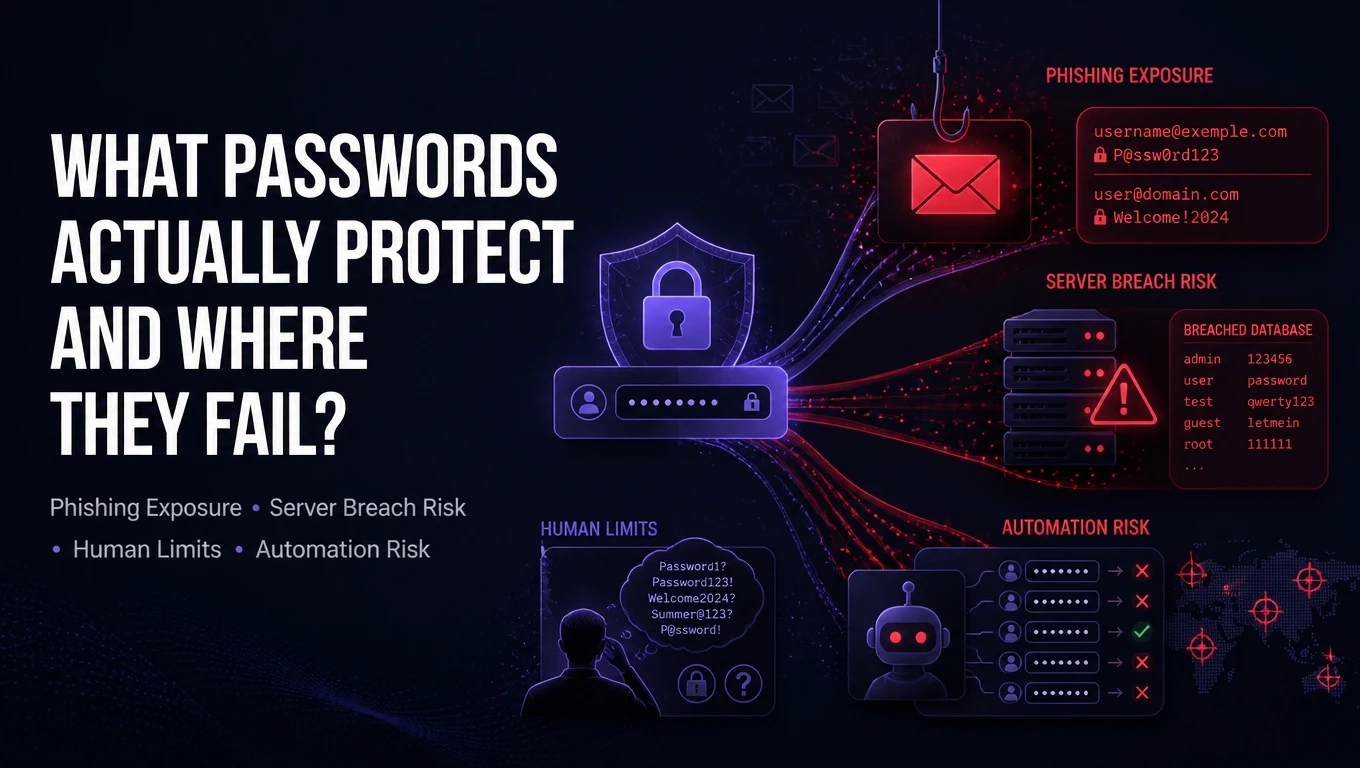
Passwords are shared secrets. You type the same secret into a website or app, and the service checks whether it matches what it expects. That model is simple, but it creates several predictable failure points.
The biggest weakness is reuse. Once a password leaks from one breach, attackers try it on other services at scale. Even strong passwords fail when they are copied across accounts, saved insecurely, or entered on a convincing fake login page.
- Phishing Exposure: Passwords can be typed into lookalike sites and sent straight to attackers.
- Server Breach Risk: Password databases can be stolen, then cracked offline if hashing is weak or passwords are low quality.
- Human Limits: People struggle to create and remember unique high-entropy passwords for every account.
- Automation Against You: Bots can test millions of leaked credentials quickly, especially where rate limits are weak.
Those issues are why many organizations added password managers, multi-factor authentication, and adaptive risk checks. They help, but they keep the password at the center of the system.
How Passkeys Work In Plain Language?
Passkeys replace the shared secret with public key cryptography. Your device creates a unique key pair for each site or app. The public key is stored by the service, while the private key stays on your device.
When you sign in, the service sends a challenge and your device proves it has the matching private key. You unlock the private key with biometrics or a device PIN. The service never receives your private key, and there is nothing reusable to steal and replay elsewhere.
Most passkeys follow standards such as FIDO2 and WebAuthn and are built into modern operating systems and browsers. Sync features can copy passkeys across your devices using an encrypted cloud keychain, reducing lockout risk while keeping keys protected.
Passkeys Vs Passwords On Real Security Outcomes
Security comparisons matter most at the attack level. Passkeys target the highest-frequency causes of account takeover, especially phishing and credential reuse. Passwords can still be made safer with strong policies and MFA, but the baseline risk remains higher.
| Security Factor | Passwords | Passkeys |
|---|---|---|
| Phishing Resistance | Often vulnerable if entered on a fake site | Strong because the cryptographic proof is bound to the real domain |
| Reuse And Credential Stuffing | Common because humans reuse secrets | Not reusable because each passkey is unique per service |
| Impact Of Server Database Theft | Hashes may be cracked offline if weak | Public keys are not useful for signing in |
| User Experience Under Pressure | Typing errors and resets are frequent | Fast sign-in with biometric or PIN unlock |
The table highlights a key shift. With passkeys, attackers cannot steal a reusable secret from a user and then replay it across services. That removes entire categories of attacks rather than trying to detect them after the fact.
Where Passkeys Are Not A Silver Bullet?

Passkeys reduce common attack paths, but they do not eliminate risk. The threat model moves from guessing or stealing a typed secret to compromising the device, the account recovery channel, or the user session after login.
Device theft is one concern, but it is usually mitigated by device lock, biometric protections, and secure hardware such as a TPM or Secure Enclave. Malware is a bigger worry because a compromised device can capture session tokens or approve actions after login, regardless of whether you used a password or passkey.
- Account Recovery Risk: If recovery still relies on email or SMS, attackers may target those channels.
- Legacy App Gaps: Some older services do not support passkeys and still require passwords.
- Sync Trust Model: Cloud keychain sync can be safe, but it depends on strong device security and account protection for the sync provider.
Passkeys are best viewed as a major improvement for authentication, not a replacement for endpoint security, fraud controls, and secure recovery design.
Phishing And Social Engineering Changes With Passkeys
Passkeys are designed to be resistant to classic credential phishing. The cryptographic proof is tied to the legitimate site origin, so a fake domain cannot successfully request a valid assertion for the real service. That removes the simple trick of collecting passwords on a lookalike page.
Social engineering still exists. Attackers may push users to approve sign-ins, share device unlock codes, or transfer accounts through weak recovery flows. Good security hygiene still matters, but passkeys reduce the amount of sensitive information users can accidentally hand over.
Device And Platform Security Matters More
With passkeys, the device becomes a primary security boundary. A well-secured phone or laptop can make account takeover significantly harder, while an unmanaged or compromised device increases risk. That shift is often a net positive because modern devices provide stronger protections than many people can maintain for passwords.
To strengthen the device side, keep operating systems updated, use full-disk encryption, and enable strong screen locks. If your organization uses managed devices, enforce security baselines, patch policies, and endpoint detection to reduce malware and session theft.
Passkey Adoption Challenges For Users And Organizations
Adoption is improving, but rollouts still involve change management. Users need to understand where passkeys live, how to use them across devices, and what happens if a device is replaced. Organizations need support workflows, helpdesk training, and clear recovery procedures.
Compatibility can be mixed across browsers, identity providers, and older line-of-business apps. Many teams start with passkeys as an additional sign-in method, then phase down password usage over time once recovery and monitoring are mature.
- User Education: Clear guidance reduces confusion between passkeys, PINs, and biometrics.
- Helpdesk Readiness: Support teams need secure identity verification before helping with recovery.
- App Modernization: Older authentication stacks may require upgrades to support WebAuthn.
For businesses that want a structured approach, Tech Bonafide-style security consulting and implementation support can help align identity, device security, and recovery controls so passkey adoption does not create new weak points. The biggest value usually comes from pairing passkeys with strong endpoint policies and clear incident response playbooks.
Best Practices If You Switch To Passkeys
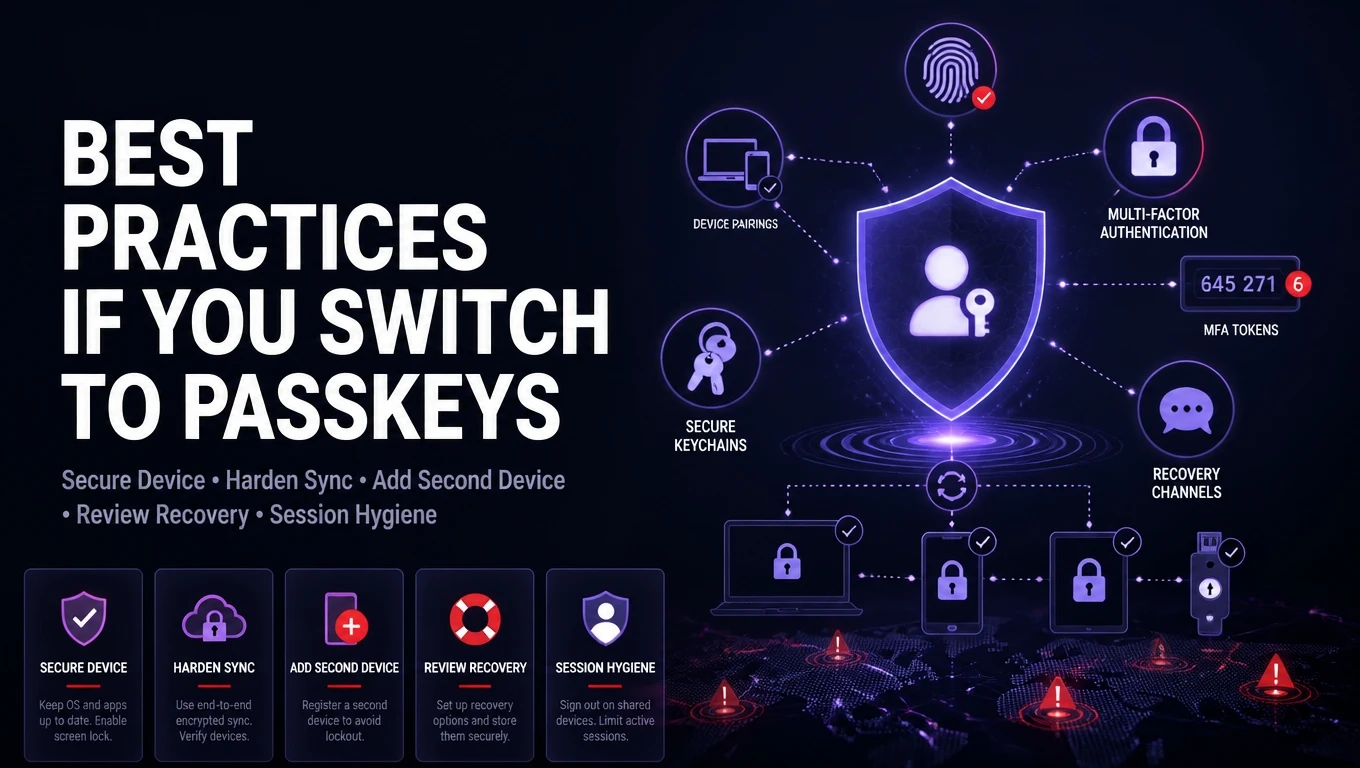
Switching is straightforward for most major services that support passkeys. The details matter because recovery and device management determine whether the new setup is resilient. Focus on protecting the account that syncs your passkeys and hardening recovery channels.
- Secure Your Primary Device: Use a strong device passcode, enable encryption, and keep the OS current.
- Harden Sync Accounts: Protect your Apple ID, Google account, or password manager vault with strong MFA and recovery settings.
- Add A Second Device: Register passkeys on at least two devices to reduce lockout risk.
- Review Account Recovery: Remove weak recovery options where possible and verify backup email and phone security.
- Keep Session Security In Mind: Log out on shared devices and watch for suspicious prompts or new device sign-ins.
After these basics, the remaining improvements come from broader security habits, especially device hygiene and careful handling of recovery channels.
Conclusion
Passkeys are generally safer than passwords because they eliminate reusable secrets and significantly reduce phishing and credential stuffing risk. They also reduce the impact of server-side credential theft, since public keys are not a login secret. For many users and teams, that is a meaningful upgrade in both security and usability.
Passkeys still require good device security and strong account recovery design. If you adopt them with a clear recovery plan and secure endpoints, you get a cleaner authentication model with fewer high-probability failure points than passwords.
Frequently Asked Questions
Are Passkeys Completely Phishing Proof?
They are highly resistant to credential phishing because the sign-in proof is bound to the legitimate site. Users can still be tricked into approving actions after login or giving up recovery access. Strong recovery settings and device security remain important.
What Happens If I Lose My Phone With My Passkeys?
If your passkeys are synced through a secure keychain, they can be restored when you sign into a replacement device. If they are stored only on the lost device, recovery depends on each service and your configured recovery options. Keeping a second device registered reduces lockout risk.
Do Passkeys Replace Multi Factor Authentication?
Passkeys provide strong authentication, but some services may still use additional checks for high-risk actions. Organizations often combine passkeys with device trust, risk-based access, and step-up verification for sensitive changes. The best approach depends on your threat model and compliance needs.