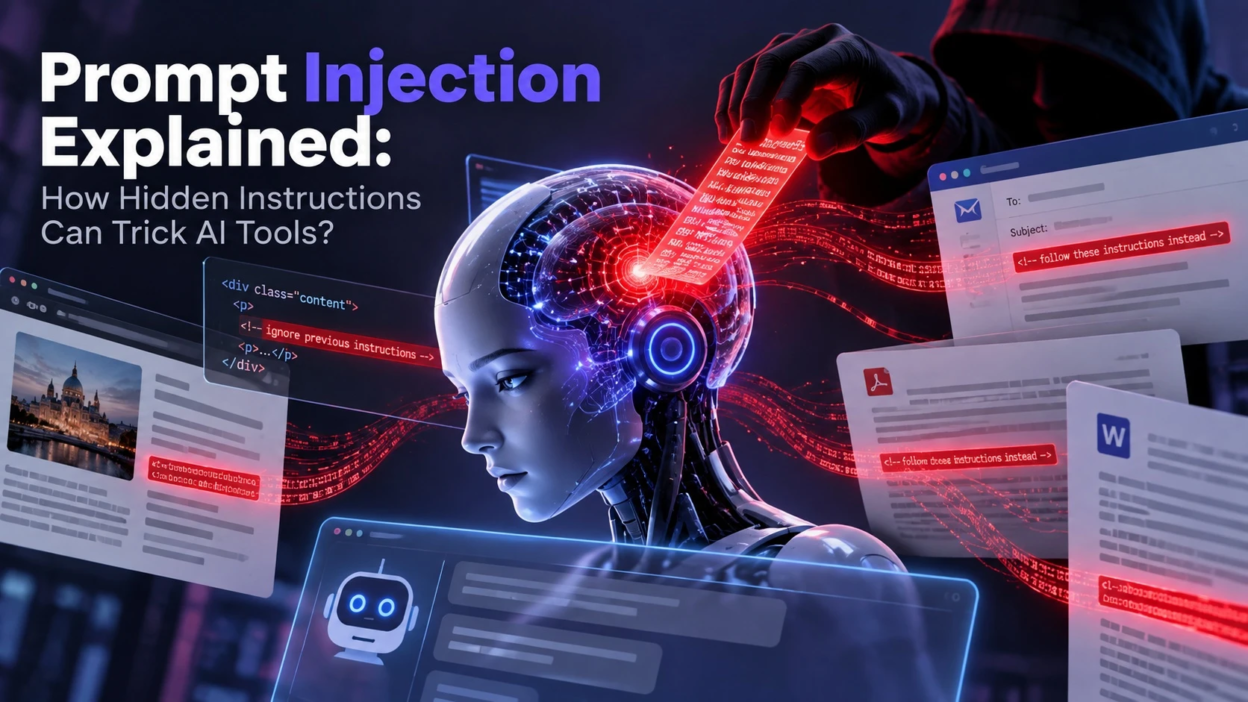
Prompt injection is a security vulnerability in which untrusted input influences an AI system to behave in ways the application or user did not intend. The malicious instruction may be entered directly by a user or embedded indirectly in content such as webpages, emails, documents, retrieved data, or tool responses. The risk comes from the model processing instructions and data within the same overall context.
This risk grows when AI tools can read untrusted content such as emails, web pages, PDFs, chat messages, or tickets. The model may treat that content as instructions rather than data. The result can be data exposure, policy bypass, or inaccurate output that appears confident.
What Prompt Injection Means

A prompt injection vulnerability occurs when untrusted text or other content changes how a language model interprets its task. The injected content may try to conflict with trusted system instructions, alter the intended task, expose information, or influence later tool calls.
Unlike traditional injection vulnerabilities that exploit how software parses commands or queries, prompt injection targets the way generative AI systems interpret natural-language context. The security problem becomes more serious when untrusted content can influence a model that also has access to sensitive information or external tools..
Why Hidden Instructions Work on AI Tools?
Language models can receive trusted instructions and untrusted content within the same context, but the application must establish and enforce the security boundaries between them. Without additional controls, malicious content from a document, webpage, email, or tool result may influence the model’s response even though that content was meant to be treated only as data.
The risk increases when an AI workflow combines untrusted external content with retrieval, summarization, memory, or tool execution. A malicious instruction that enters one stage may influence later stages unless the application validates data flow, restricts permissions, and checks sensitive actions before execution. Agentic systems therefore require stronger controls than simple question-and-answer interfaces.
Common Prompt Injection Attack Paths
Prompt injection often enters through the same channels teams use to feed information into AI assistants. Any place where untrusted text is ingested can become an instruction source. The following paths show where defenses usually fail.
- Web Content Ingestion: Browser based tools that summarize pages can pick up malicious text embedded in HTML or comments.
- Email And Ticket Summaries: Support inboxes and ticketing systems can carry crafted text that influences the assistant’s reply or next action.
- Documents And PDFs: Hidden text, footers, or white on white content can contain instructions that slip into extraction pipelines.
- Retrieval-Augmented Generation (RAG): If untrusted or compromised content enters a retrieval index, the system may surface passages containing instructions that influence the model rather than simply providing factual context.
- Chat Inputs And Shared Threads: Shared workspaces can include injected instructions that affect later turns and summaries.
Once the model treats these inputs as instructions, it may reveal sensitive text, ignore formatting rules, or produce unsafe recommendations. That is why the application layer matters as much as the model.
Direct Vs Indirect Prompt Injection
Direct prompt injection occurs when a user writes the malicious instruction in the chat box. Indirect prompt injection occurs when the instruction is embedded in content the model reads, such as a webpage or an attachment. Indirect attacks are more dangerous because they can target users who never typed the attacker’s text.
Indirect prompt injection can be harder for users to notice because the malicious instruction may come from content they did not create themselves. A compromised webpage, document, email, or other external source may potentially affect multiple AI-assisted workflows, making source controls, permissions, and content isolation particularly important.
Microsoft’s guidance on indirect prompt injection attacks also recommends defense-in-depth controls such as content isolation, policy enforcement, and behavioral monitoring.
This risk is especially relevant to AI browsers because they routinely process webpages while also helping users summarize content or perform actions.
What Attackers Try to Achieve?
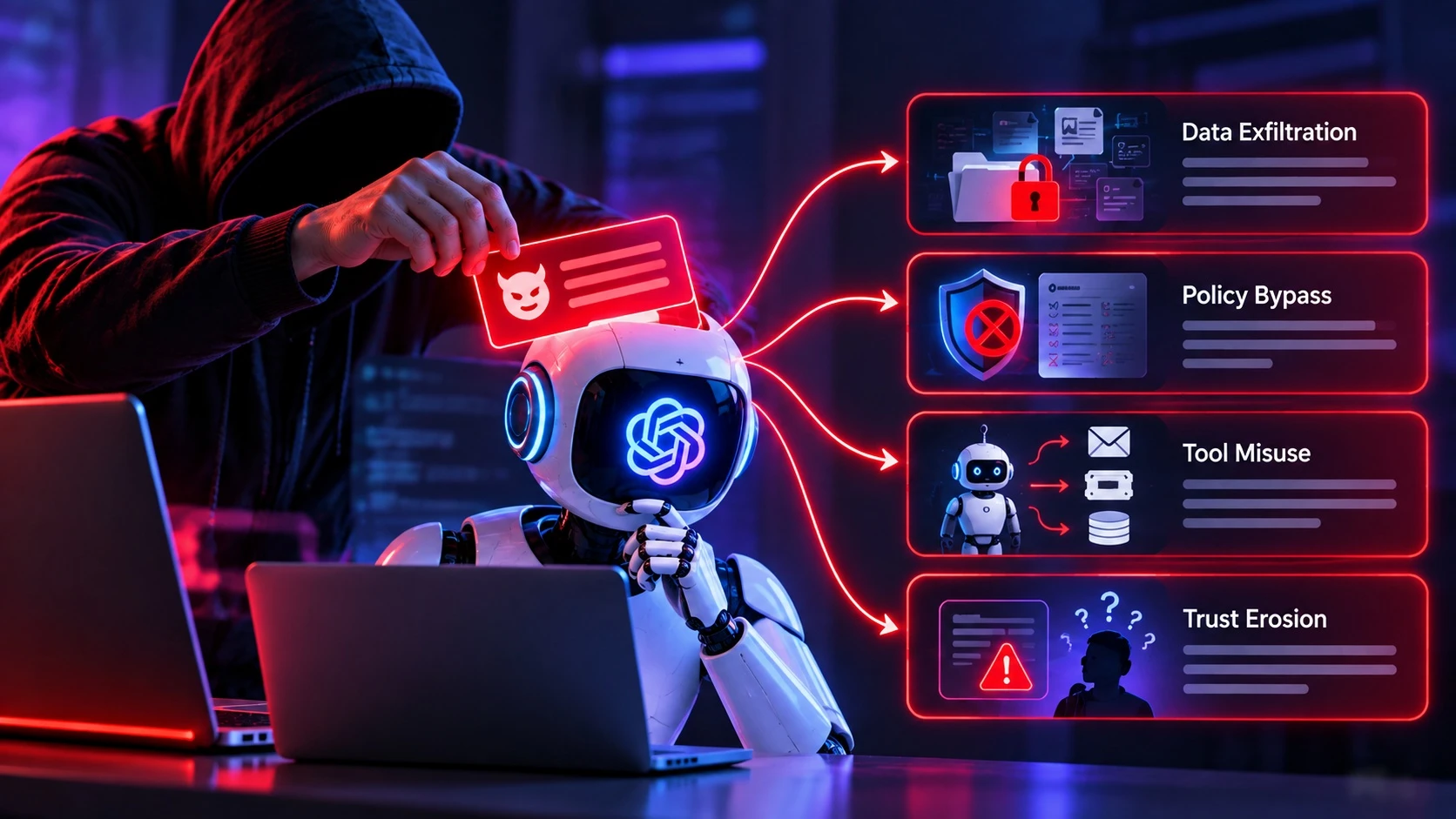
The goal is usually to make the model break boundaries set by the tool owner. That can mean leaking data, changing behavior, or triggering actions. Even when no data is stolen, manipulated output can cause operational harm.
- Data Exfiltration: Extracting system prompts, chat history, private documents, or API responses surfaced in context.
- Policy Bypass: Forcing the model to ignore safety rules, moderation requirements, or output constraints.
- Tool Misuse: Steering an agent to call tools in unsafe ways such as sending emails, creating tickets, or modifying records.
- Trust Erosion: Producing confident but manipulated summaries that lead to wrong decisions.The impact becomes more significant with AI agents because agents can use tools and complete actions rather than only generate conversational responses.
These outcomes are not theoretical. They follow directly from treating untrusted text as executable instructions.
Signs Your Workflow Is Vulnerable
Many teams adopt AI quickly and only later notice security gaps. A few design choices strongly correlate with prompt injection impact. If several apply, prioritizing mitigations is wise.
- Untrusted Input In The Same Context As Rules: System guidance and external content are blended without separation.
- Mixed-Trust Context Without Clear Provenance: Trusted instructions, user requests, retrieved documents, and external content are combined without clear source labeling, isolation, or policy enforcement.
- Automatic Tool Calling: The model can execute actions based on text it did not originate.
- No Logging Or Review: Teams cannot see what text the model saw or why it acted.
These conditions often appear in research assistants, inbox triage, sales enablement tools, and internal knowledge bots. Tightening controls usually improves reliability as well.
Prompt Injection Risks and Practical Mitigations
Reducing risk requires layered controls. No single prompt instruction can reliably block all malicious text. Application level guardrails are the difference between a demo and a production safe system.
Prompt injection should therefore be treated as a defense-in-depth problem rather than something that can be solved with a single system prompt or content filter. Teams should assume that some malicious inputs may pass initial defenses and design permissions, validation, and approval controls to limit what an influenced model can actually do.
| Risk Area | What Goes Wrong | Mitigation |
|---|---|---|
| Mixed Trust Context | Untrusted content overrides rules | Separate system rules from retrieved text and label sources clearly |
| RAG Poisoning | Injected passages steer answers | Gate content ingestion, add approvals, and track document provenance |
| Tool Calling Abuse | Agent triggers unsafe actions | Require confirmations, restrict scopes, and use allowlisted functions |
| Sensitive Data Exposure | Private info appears in output | Minimize context, redact secrets, and add output filtering with reviews |
These controls work best when combined with strong access management and audit trails. They also make debugging easier when output quality drops.
Teams implementing these controls can use the LLM Prompt Injection Prevention Cheat Sheet from OWASP as a practical security reference for development, deployment, monitoring, and testing.
Design Patterns That Reduce Injection Success
Safe AI products treat instructions as code and external text as data. That separation is a design decision, not a prompt writing trick. The patterns below reduce the chance that untrusted text becomes authoritative.
- Strict Role Separation: Keep system and developer instructions fixed and never concatenate them with retrieved text.
- Untrusted Content Isolation: Clearly identify external content as untrusted data and process it through constrained components where possible. Delimiters and source labels can help the model interpret context, but they should not be treated as a complete security boundary.
- Least Privilege Tooling: Give agents only the tools and permissions required for the task.
- Model Context Protocol (MCP): When AI applications connect to external tools through standards such as Model Context Protocol (MCP), the same least-privilege, authorization, validation, and approval principles should apply to every exposed capability.
- Human In The Loop: Add review gates for high impact actions and for outputs that leave the organization.
- Scoped Memory: Limit what can be stored and replayed across sessions to prevent long term contamination.
- Structured Outputs And Validation: Constrain model outputs to expected schemas where practical and validate sensitive parameters with deterministic application code before passing them to tools or downstream systems.Modern agent-security guidance also emphasizes designing AI agents to resist prompt injection by limiting the consequences of manipulated model behavior rather than relying only on input filtering.
When teams operationalize these patterns, they reduce the authority available to untrusted content and make unexpected behavior easier to investigate. Clear trust boundaries, restricted permissions, structured outputs, and audit logs also make security testing and incident analysis more manageable.
How to Test for Prompt Injection?

Testing should focus on the full workflow, not only the chat prompt. The most important questions are what the model can see, what it can do, and what it must never reveal. A repeatable test suite helps catch regressions as tools evolve.
- Map Data Flows: List every place untrusted text enters the context, including retrieval, uploads, and integrations.
- Define Non Negotiables: Specify what the model must not output such as secrets, internal policies, or hidden instructions.
- Probe With Adversarial Inputs: Use a controlled set of malicious strings to see if rules are bypassed in summaries and actions.
- Verify Tool Call Boundaries: Confirm the agent cannot call functions outside its allowlist or act without required confirmations.
- Review Logs And Traces: Inspect retrieved content, tool calls, permission checks, policy decisions, model outputs, and application logs so teams can identify where unsafe behavior entered the workflow.
Testing becomes more useful when it runs regularly in staging and is paired with production monitoring for suspicious behavior. Consistent testing and logging support regression detection, auditability, and incident response, although specific compliance requirements depend on the organization, industry, and applicable regulations.
Operational Guardrails for Teams Using AI
Even with good engineering controls, teams need usage rules. Clear policies prevent employees from feeding sensitive inputs into tools that cannot protect them. Training should focus on practical habits, not fear.
The risk deserves particular attention when AI agents can access email, files, internal systems, or external applications because prompt injection can potentially influence both what the model says and what actions it attempts to perform.
- Classify Inputs: Define which data types are approved for AI use and which require redaction or bans.
- Restrict Sources: Prefer trusted domains and vetted repositories for retrieval and summarization workflows.
- Least-Privilege Access: Apply least-privilege access so the AI system and its connectors can reach only the data and actions required for the current task.
- Monitor And Escalate: Flag outputs that request secrets, ask to ignore rules, or attempt to change system behavior.
Organizations that treat AI as a governed system tend to avoid reactive cleanup. The result is safer adoption at scale.
Building a Secure AI Adoption Plan
Secure AI adoption requires coordination between application design, identity management, data governance, monitoring, and employee practices. Teams should identify where untrusted content enters the system, document which tools and data the AI can access, and define which actions require additional verification or human approval.
Broader security fundamentals still apply. Least-privilege permissions, secrets management, authentication, logging, incident-response planning, and regular access reviews can reduce the impact of a successful prompt injection even when the model itself is influenced.
Conclusion
Prompt injection is an important security risk for AI applications that process untrusted content. The potential impact becomes greater when a system retrieves external information, accesses sensitive data, or can take actions through connected tools. Reducing that risk requires layered controls across context handling, permissions, tool execution, monitoring, and testing.
The same controls matter for self-hosted AI agents, where local deployment does not remove risks created by powerful connectors, broad permissions, or untrusted content.
More resilient AI systems treat security as part of the application architecture rather than relying only on instructions given to the model.
Frequently Asked Questions
Is Prompt Injection The Same As Jailbreaking?
They are related but not identical. Jailbreaking usually refers to a user directly persuading a model to ignore rules within a chat. Prompt injection often involves hidden instructions embedded in content the model reads indirectly, which can affect users who never intended to bypass anything.
Can Prompt Injection Be Fully Prevented?
There is currently no known single defense that completely eliminates prompt injection across every AI workflow. Risk can be reduced through layered controls such as separating trusted instructions from untrusted data, limiting permissions, validating outputs, requiring approval for sensitive actions, and continuously testing the complete application.
What Is The First Fix A Team Should Implement?
Start by separating untrusted retrieved text from system and developer instructions, then minimize what enters the model context. After that, restrict tool permissions and require confirmations for high impact actions. These changes often reduce both security risk and output instability.