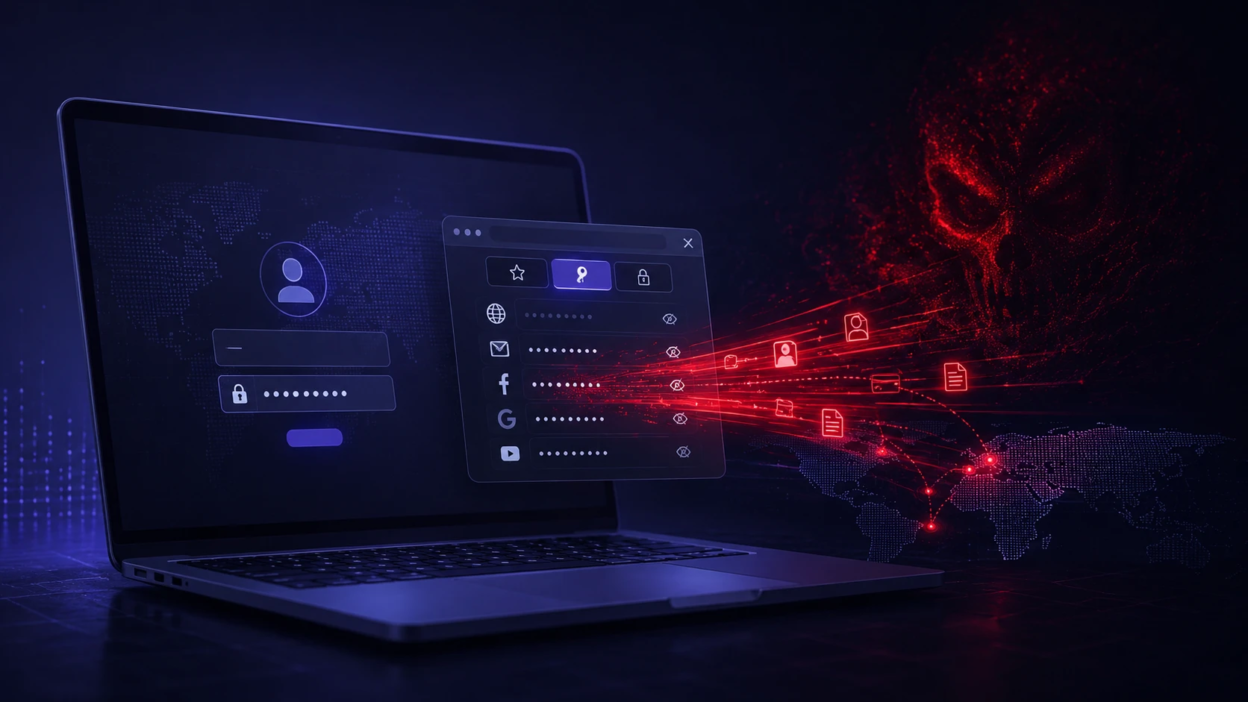
Infostealer malware is a type of malicious software built to quietly collect sensitive information from a device and send it to attackers. Its primary goal is data theft rather than disruption, which makes it harder to notice until accounts are already compromised. One of the most damaging outcomes is stolen saved passwords, since a single infected machine can expose many logins at once.
Unlike ransomware that announces itself, infostealers prioritize stealth and speed. They target browsers, password managers, messaging apps, crypto wallets, and system files where credentials and session data live. Understanding how they work helps you cut off the paths they use to harvest passwords and regain control quickly.
What Infostealer Malware Is?
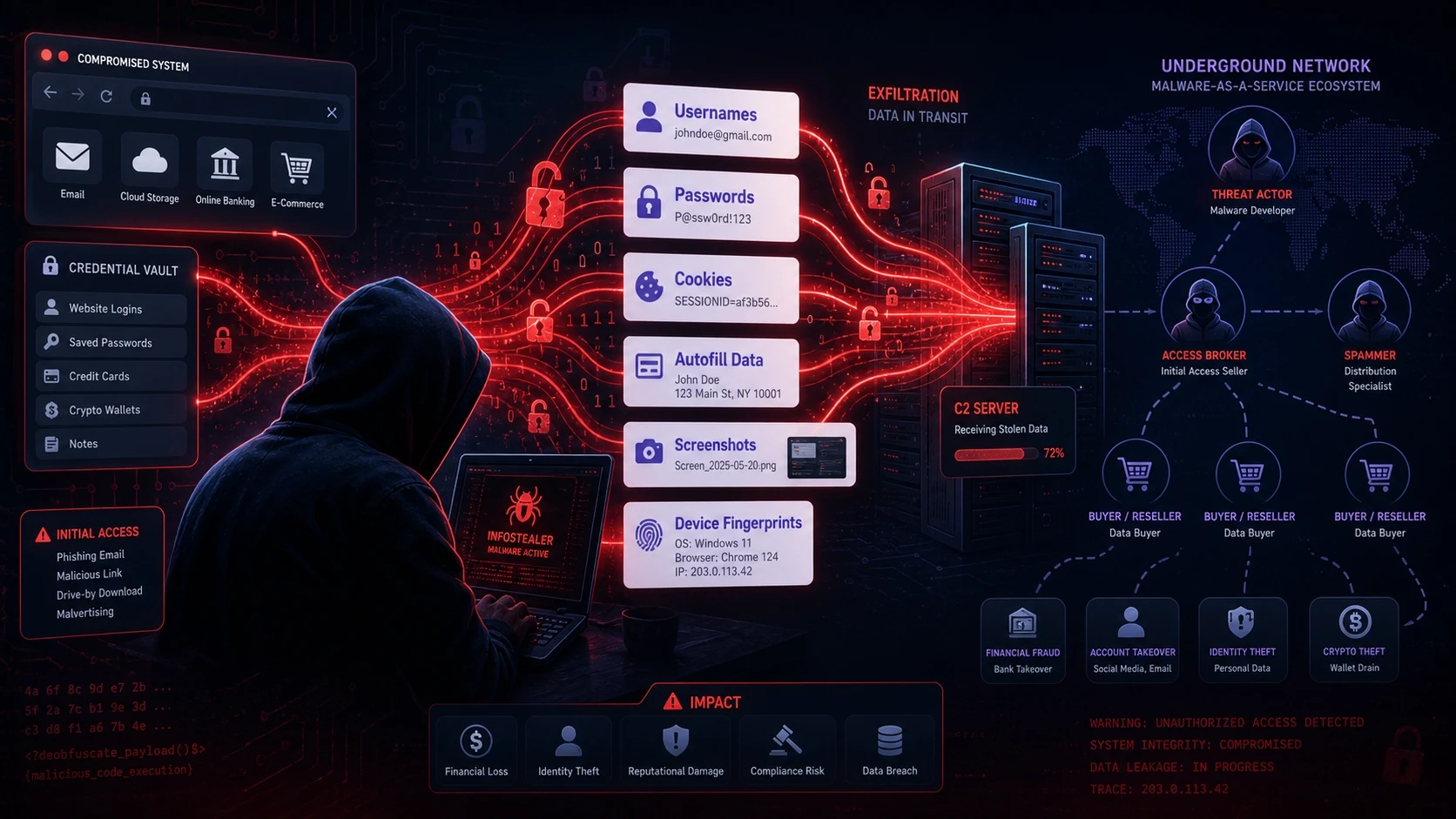
Infostealer malware is designed to extract and exfiltrate data such as usernames, passwords, cookies, autofill details, screenshots, and device fingerprints. Many families operate as malware as a service, which lowers the barrier for criminals to run credential theft campaigns. The operator typically buys access, runs the stealer, then sells or uses the stolen credentials.
Infostealers often include modules that scan specific applications and file locations. They can adapt to common setups, which is why even security aware users can be affected. The value comes from scale and automation, not from targeting one account.
Why Saved Passwords Are A Prime Target?
Saved passwords are attractive because they remove friction for attackers. If a browser or password manager stores credentials, the stealer can attempt to extract them in bulk. That turns one infection into many account takeovers.
Credential theft also enables follow on attacks like business email compromise, payment fraud, or accessing developer tools. Even if passwords are protected, session artifacts such as cookies and tokens can still allow account access without knowing the password. This is why infostealers are tightly linked to identity attacks.
How Infostealers Steal Saved Passwords?
Infostealers use multiple techniques to collect credentials depending on the device, browser, and security controls. They typically chain together discovery, extraction, packaging, and exfiltration. The key is gaining access to where secrets are stored or to where they pass through in memory.
Browser Credential Store Extraction
Major browsers store saved credentials in local databases and protect them with operating system features. Infostealers try to locate those files, copy them, and decrypt entries using the same APIs the browser relies on. If the malware runs under the user context, it may be able to access the same decryption path.
This method also captures saved addresses, payment details, and autofill data. It is fast and reliable for attackers, which is why it is common across many infostealer families. Even if the database is locked, malware may wait until it can be copied or accessed.
Cookie And Session Token Theft
Cookies and session tokens can grant access without a password. Infostealers collect browser cookies, local storage entries, and session artifacts that keep you logged in. Attackers then replay those sessions from another machine or use tools that emulate the original browser environment.
This technique can bypass password changes until sessions are revoked. It can also reduce the protection offered by multi factor prompts in some flows, depending on how the service validates sessions. It is a major reason why fast incident response matters.
Keylogging And Form Grabbing
Some infostealers include keylogging to capture what you type. Others use form grabbing to intercept credentials as they are entered into login fields. This is useful when passwords are not saved or when encryption protects stored credentials.
Keystroke capture can extend beyond passwords into security answers and one time codes. Form grabbing focuses on web sessions where credentials pass through predictable browser components. Both methods increase the chance of capturing fresh, valid logins.
Clipboard And Screen Data Collection
The clipboard often contains passwords copied from password managers or admin tools. Infostealers monitor clipboard contents and store anything that looks like a credential, token, or crypto address. This also affects teams that copy secrets during deployments or troubleshooting.
Some variants also take screenshots to capture sensitive information displayed on screen. This can include backup codes, recovery keys, or login confirmations. Combined with other data, it helps attackers overcome account recovery barriers.
Password Manager And App Data Harvesting
Dedicated password managers are generally safer than browsers, but they are not immune. Infostealers may target configuration files, cached vault data, or unlocked sessions. If the vault is open, malware running with the same privileges may scrape data from memory or export interfaces.
Other apps are also targeted, including messaging clients, email clients, FTP tools, and developer environments. Saved credentials in these tools can provide high value access to code, infrastructure, and customer systems. Attackers prioritize anything that expands access quickly.
Common Infection Vectors
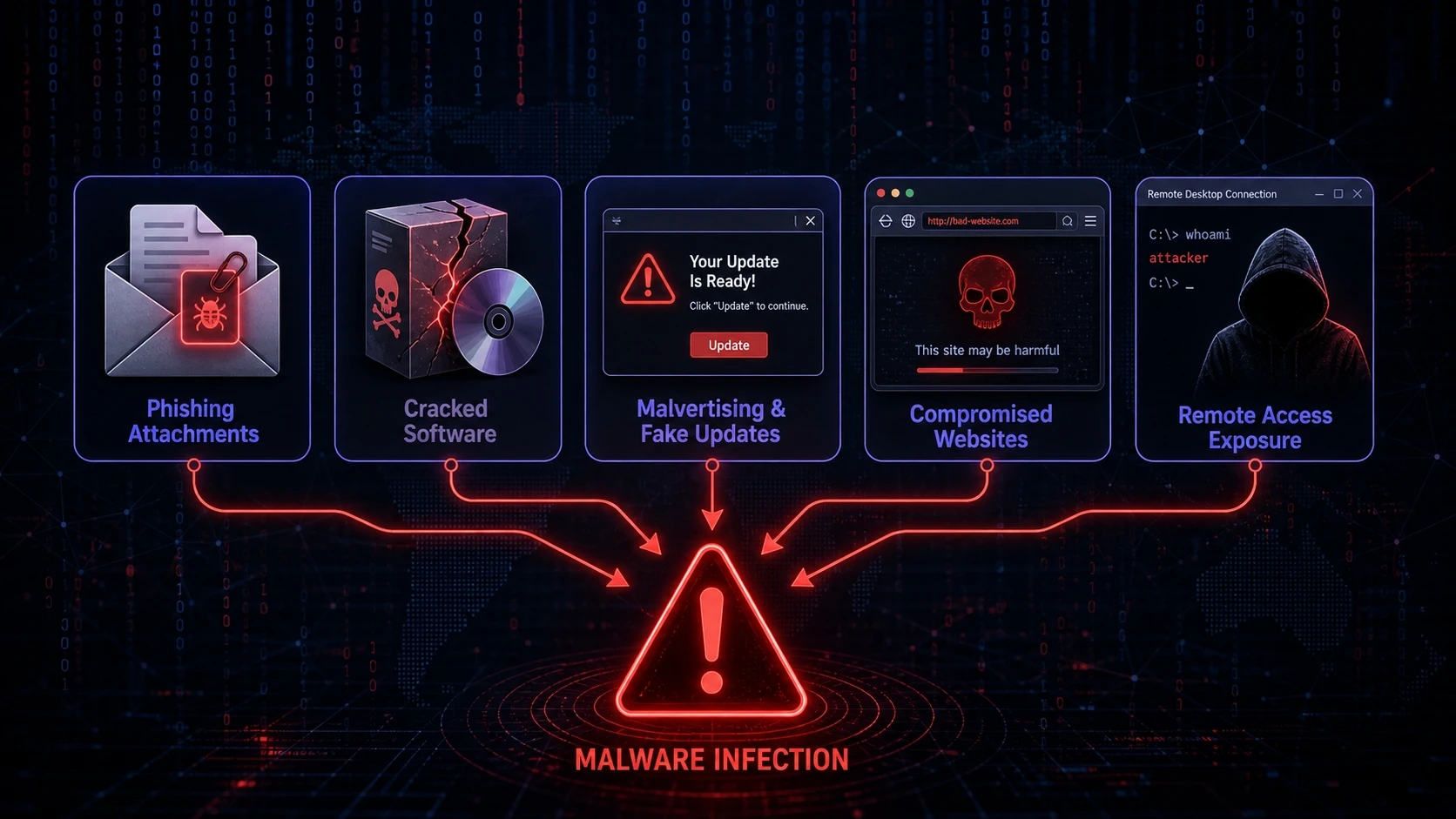
Infostealers typically arrive through social engineering, bundled downloads, and compromised software. The delivery method is chosen to maximize installs, not to make noise. Many infections start with a user action that feels routine.
- Phishing attachments and links: Malicious files or fake download pages that install a loader or the stealer itself.
- Cracked software and key generators: Trojans hidden in installers that run with broad permissions.
- Malvertising and fake updates: Ads and popups that push fake browser or plugin updates.
- Compromised websites: Drive by downloads or scripts that trigger unwanted installs via deceptive prompts.
- Remote access exposure: Weak or reused credentials that allow an attacker to run the stealer directly.
Reducing exposure at these entry points is one of the most effective prevention strategies. It also lowers the chance of repeat infections from the same root cause.
What Data Infostealers Usually Exfiltrate?
Saved passwords are only one part of the collection. Most stealers build a package of identity, device, and session details to make the data more usable for attackers. This bundle is often called a log and it is designed for resale.
| Data Type | Where It Comes From | Why Attackers Want It |
|---|---|---|
| Saved Passwords | Browser login databases and credential stores | Account takeover and password reuse testing |
| Cookies And Sessions | Browser cookie stores and local storage | Login bypass and persistent access without passwords |
| Autofill And PII | Browser profiles and forms | Identity fraud and targeted phishing |
| Device Fingerprints | System info, installed apps, IP, locale | Fraud evasion and more believable session replay |
This mix of credentials and context makes stolen data immediately actionable. It also increases the value of each infection for resale markets.
Signs Your Device Might Be Infected
Infostealers try to keep performance impact low, so symptoms can be subtle. Still, there are common signals that show up when credentials are being harvested or when a loader is active. Treat these as prompts to investigate rather than proof.
- Unexpected logins: Security alerts about new devices, locations, or session activity you do not recognize.
- Browser profile changes: New extensions, altered search settings, or odd proxy settings.
- Password resets you did not request: Emails or notifications indicating account recovery attempts.
- Security tool warnings: Defender or endpoint alerts referencing credential dumping or suspicious archives.
- Unusual network behavior: Repeated outbound connections to unfamiliar domains shortly after login activity.
If you see multiple signals at once, assume compromise and respond quickly. Delays increase the odds that more accounts and devices get pulled into the incident.
How To Respond If Saved Passwords Were Stolen?
The goal is to stop data theft, cut off attacker access, and prevent reentry. Prioritize actions that reduce risk immediately, then work toward cleanup and hardening. A structured response prevents missed accounts and repeat compromise.
- Isolate the device: Disconnect from Wi-Fi and wired networks to stop exfiltration and remote control.
- Change passwords from a clean device: Start with email, banking, and admin accounts, then rotate the rest.
- Revoke active sessions: Log out of all devices in critical services and remove unrecognized devices.
- Enable multi factor authentication: Prefer authenticator apps or hardware keys for important accounts.
- Run a full malware scan and cleanup: Use reputable endpoint tools and remove suspicious programs and extensions.
- Review account security settings: Check forwarding rules, recovery emails, API tokens, and OAuth app grants.
After containment, track which accounts were stored in browsers and which were used recently. This helps you focus resets where risk is highest and ensures nothing important is overlooked.
How To Prevent Infostealer Malware In The Future?
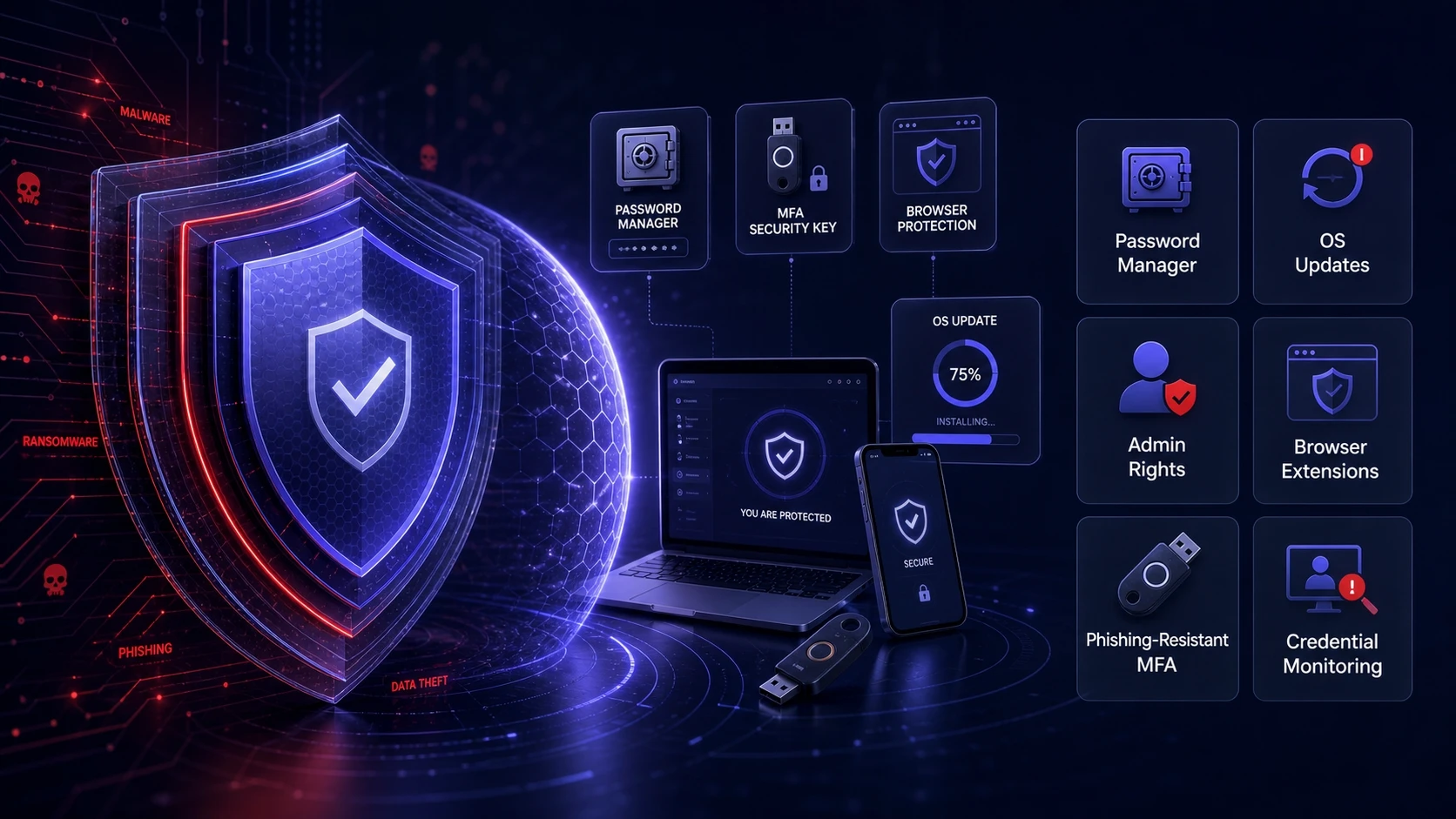
Prevention is a mix of device hygiene, identity controls, and safer credential habits. Small operational changes can dramatically reduce the damage if an infection occurs. Focus on reducing both likelihood and blast radius.
- Use a dedicated password manager: Store credentials in a secure vault and avoid saving passwords in browsers when possible.
- Keep browsers and OS updated: Patch quickly to reduce exploitation through known vulnerabilities.
- Limit admin rights: Use standard user accounts for daily work to reduce what malware can access.
- Harden browser extensions: Remove unused add ons and block installs from unknown sources.
- Adopt phishing resistant MFA: Use hardware keys for high value accounts and enforce strong login policies.
- Monitor for credential exposure: Watch sign in logs and alerts for suspicious access attempts.
Teams with multiple devices and shared access benefit from formal security baselines. TechBonafide supports practical security improvements such as endpoint protection guidance, identity hardening, and incident response planning that reduce the impact of credential theft.
Conclusion
Infostealer malware is built to steal quietly, and saved passwords are a high value target because they unlock many accounts at once. Attackers often combine password theft with cookies, tokens, and device data to maintain access and evade detection. The best defense is a layered approach that limits how credentials are stored, strengthens authentication, and improves visibility into account activity.
If you suspect an infostealer infection, act fast by isolating the device, resetting passwords from a clean system, and revoking active sessions. Follow up with thorough cleanup and tighter controls to prevent repeat compromise. Treat credential security as an ongoing practice, not a one time fix.
Frequently Asked Questions
Can infostealer malware bypass multi factor authentication?
It can bypass some protections by stealing session cookies and tokens that keep a user logged in. If the attacker replays a valid session, they may not need to pass a fresh MFA prompt. Stronger options like hardware keys and frequent session revalidation reduce this risk.
Are browser saved passwords safe if my computer has a login password?
A device login password helps, but it does not guarantee safety against malware running under your user account. Many browsers rely on OS level credential APIs that may be accessible once the user is logged in. Using a dedicated password manager and limiting browser password storage reduces exposure.
What should I change first after an infostealer infection?
Start with the email account tied to password resets, then financial accounts and any admin or work related logins. Revoke active sessions before or immediately after changing passwords so stolen cookies stop working. Rotate credentials systematically to avoid missing critical accounts.