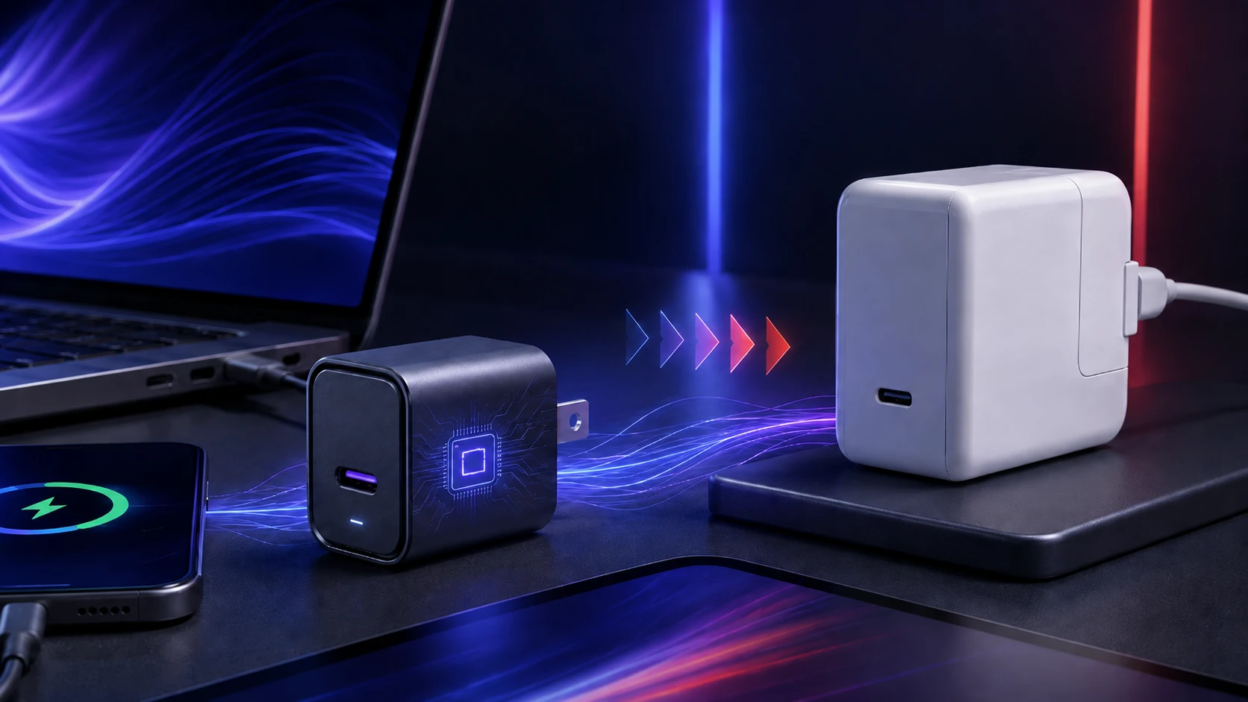
A GaN charger is a newer type of power adapter that uses gallium nitride instead of traditional silicon to convert electricity safely and efficiently. The practical benefit is simple – many GaN models deliver high wattage in a smaller body while staying cooler under load.
Choosing between GaN and a regular charger comes down to your devices, charging speed needs, and how much you value portability. Understanding the differences in materials, efficiency, and heat helps you buy the right charger instead of paying for specs you will not use.
What GaN Means In A Charger?
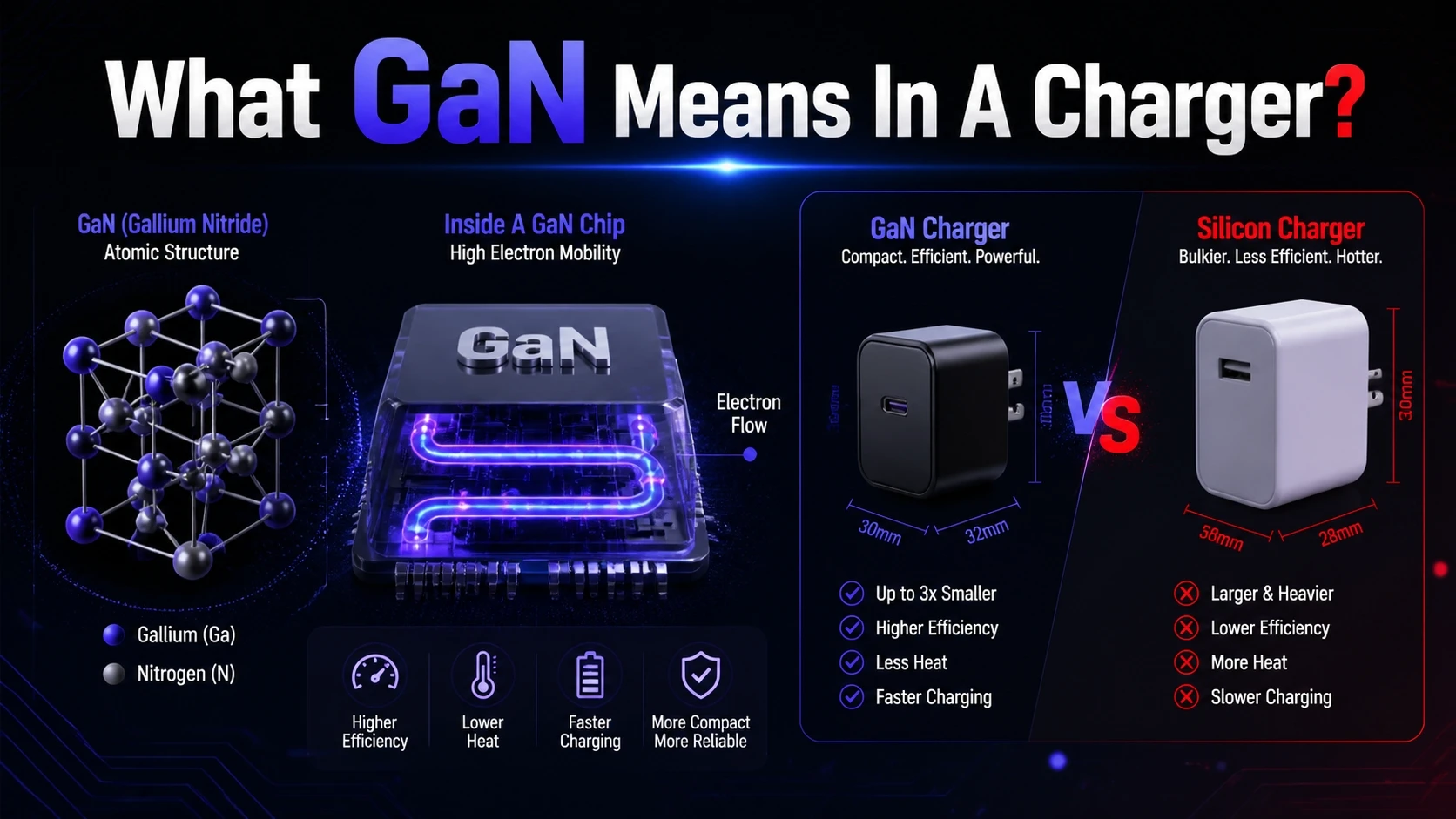
GaN stands for gallium nitride, a semiconductor material used in the power components inside the charger. In a charger, these components switch electricity on and off at very high frequencies to regulate voltage and current.
Gallium nitride handles high voltages and high switching speeds with less energy wasted as heat. That is why GaN chargers are often smaller than silicon chargers with the same wattage rating.
How GaN Chargers Work Compared To Regular Chargers?
Both GaN and regular chargers convert AC power from a wall outlet into DC power your phone, tablet, laptop, or earbuds can use. Both also communicate with your device to deliver the correct power level when standards like USB Power Delivery are involved.
The main difference is inside the power conversion stage. GaN transistors can switch faster and with lower losses, which allows manufacturers to use smaller internal components while keeping output stable.
- Higher Switching Efficiency: Less energy is lost during conversion, which supports higher sustained power in a compact shell.
- Better Thermal Headroom: Lower losses reduce heat buildup, improving comfort and potentially long-term reliability.
- Smaller Magnetics: Faster switching enables smaller transformers and inductors, which is a key reason GaN units can shrink.
These differences matter most when you need 45 W, 65 W, 100 W, or more, or when you want multiple ports in one travel-friendly charger.
Is A GaN Charger Better Than A Regular Charger?
GaN is not automatically better for every buyer, but it is often better for the same power output. A high-quality silicon charger can still be safe, reliable, and affordable, especially at lower wattages.
GaN tends to win when you want higher power in a smaller size, or when you need a multi-port adapter that can charge a laptop and phone at the same time. It also tends to run cooler at similar loads, though real-world temperature depends on design, airflow, and sustained wattage.
GaN Vs Regular Charger Comparison Table
| Category | GaN Charger | Regular Silicon Charger |
|---|---|---|
| Typical Size At 65 W | Smaller and lighter in many designs | Larger body is common |
| Heat At High Load | Often cooler due to lower losses | Often warmer at similar output |
| Efficiency | Generally higher, especially at higher wattage | Good efficiency, usually lower than GaN at the same size |
| Best Fit | Travel, laptops, multi-device charging | Basic phone charging, budget builds |
The table shows the general pattern, but brand quality and safety certifications still matter more than the material alone.
Charging Speed What Actually Determines It
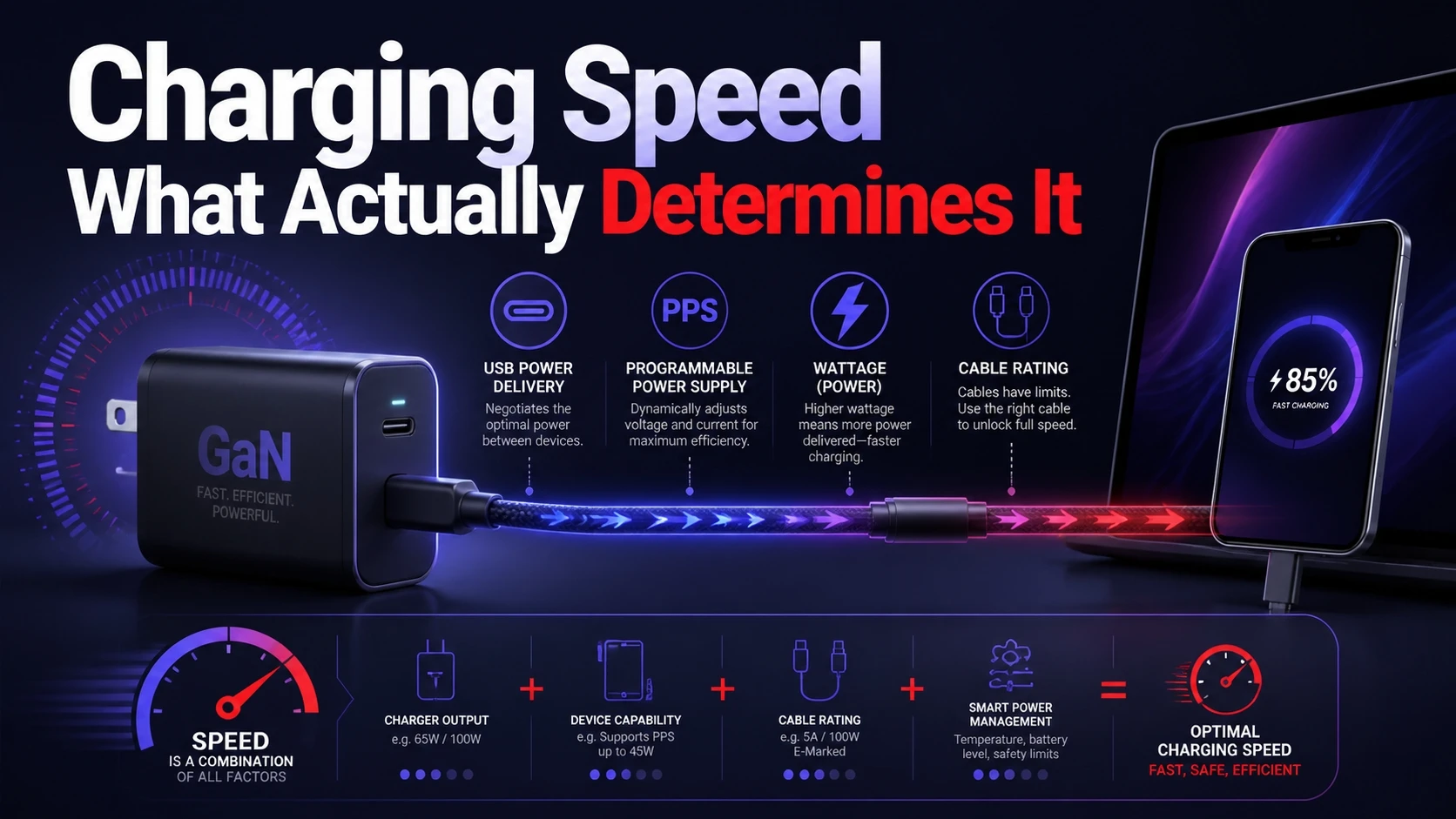
Many buyers assume GaN automatically means faster charging, but speed depends on the charging standard and the maximum wattage the device will accept. A GaN charger can support higher wattage, yet your phone might still cap at its own limit.
Look for USB Power Delivery for most modern phones, tablets, handheld consoles, and laptops. If your device uses USB-C fast charging, a charger that supports the right PD profiles is more important than whether it is GaN or silicon.
- Device Power Limit: Your phone or laptop decides the maximum it will draw.
- Charger Wattage: The adapter must meet or exceed the device requirement for peak speed.
- Port And Standard Support: USB PD and PPS support can improve compatibility and efficiency for many phones.
- Cable Rating: Higher wattage charging may require a USB-C cable rated for the correct current.
Once these pieces align, GaN becomes a practical upgrade because it packages that capability into a smaller charger.
Heat And Safety What To Check Before Buying?
Heat is not just a comfort issue – it can affect sustained performance and component lifespan. GaN often reduces internal losses, but a poor design can still run hot if it is pushed at full power for long sessions.
Focus on safety basics first. Choose chargers with reputable certification markings, solid build quality, and protections such as overcurrent, overvoltage, short-circuit, and temperature control.
- Certifications: Look for widely recognized testing marks appropriate for your region.
- Thermal Management: Well-designed vents and internal spacing can matter as much as the semiconductor choice.
- Protection Features: Intelligent power negotiation and thermal shutdown protect both charger and device.
These checks help you avoid unreliable adapters that might underperform or fail early.
Single Port Vs Multi Port GaN Chargers
Single-port chargers are simple and often deliver full wattage to one device without sharing power. Multi-port models are convenient for travel and desks, but total wattage is divided across ports depending on what you plug in.
GaN makes multi-port designs easier to shrink, which is why many compact chargers offer two to four outputs. When comparing models, check the power distribution rules so you know what happens when two devices charge at once.
- Total Output Rating: The big number is the overall maximum, not always per port.
- Per-Port Limits: Some ports cap at 20 W or 30 W even if the charger is rated much higher.
- Reallocation Behavior: Plugging in a second device can cause brief renegotiation and a momentary pause.
If you routinely charge a laptop and phone together, multi-port GaN is usually where the value is clearest.
Compatibility With Phones Tablets And Laptops
GaN chargers work with the same standards as other chargers, so compatibility is primarily about protocols and port types. USB-C with Power Delivery is the most universal option for modern devices, including many ultrabooks and tablets.
For laptops, match the charger wattage to what the manufacturer recommends. Many lightweight laptops run well on 45 W to 65 W, while larger models may need 90 W to 140 W depending on their charging design.
For phones, PPS support can improve efficiency and heat management on many fast-charging models. If your phone does not support PPS, it can still charge normally through USB PD or standard USB output.
How To Choose The Right GaN Charger?
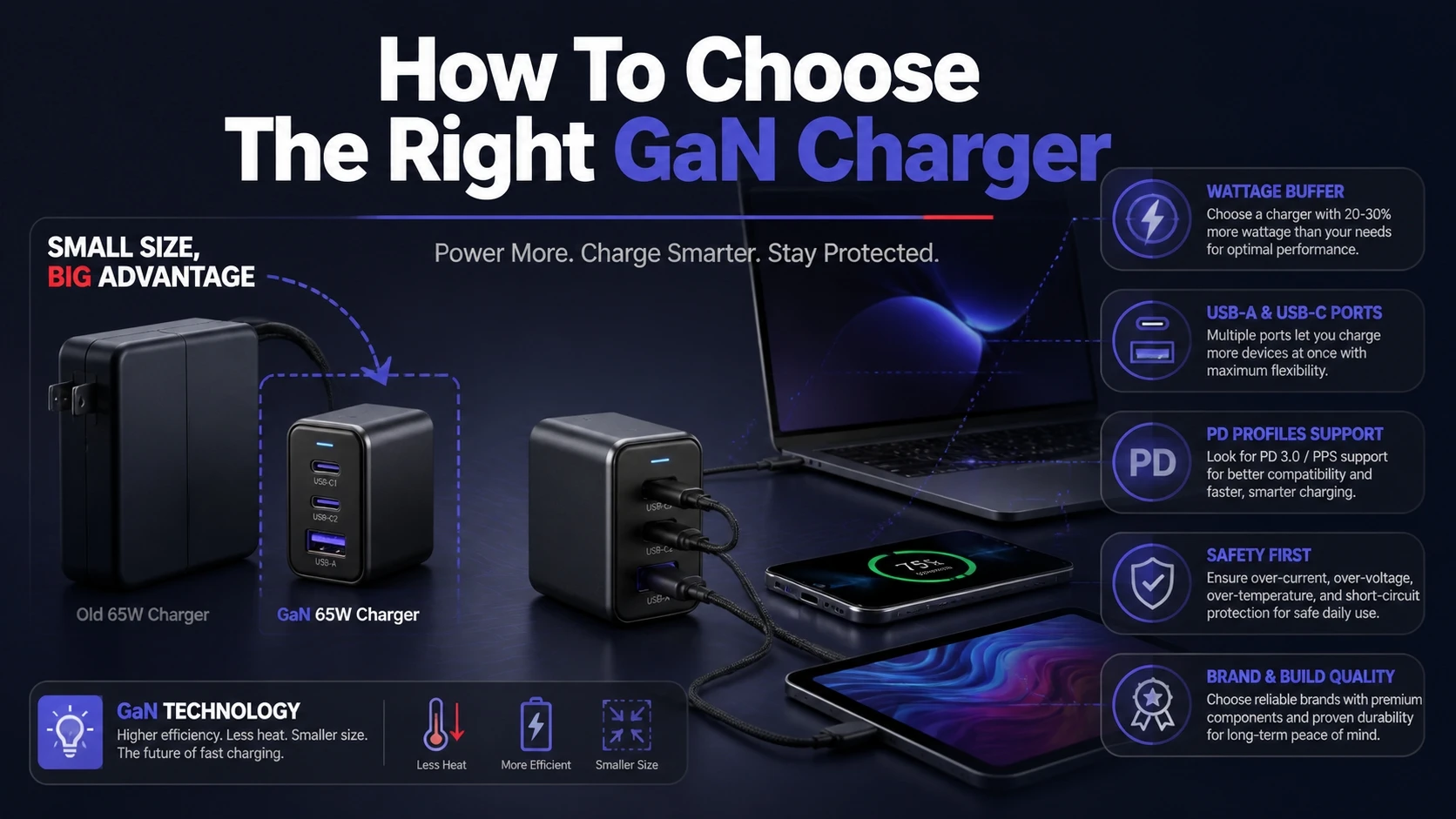
The best GaN charger is the one that matches your device needs with minimal compromises in size, ports, and safety. Start by listing what you charge and where you charge it, then choose wattage and ports accordingly.
- Confirm Device Wattage Needs: Check your laptop or tablet charging wattage and your phone fast-charging standard.
- Choose A Sensible Wattage Buffer: A slightly higher wattage can prevent slowdowns when multitasking or charging multiple devices.
- Pick Port Mix: USB-C is the priority for PD charging, while USB-A can be useful for older accessories.
- Verify Power Sharing Rules: Ensure you can still get enough wattage on the laptop port when other ports are in use.
- Check Safety And Build Quality: Prefer reputable brands, clear specifications, and robust protection features.
Once you follow these steps, the choice becomes straightforward and you avoid paying extra for unused features.
When A Regular Charger Makes More Sense?
A regular silicon charger can be the smarter buy if you only charge a phone at modest wattage and do not care about the smallest possible size. Many trusted brands offer excellent basic adapters that are reliable and cost less.
It can also make sense when you already have an original manufacturer charger that meets your needs. In that case, upgrading purely for GaN is not necessary unless you want travel convenience or multi-device charging.
Conclusion
A GaN charger uses gallium nitride power components to deliver efficient charging with less heat and often a smaller design than a regular silicon charger. It is usually the better choice for higher wattage needs, compact travel setups, and multi-port charging.
A regular charger still holds value for basic, low-watt charging and tight budgets. Prioritize the right wattage, USB PD support, safe protections, and a quality cable, and you will get reliable charging regardless of the internal material.
Frequently Asked Questions
Do GaN Chargers Damage Batteries Faster?
No, a GaN charger does not inherently damage a battery. Your device controls how much power it accepts, and reputable chargers follow the negotiated limits. Battery aging is influenced more by heat, charging habits, and time at high charge levels.
Can I Use A GaN Charger For A Laptop And Phone?
Yes, as long as the charger supports USB-C Power Delivery and has enough wattage for the laptop. With multi-port chargers, check how wattage is shared across ports when both devices are connected. Use a cable rated for the needed power level.
What Wattage GaN Charger Should I Buy?
Choose based on the highest-watt device you plan to charge. Many users do well with 45 W to 65 W for tablets and light laptops, while some laptops need 90 W or more. Buying slightly above your maximum need helps maintain speed when charging multiple devices.