
SaaS sprawl happens when teams add cloud tools faster than the business can govern them. The result is a messy stack of overlapping apps, unclear ownership, and growing exposure that often stays invisible until budgets tighten or an incident occurs. Even small tool decisions can compound into hard-to-reverse operational drag.
What SaaS Sprawl Means?
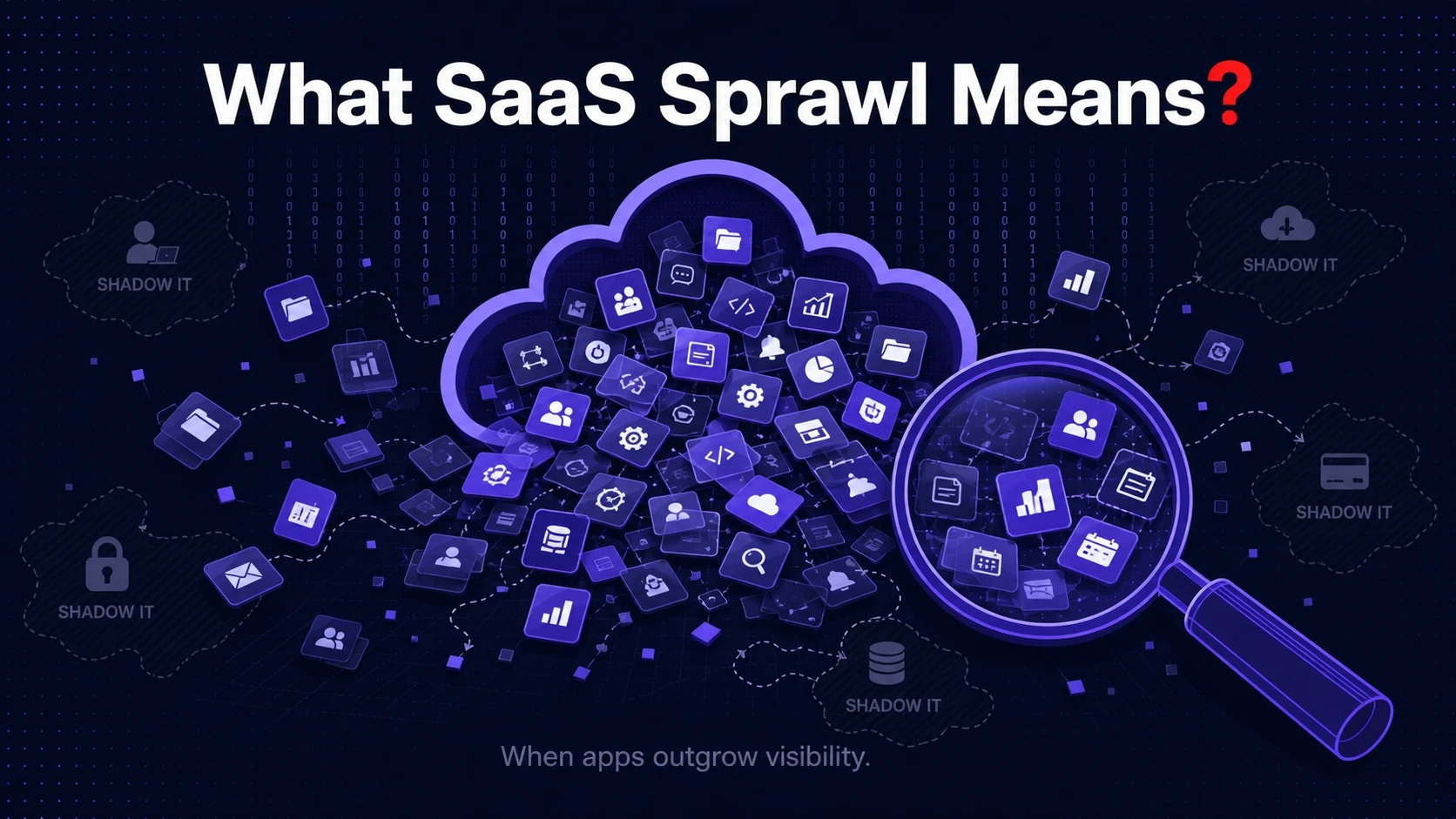
SaaS sprawl is the uncontrolled growth of software as a service applications across departments. It includes approved apps that proliferate without coordination and shadow IT tools bought on corporate cards. Over time, the application landscape becomes difficult to inventory, manage, or secure.
Sprawl is not only about app count. It also includes too many admin consoles, redundant integrations, and scattered data across workspaces and tenants. That fragmentation is where cost and risk accelerate.
Why SaaS Sprawl Happens?
Modern teams can purchase and deploy software in minutes. Procurement, security review, and architecture planning often move slower than business needs, so teams route around them. Convenience becomes the default decision driver.
Sprawl also emerges when each department optimizes locally. Sales chooses one engagement platform, support chooses another, and marketing adds a third. Without a shared operating model, duplication is almost guaranteed.
- Decentralized Buying: Teams purchase tools independently with limited coordination or shared standards.
- Freemium And Trial Drift: Trials convert to paid plans, while unused seats remain active and billed.
- Fast-Growing Headcount: Onboarding adds accounts quickly, while offboarding lags behind.
- Integration Sprawl: Each app adds connectors and APIs that require monitoring and upkeep.
- Unclear Ownership: No single team owns usage reviews, renewals, or access governance.
Once these conditions exist, the stack keeps expanding unless leadership creates guardrails and accountability.
How Too Many Tools Waste Money?
SaaS waste rarely shows up as one large line item. It appears as many small subscriptions, inflated seat counts, and scattered renewals that slip through. Finance sees spend rising, but the reasons stay unclear without an application inventory.
Redundant tools are the biggest multiplier. When two or three tools perform similar functions, the business pays multiple times and splits adoption. That lowers negotiating power and weakens the ability to standardize workflows.
- Unused Licenses: Seats remain assigned to inactive users, contractors, or former employees.
- Overlapping Capabilities: Multiple apps cover the same need, while no single tool is fully utilized.
- Premium Plans By Default: Teams pick higher tiers for one feature, even if a cheaper option would work.
- Renewal Leakage: Auto renewals happen without usage checks, benchmark pricing, or consolidation.
- Hidden Operating Costs: Admin time, training, and support tickets increase as the stack grows.
Cost control improves quickly when you tie spend to active usage and business outcomes, not just invoices and vendor names.
How SaaS Sprawl Creates Security And Compliance Risk?
Every SaaS app expands the attack surface. Each one introduces identities, permissions, tokens, and data flows that must be secured. When tools are added without centralized review, the business may not know where sensitive data lives.
Access risk is often the most immediate concern. Dormant accounts, shared logins, and excessive permissions make it easier for attackers to move laterally. A strong identity and access management program helps, but it cannot protect apps that are not visible.
- Shadow IT Exposure: Unapproved apps may bypass security controls, logging, and incident response.
- Data Residency And Retention Gaps: Teams may store regulated data in tools that do not meet policy requirements.
- Vendor Risk Blind Spots: Security questionnaires and due diligence do not happen for every tool.
- Integration Token Risk: Long-lived API keys and OAuth grants can persist long after a project ends.
- Inconsistent MFA And SSO: Apps outside the SSO boundary often have weaker authentication settings.
Reducing risk starts with discovery, then moves to standardizing access, tightening permissions, and retiring unnecessary tools.
Operational Drag And Productivity Loss
Sprawl does not only waste money and increase risk. It also makes work harder. Employees juggle multiple logins, duplicate data entry, and competing sources of truth.
Knowledge fragments across platforms, so search becomes unreliable and onboarding takes longer. When teams cannot agree on one system for a process, reporting and forecasting degrade. This is how tool overload turns into decision latency.
Signs You Have SaaS Sprawl
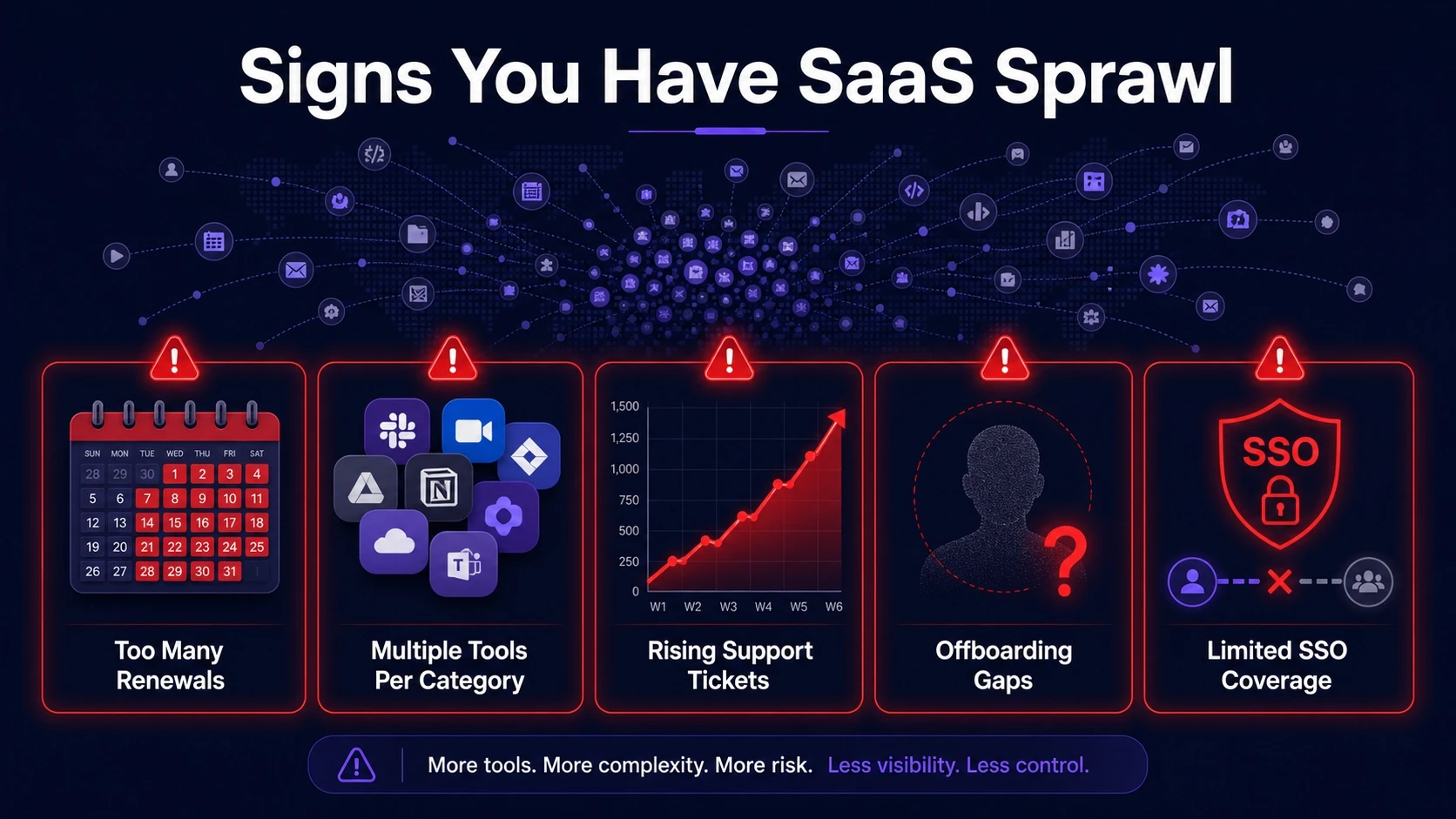
Many organizations suspect sprawl but struggle to measure it. Clear signals show up in finance, IT operations, and security workflows. The most reliable indicators are repeated patterns, not one-off events.
- Too Many Renewals Per Month: Contract dates are spread across the year with little visibility or planning.
- Multiple Tools Per Category: Teams use different apps for chat, project management, file sharing, and analytics.
- Rising Support Tickets: Requests for access, password resets, and data sync issues increase.
- Offboarding Gaps: Former employees still appear as active users in admin portals.
- Limited SSO Coverage: A large portion of apps are outside centralized identity controls.
Once you confirm these signals, the next step is to quantify the impact and prioritize action.
A Practical Framework To Control SaaS Sprawl
Control requires both governance and enablement. If the process only restricts teams, shadow IT grows. If the process only enables rapid buying, costs and risk keep rising.
A balanced framework focuses on visibility, standardization, and accountability. It also keeps decision cycles fast for low-risk tools while applying deeper review for high-risk categories.
- Build A Living Application Inventory: Combine finance data, SSO logs, and endpoint discovery to list every tool and owner.
- Map Tools To Business Capabilities: Group apps by purpose, then flag overlap and gaps in the workflow.
- Measure Usage And License Efficiency: Track active users, feature adoption, and dormant seats to find waste.
- Standardize Identity And Access: Bring priority apps under SSO, enforce MFA, and apply role-based access control.
- Create A Renewal And Vendor Review Cadence: Set checkpoints for pricing, security posture, and consolidation before auto renewal.
- Retire And Consolidate Intentionally: Plan migrations, define data retention, and communicate timelines to reduce disruption.
This framework works best when finance, IT, security, and department leads share one set of metrics and a single decision process.
Key Metrics That Make Sprawl Measurable
Sprawl feels abstract until you track it with consistent indicators. Metrics also help justify consolidation and governance to stakeholders. Keep the set small, repeatable, and tied to action.
| Metric | What It Reveals | How To Improve It |
|---|---|---|
| License Utilization Rate | How many paid seats are truly active | Reclaim dormant accounts and right-size tiers |
| Apps Outside SSO | Tools operating without centralized identity controls | Prioritize SSO onboarding and enforce MFA |
| Tool Redundancy Count | Categories with overlapping apps and fragmented adoption | Standardize on one primary tool per category |
| Renewal Lead Time | How early teams review contracts before renewal dates | Implement a renewal calendar and approval workflow |
With these measures, you can show progress quarter over quarter and connect improvements to spend reduction and security outcomes.
Governance That Does Not Slow Teams Down
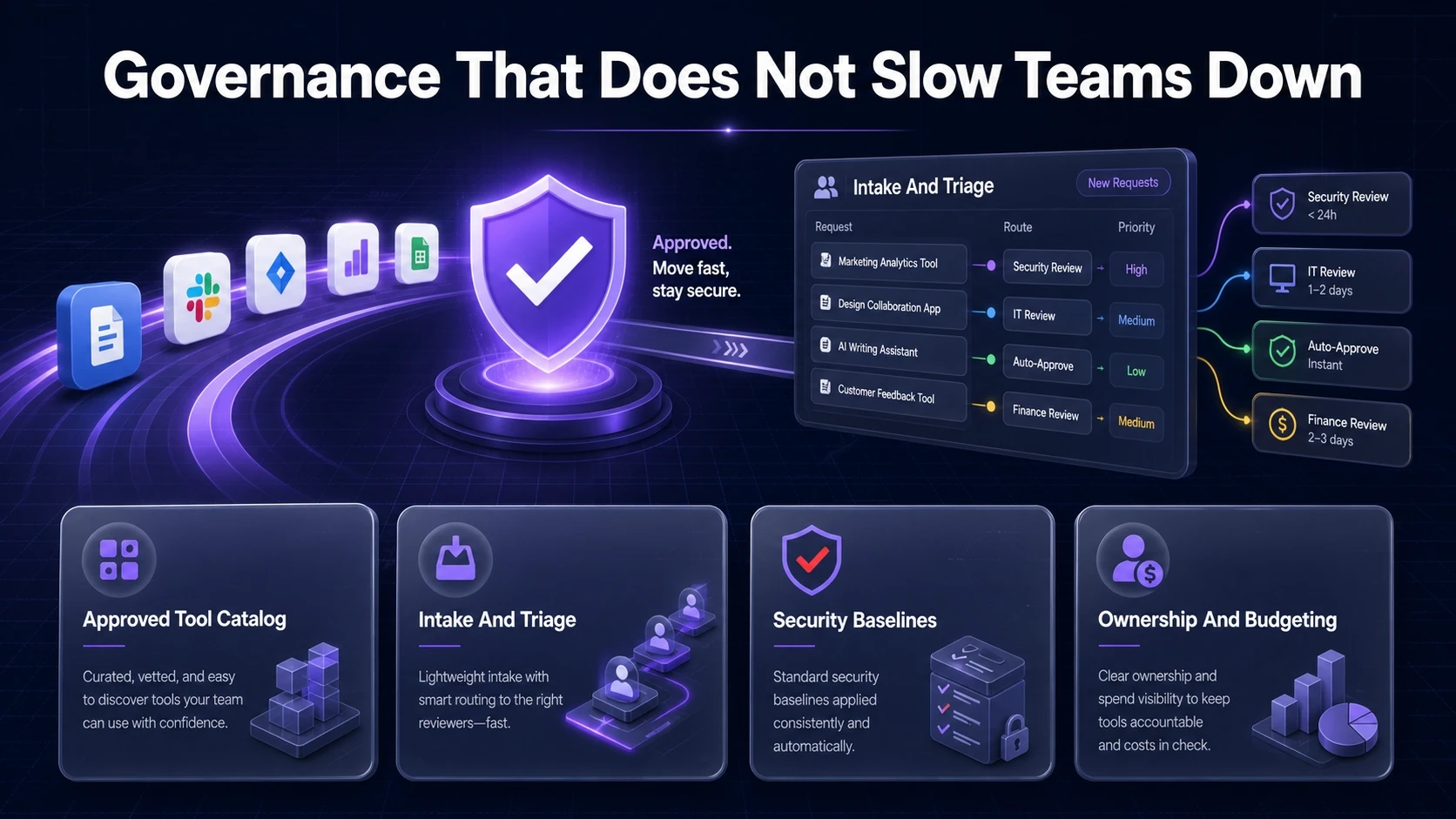
Governance succeeds when it feels like a service. Teams should know which tools are approved, how to request a new tool, and how long the review will take. Clear policies reduce friction more than strict controls alone.
Keep reviews proportional to risk. A note-taking tool with no sensitive data should not require the same process as a customer data platform. Define fast paths for low-risk tools and stronger checks for systems that handle regulated data.
- Approved Tool Catalog: Publish standard tools and preferred vendors to reduce duplicate buying.
- Intake And Triage: Route requests through a lightweight form that captures purpose, data type, and user count.
- Security Baselines: Require SSO, MFA, audit logs, and encryption for higher-risk categories.
- Ownership And Budgeting: Assign an accountable owner for each app and tie spend to a cost center.
This approach preserves agility while keeping the stack manageable and auditable.
Where Tech bonafide Fits Into SaaS Sprawl Cleanup?
Many teams need a partner who can translate a messy SaaS landscape into an actionable plan. Tech bonafide can support discovery, rationalization, and governance design by aligning tool usage, security controls, and operational processes. That is especially useful when internal teams are stretched between daily support work and strategic cleanup.
If you are consolidating tools or tightening identity controls, Tech bonafide can also help define standards for access management, integration hygiene, and ongoing review cadences. The goal is to reduce spend while improving resilience, not to create more process.
Conclusion
SaaS sprawl is a business problem with financial, security, and productivity consequences. It grows when buying is easy but visibility and ownership are unclear. The fix is not a one-time audit, but a repeatable operating model.
Start with a living inventory, measure usage, bring critical apps under SSO, and consolidate overlapping tools. When governance stays lightweight and aligned to risk, teams move fast without inviting hidden costs and exposure.
Frequently Asked Questions
How Do I Find All SaaS Apps In Use?
Combine accounts payable data with SSO logs and browser or endpoint discovery to capture both sanctioned and shadow IT tools. Validate the list with department owners and assign accountability for each app. Repeat the discovery monthly until it stabilizes.
What Should Be Consolidated First?
Start with categories that show high overlap and low adoption, such as project management, file sharing, and meeting tools. Prioritize tools with upcoming renewals and those holding sensitive data outside SSO. Consolidation should minimize migration pain while delivering fast savings.
How Can We Reduce Risk Without Blocking New Tools?
Use a tiered review process based on data sensitivity and integration scope. Offer an approved catalog and fast approvals for low-risk tools, while requiring SSO, MFA, and audit logs for higher-risk systems. This keeps teams productive while improving control.