TechFYP.com publishes Snapchat-related pages that promote features such as checking Snapchat status and viewing profile activity. This TechFYP.com review examines the site’s claims, explains what users should verify, and highlights the security and privacy risks of unofficial Snapchat tools. It also shows how to distinguish legitimate app features from unverified third-party promises.
What TechFYP.com Appears to Offer Snapchat Users?
TechFYP.com features Snapchat-related topics such as checking Snapchat status, finding profile activity, and accessing information about another person’s activity. Its homepage also lists Instagram-related features and iPhone customization tips, making it a mixed collection of social media and mobile technology content.
One of its Snapchat-related pages promotes a feature called “Snapchat Mode” and directs visitors to an external download. The page describes a method for checking another user’s status in real time. However, these claims should not be confused with confirmed Snapchat functionality, and the advertised tool’s capabilities and authorization have not been independently verified in this review.
Readers should pay particular attention to instructions that require downloading an unfamiliar application, entering a Snapchat username, or providing account-related information. Before trying these methods, check whether the feature exists in the official Snapchat app and whether the third-party service has appropriate authorization.
Snapchat’s official guidance on unauthorized third-party apps and plugins explains why unsupported modifications and applications that request login credentials can put accounts at risk.
How to Judge Tip Accuracy Before You Try Anything?
Snapchat changes features and policies often, and the smallest mismatch can make a guide unreliable. A tip can be well intentioned and still lead to account issues if it no longer matches the current app behavior.
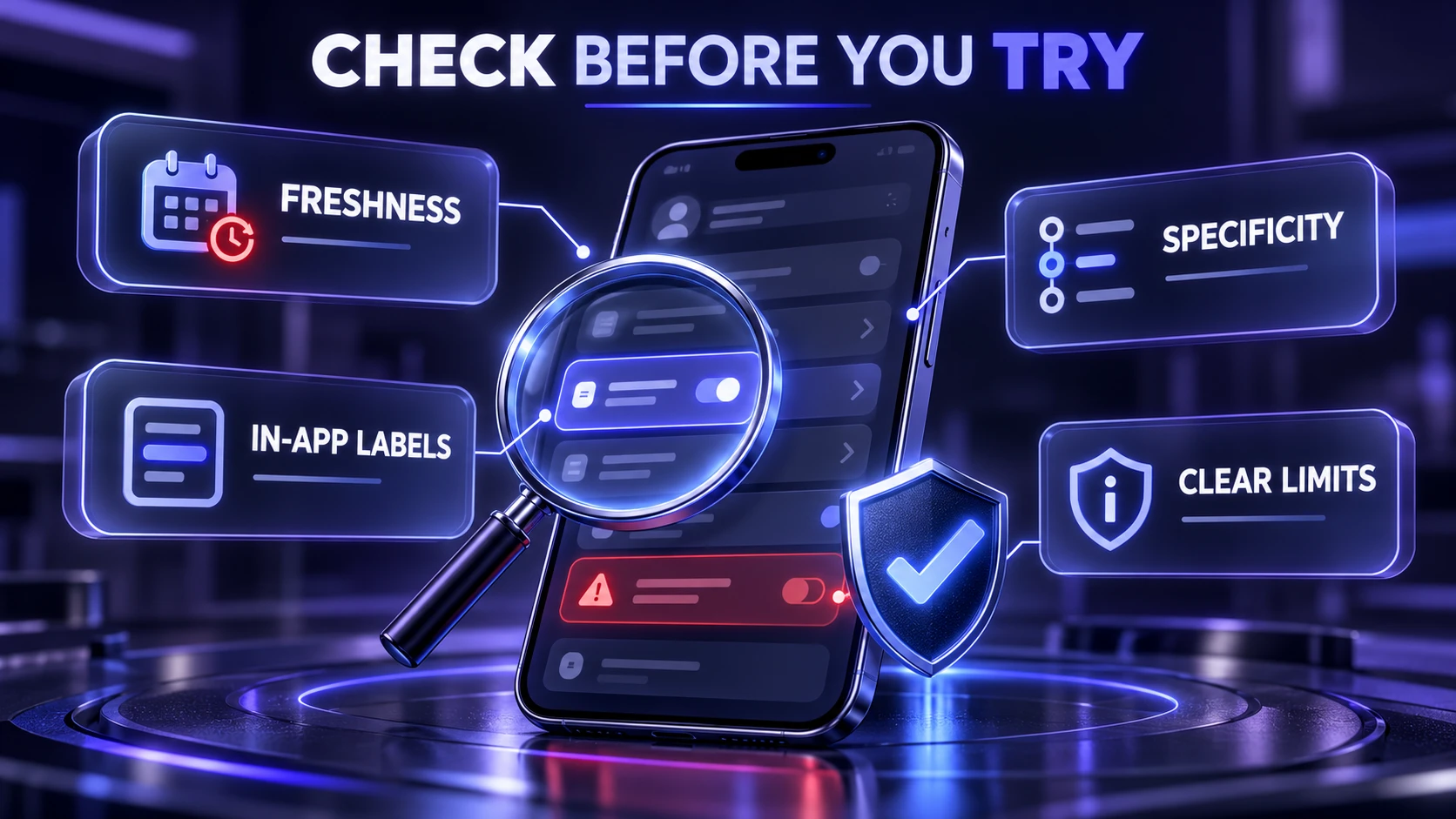
Use a simple evaluation checklist before taking action, especially if the post suggests a workaround or a hidden setting.
- Publication freshness: Look for clear signs the guide reflects current Snapchat menus and wording rather than older layouts.
- Specificity: Prefer instructions that name the exact setting path in the app and the device type it applies to.
- Consistency with in-app labels: If the guide uses labels you cannot find in your Snapchat settings, treat it as a warning sign.
- Clear boundaries: Trust tips that explain what the method can and cannot do instead of promising guaranteed results.
After that quick check, verify the instructions directly inside Snapchat before you change anything that affects login or privacy.
Account Safety and Login Related Advice
Guides about Snapchat password recovery, locked accounts, and account bans require careful verification. Claims that a third-party service can bypass Snapchat restrictions or unlock any account should be treated skeptically. Snapchat provides its own account recovery procedures, temporary account unlocking options, and an in-app appeal process for eligible locked accounts. Users should follow those official procedures rather than paying unofficial services that promise guaranteed account recovery.The official Snapchat account unlocking procedures explain the difference between temporary account restrictions and cases where users may be eligible to submit an appeal.
Prioritize actions that stay inside Snapchat and your device settings. If a tip requires sharing codes, disabling security protections, or handing credentials to a tool, skip it.
- Two-factor authentication: Enable Snapchat’s two-factor authentication using a supported method, preferably a trusted authenticator app. Keep your recovery email and phone number updated, save your Snapchat Recovery Code securely, and never share authentication codes with another person.
- Password resets: Use official app flows and verified email or phone access, not third-party reset services.
- Device and session checks: Open Snapchat’s Session Management Center to review active account sessions. If you notice an unfamiliar device or browser, terminate that session and change your account password. Also review your recovery details if you suspect unauthorized access.
- Phishing awareness: Do not follow login prompts embedded in random pages that mimic Snapchat branding.
Reviewing active sessions is important because attackers may sometimes attempt to reuse stolen login sessions. Our guide to session hijacking explains how stolen session data can allow unauthorized access and why terminating suspicious sessions matters.
Suspicious websites may also use fake verification prompts to persuade visitors to install software or complete unsafe actions. TechBonafide’s guide to fake CAPTCHA malware explains how deceptive verification screens can become security threats.
For step-by-step guidance, follow Snapchat’s two-factor authentication instructions to enable an authentication app and protect your account’s recovery information.If the goal is safer usage, it is smarter to strengthen your account than to chase shortcuts that claim to unlock restricted features.Stronger authentication methods can also reduce the risk of credential theft. Our comparison of passkeys vs passwords explains how modern authentication methods help protect online accounts against phishing and password reuse.
Privacy Implications of Popular Snapchat Tips

Many Snapchat tips involve visibility, location, and who can contact you. A site can describe a setting correctly, but you still need to understand the tradeoffs before enabling it.
Device-level permissions also affect privacy because applications may request access to contacts, location, cameras, and microphones. Android users can read our guide to Android app permissions to understand which permissions are necessary and which requests deserve extra caution.
Focus on outcomes rather than hacks. If a post suggests ways to view content without being seen or to track others, it can be unethical, inaccurate, or risky.
- Snap Map settings: Review who can see your location through Snapchat’s location-sharing controls. You can choose specific friends or enable Ghost Mode to hide your location from other users on Snap Map. However, Ghost Mode does not prevent Snapchat itself from receiving location information when device permissions allow it. Content submitted to Snap Map may also remain publicly visible. Snapchat’s official Snap Map location-sharing settings explain how users can control which friends are allowed to see their location.
- Story audience controls: Verify who can view stories, who can reply, and whether public profiles are involved.
- Find Friends and contact permissions: Review whether Snapchat can access your phone contacts and whether your account appears in Find Friends suggestions. Snapchat previously called this discovery feature Quick Add, so older tutorials may still use that name. Users can manage their visibility through Snapchat’s privacy settings.
- Blocked and restricted accounts: Confirm what changes for chat, story viewing, and search visibility.
When privacy is the concern, the safest route is using the newest options available in the Snapchat app rather than workarounds.The Snapchat privacy settings guide explains how users can manage contact permissions, Story audiences, profile discovery, activity visibility, and other privacy-related controls.
Third-Party Tools and Promises You Should Avoid
A common risk across tech tip sites is recommending tools that claim to unlock hidden Snapchat functions. This includes apps that claim to reveal private data, show deleted snaps, or provide follower boosts.
Unauthorized Snapchat applications and plugins can violate platform rules, expose account credentials, or interfere with normal login access. Snapchat warns that unsupported third-party modifications may result in account restrictions. However, not every external application is prohibited: Snapchat also supports certain authorized integrations through Snap Kit. Users should distinguish approved integrations from tools that request Snapchat passwords or promise access to private information.
- Viewer and tracker apps: Claims to reveal who viewed content beyond what Snapchat shows are not reliable.
- Automation and growth tools: Automated adds, messaging, or engagement can be detected and penalized.
- Modified app packages: Unofficial builds can compromise data and expose you to bans.
- Data export promises: Tools that claim to extract extra messages or hidden media are high risk.
Unfamiliar downloads can also expose users to credential-stealing malware. Our guide explaining infostealer malware covers how malicious software may collect saved passwords, authentication information, and other sensitive data from an infected device.
If a Snapchat tip requires an unfamiliar download, your account password, verification codes, or unnecessary device permissions, avoid following the instructions. For legitimate third-party integrations, check whether Snapchat authorizes the connection and review exactly what information the application can access.
Quick Comparison of Tip Risk Levels
Not all Snapchat advice carries the same risk. Use the table below to decide what deserves extra verification before you apply it.
| Tip Type | Typical Risk | Safer Alternative |
|---|---|---|
| Change Privacy Settings | Low to medium when following legitimate troubleshooting instructions | Use Snapchat Settings menus and confirm labels match your app |
| Fix App Crashes | Medium due to device differences | Update Snapchat, restart the app and device, check internet connectivity, and clear the cache when appropriate |
| Recover Locked Account | High when third parties promise guaranteed account unlocking | Use Snapchat’s official unlocking procedures or submit an in-app appeal when eligible |
| Unlock Hidden Features Using Tools | Very high due to policy and security risks | Avoid third-party apps and wait for official feature releases |
This view helps you separate everyday settings guidance from content that could put your account at risk.
Users experiencing crashes, loading problems, or unexpected app behavior should begin with the official Snapchat troubleshooting steps, which cover updates, application restarts, device restarts, and internet connectivity checks.
How to Verify Snapchat Instructions Using Official Sources?
tart by checking the instructions directly inside Snapchat and your device settings. If a guide mentions an unfamiliar feature, an outdated menu, or an account recovery shortcut, compare it with Snapchat’s official support documentation. Official sources are especially important when instructions involve privacy controls, external downloads, login credentials, or irreversible account changes.
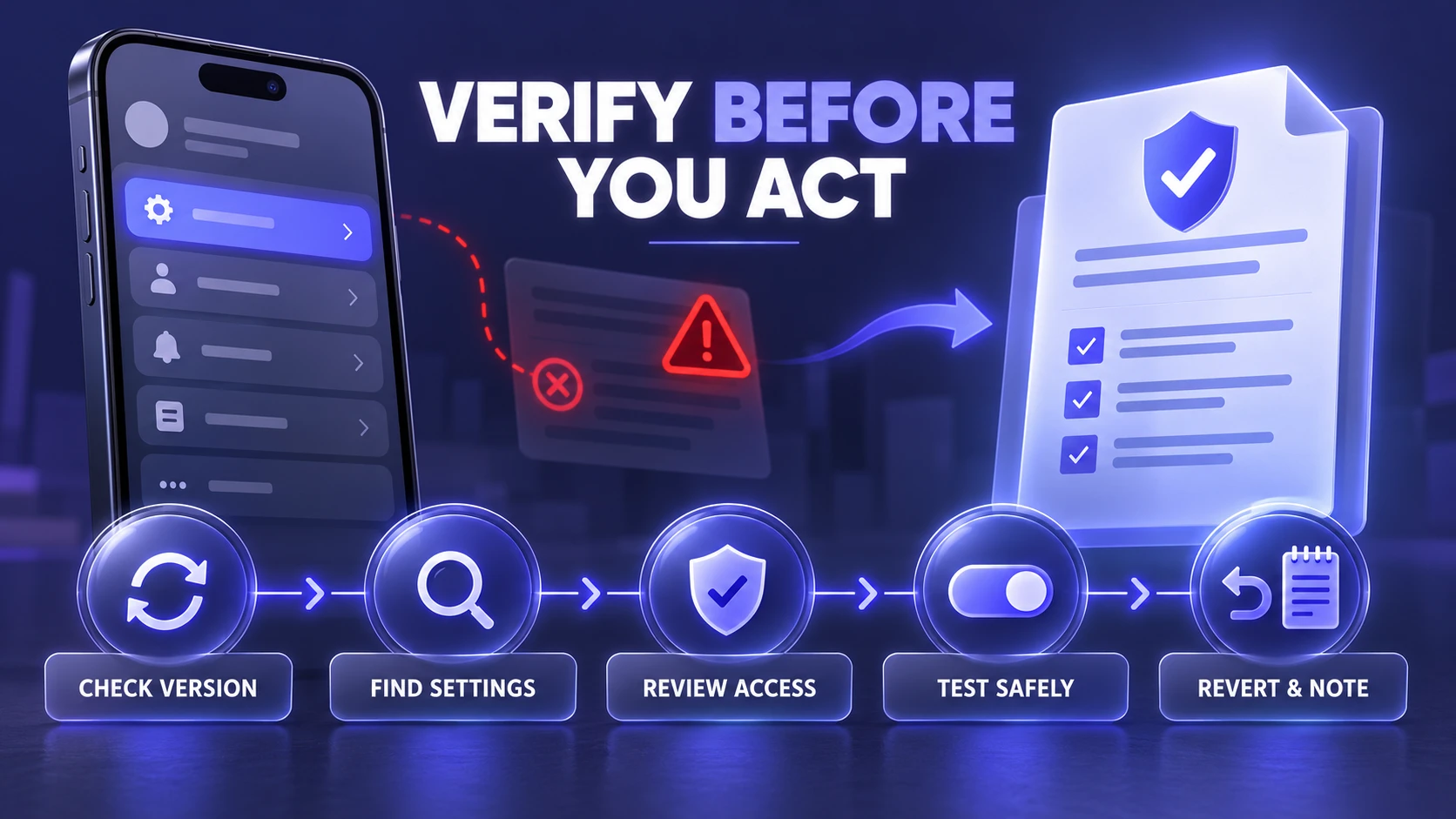
- Check your current app version: Compare the settings you see to the wording in the guide and stop if the menus do not match.
- Search inside Snapchat settings: Use built-in search where available and confirm the exact feature name appears.
- Review permission prompts: Confirm what the app is requesting and deny anything that seems unrelated to the feature.
- Test with the lowest impact change: Start with reversible settings before anything that affects login, visibility, or data access.
- Revert and document: If a change causes problems, revert immediately and note what you changed so you can troubleshoot cleanly.
This approach keeps you in control while still letting you benefit from general guidance when it is accurate.
Where TechBonafide Fits If You Want Safer Tech Guidance?
Understanding account security, app permissions, phishing attempts, and suspicious downloads makes it easier to evaluate Snapchat advice. TechBonafide publishes related explanations that help readers recognize these risks and make more informed decisions when using social media platforms.
For Snapchat-specific settings, account recovery, or feature availability, official Snapchat documentation should remain the primary reference. Broader cybersecurity guides can provide additional context about unauthorized applications, credential theft, and protecting personal information.
Conclusion
TechFYP.com features Snapchat-related content that promotes tools for checking status and profile activity. However, the availability of these instructions does not establish that the advertised features work as described or are officially supported by Snapchat. Because at least one reviewed page promotes an external download, readers should verify the source, permissions, and legitimacy of any suggested tool before installing it or providing account information.
Stick to in-app settings, avoid third-party tools, and verify that instructions match your current Snapchat menus. That approach keeps your account safer while still letting you learn from general tech advice sites.
Frequently Asked Questions
Is It Safe to Follow Snapchat Tips From Third-Party Tech Sites?
It can be safe when the tips focus on in-app settings and basic troubleshooting. It becomes risky when advice involves third-party tools, bypass methods, or sharing credentials. Verify that the instructions match your current Snapchat menus before applying them.
What Snapchat Tips are the Most Risky to Follow?
Tips related to unlocking locked accounts, viewing restricted information, or installing modified apps carry the highest risk. They can violate platform rules or expose your login details. When a tip promises guaranteed access to hidden data, treat it as unsafe.
How Can I Tell If A Snapchat Guide is Outdated?
If the guide references menu labels you cannot find, shows old layouts, or describes features that do not appear in your app, it may be outdated. Compare the setting names in the article to what you see on your device. When there is a mismatch, avoid making changes based on that guide.
Does TechFYP.com Offer An Official Snapchat Status Tool?
TechFYP.com promotes a Snapchat-related download and describes features for checking another user’s status. However, this does not confirm that the advertised tool is officially supported by Snapchat or that it works as claimed. Users should avoid entering Snapchat passwords, sharing verification codes, or installing unfamiliar software without verifying its legitimacy and permissions.