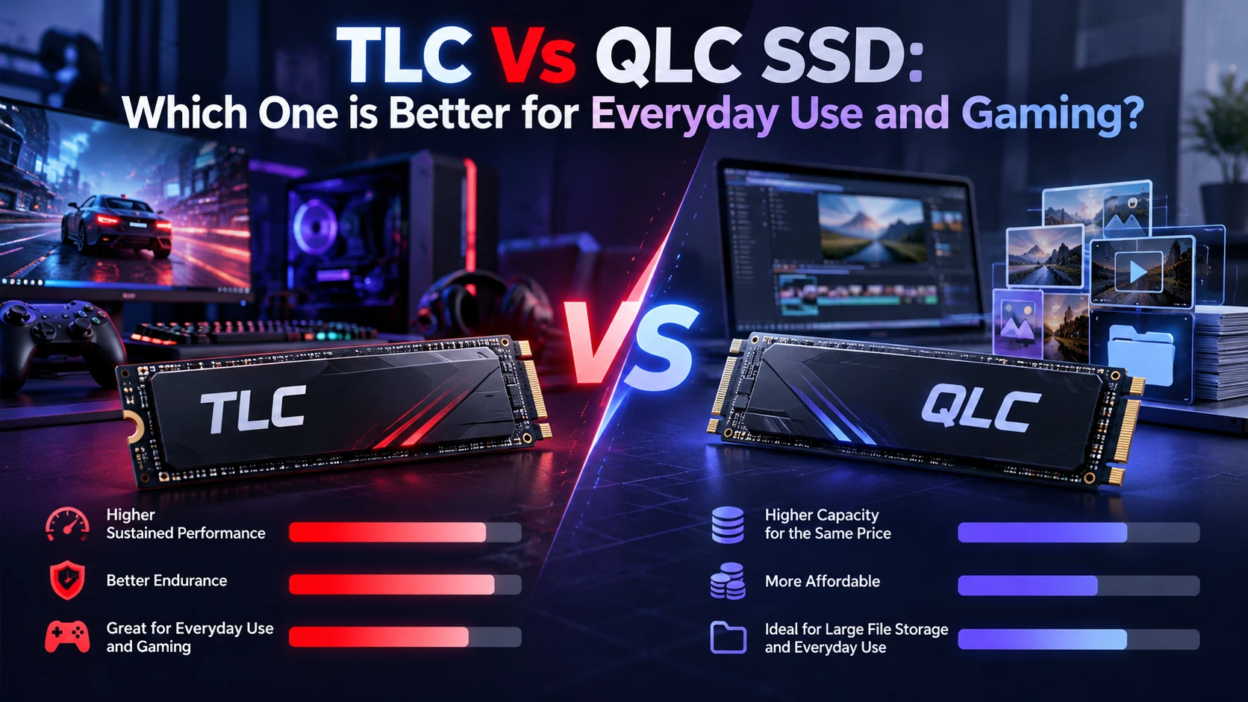
Choosing between TLC and QLC can affect SSD endurance, write behavior, capacity, and cost, but NAND type is only one part of overall drive performance. Controller design, firmware, caching, interface, capacity, and workload also influence how an SSD behaves in everyday use and gaming. This guide explains where TLC and QLC differ and what to compare before choosing a specific drive.
What TLC and QLC Mean in SSDs
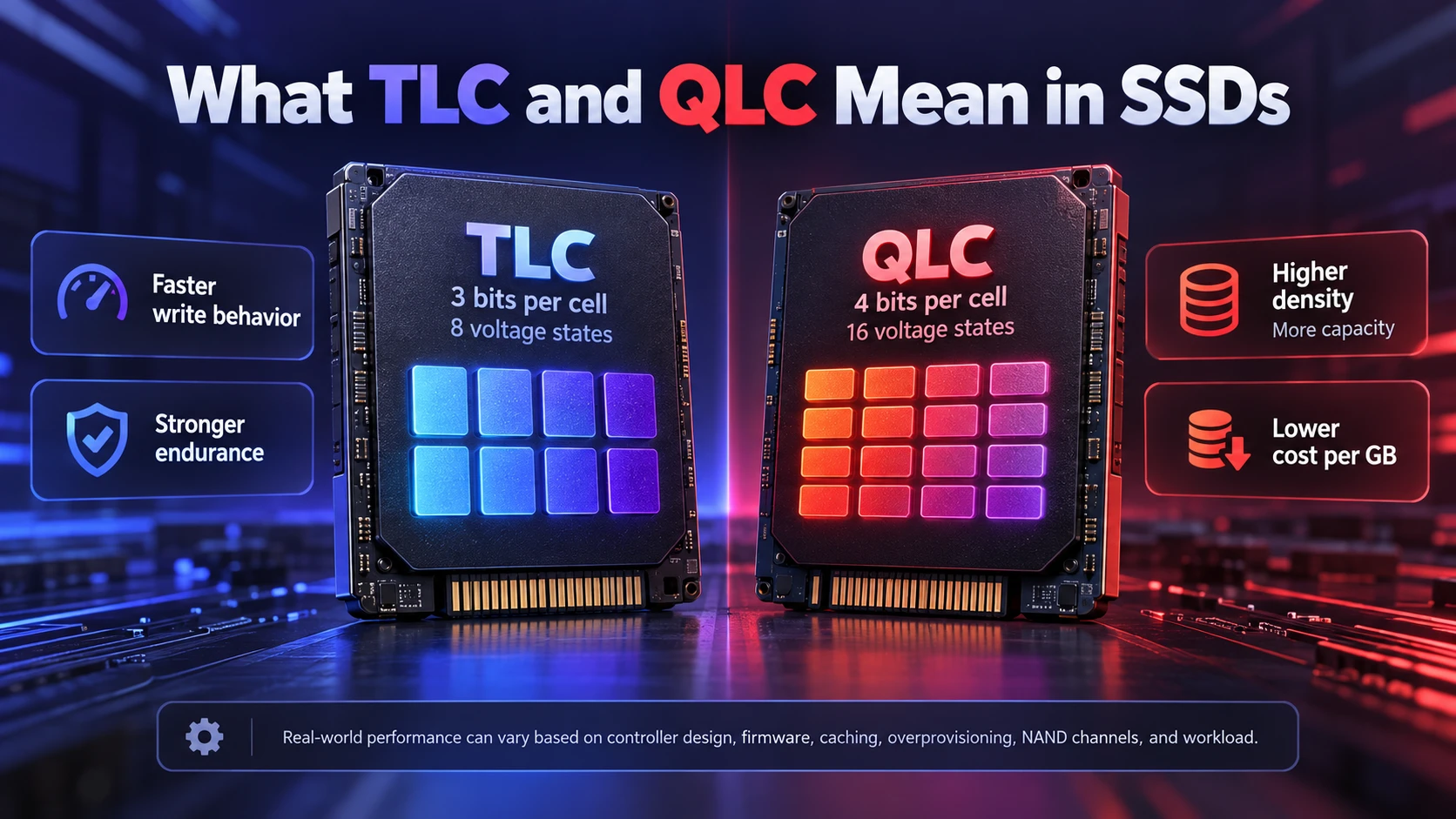
TLC stands for triple-level cell and stores 3 bits per NAND cell, while QLC stands for quad-level cell and stores 4 bits per cell. TLC therefore represents 8 possible voltage states per cell, while QLC represents 16. QLC’s higher bit density can enable greater capacity and lower cost per gigabyte, but the additional states also create tradeoffs in programming speed, endurance, and data-retention margin.
At the NAND level, QLC generally has lower write endurance and longer programming times than TLC. At the finished-drive level, however, controllers, firmware, parallel NAND channels, caching, overprovisioning, and workload type can narrow or sometimes substantially change the performance difference.
For a deeper technical comparison, KIOXIA’s TLC vs QLC flash storage guide explains the differences in bit density, write performance, endurance, read behavior, and workload suitability.
How TLC and QLC Affect Everyday PC Use
Everyday tasks include booting Windows, launching apps, browser work, office files, and light photo edits. In these short bursts, both TLC and QLC can feel fast, especially compared to hard drives. The difference appears when large file writes or long installs push the drive beyond its fast cache.
For typical laptop and desktop use, both TLC and QLC SSDs can provide responsive performance. Differences become more important during sustained writes, heavy multitasking, low-free-space conditions, or write-intensive workloads. For a main system drive, compare the specific model’s sustained performance, warranty, TBW rating, capacity, and price rather than choosing only by NAND type.
Gaming Performance Differences
For gaming, storage affects installation, patching, asset streaming, and loading, but NAND type is only part of the equation. Both TLC and QLC NVMe SSDs can deliver strong read performance. The specific SSD, PCIe interface, controller, game engine, CPU workload, and technologies such as DirectStorage can matter more to loading behavior than the TLC or QLC label alone.
Microsoft’s DirectStorage documentation explains how supported games can use high-speed storage such as NVMe SSDs for large numbers of storage requests with reduced CPU overhead.
Large game installs and patches can expose differences in sustained write performance, particularly after a drive’s fast write cache is exhausted. TLC often has an advantage in native NAND write performance, but the size of that advantage varies significantly by SSD model, cache strategy, controller, capacity, and available free space.
Speed and Consistency Under Heavy Writes
Many client SSDs accelerate writes by operating part of their NAND in a faster pseudo-SLC mode. The size and behavior of this cache vary by drive: it may be fixed, dynamic, or managed through a more advanced write strategy. Once the fast-write area is exhausted, sustained performance depends more heavily on the native NAND, controller, firmware, free capacity, and background data management.
QLC drives can still benchmark well in short tests, but long transfers can show large drops in write speed. If you copy huge video files, capture gameplay to the same drive, or keep your SSD close to full, TLC tends to be more consistent.
Endurance and TBW Ratings
SSD endurance is often specified using TBW, or terabytes written, which represents a manufacturer-defined write-endurance rating associated with the drive’s warranty conditions. TLC generally offers greater NAND endurance than QLC, but a finished SSD’s TBW rating can also depend on capacity, overprovisioning, controller behavior, firmware, and the manufacturer’s warranty policy. TBW should therefore be used as a comparison metric, not as an exact prediction of when a drive will fail.
KIOXIA’s technical brief on SSD endurance and TBW explains how NAND type, TBW, and DWPD are used when describing SSD write endurance.
Endurance matters more for workloads that write constantly, such as video editing scratch space, frequent game recording, heavy Steam library shuffling, and large development builds. For a read-heavy library drive that mostly stores games, QLC can still be a cost-effective choice.
After installing a drive, you can also check SSD health through SMART data, total host writes, remaining-life indicators, temperatures, and integrity-error counters to see how the drive is aging under your actual workload.
Cache, DRAM, and Why Specs Can Be Misleading
Besides NAND type, the controller, firmware, and metadata-caching strategy strongly influence SSD performance. Some SSDs use onboard DRAM to cache portions of the flash translation layer and other metadata, while DRAM-less NVMe drives may use Host Memory Buffer (HMB) to access a small allocation of system memory. The resulting performance depends on the complete implementation rather than the presence or absence of DRAM alone.
Many NVMe SSDs use a DRAM-less architecture with HMB, or Host Memory Buffer, which allows the controller to use part of the host system’s RAM for drive-management data. HMB is no longer limited to basic low-performance drives; modern implementations can deliver strong client performance. Compare independent sustained-write, random-I/O, thermal, and application tests rather than treating DRAM as an automatic quality indicator.
For a current example, TechBonafide’s coverage of the Micron 3610 Gen5 SSD shows how a modern DRAM-less drive can combine HMB with a high-speed PCIe Gen5 design.
Micron’s explanation of Host Memory Buffer (HMB) shows how host DRAM can support flash-translation-layer tables and more efficient SSD data mapping.
Price per GB and Value Considerations
QLC’s higher bit density can give manufacturers a cost and capacity advantage, which makes it attractive for high-capacity drives. However, retail pricing changes frequently, and discounted TLC models can sometimes compete directly with QLC products. Compare current price per gigabyte alongside TBW, warranty, sustained-write behavior, and overall performance rather than assuming the QLC option will always be cheaper.
A balanced approach is common for gaming PCs. Use a smaller TLC NVMe SSD for the OS and core apps, then add a larger QLC SSD for game storage if you mostly read from it.
TLC Vs QLC SSD Comparison Table
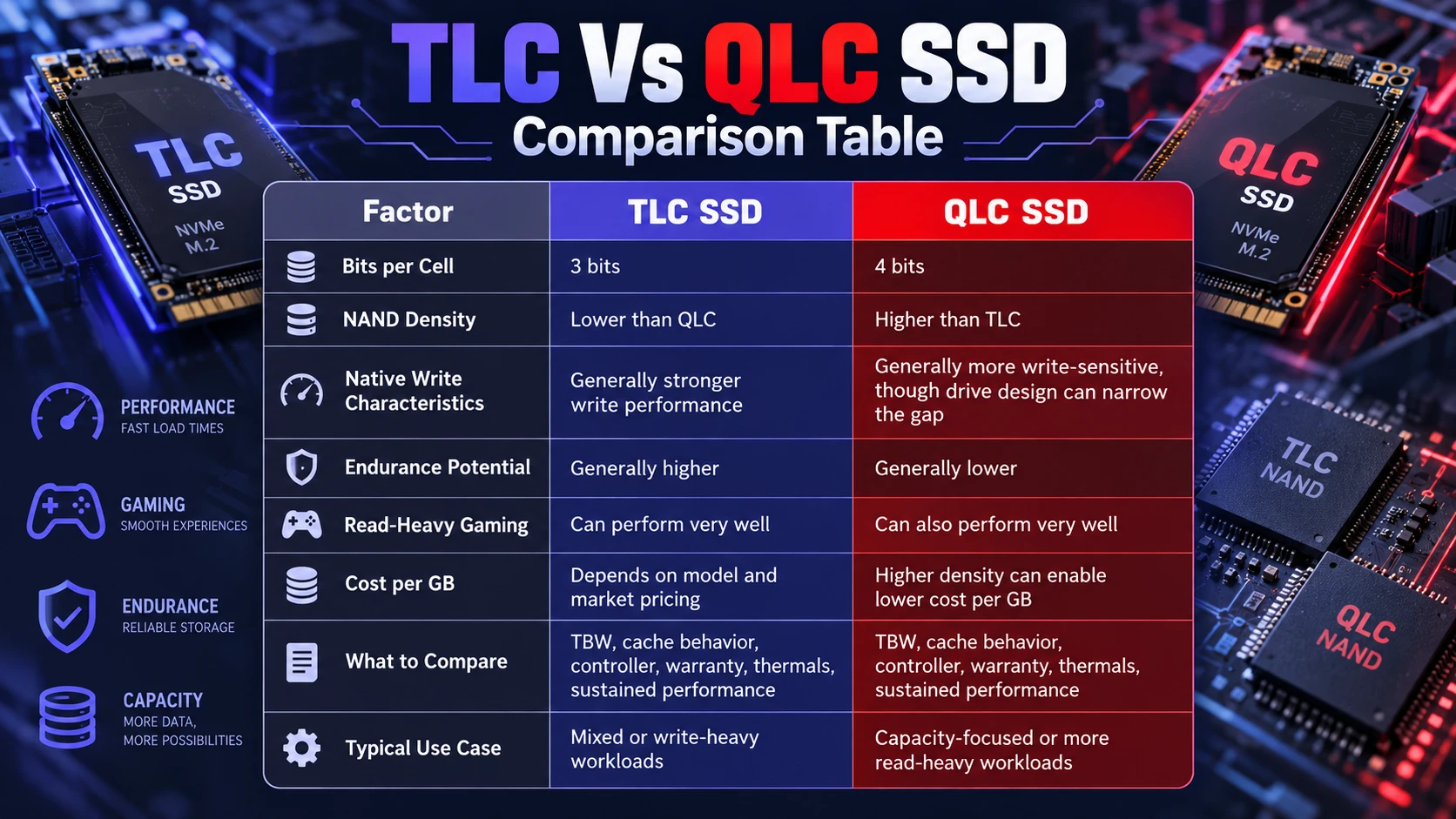
| Factor | TLC SSD | QLC SSD |
|---|---|---|
| Bits per Cell | 3 bits | 4 bits |
| NAND Density | Lower than QLC | Higher than TLC |
| Native Write Characteristics | Generally stronger write performance | Generally more write-sensitive, though drive design can narrow the gap |
| Endurance Potential | Generally higher | Generally lower |
| Read-Heavy Gaming | Can perform very well | Can also perform very well |
| Cost per GB | Depends on model and market pricing | Higher density can enable lower cost per GB |
| What to Compare | TBW, cache behavior, controller, warranty, thermals, sustained performance | TBW, cache behavior, controller, warranty, thermals, sustained performance |
| Typical Use Case | Mixed or write-heavy workloads | Capacity-focused or more read-heavy workloads |
Which One is Better for Everyday Use
For most people, a TLC SSD is the safer pick for a primary drive. It handles the unpredictable mix of updates, browser caches, app installs, and background tasks with more consistent performance. It also tends to maintain speed better as the drive fills up.
QLC is still viable for everyday PCs when the price difference is significant. It works best when you keep free space available and you are not constantly writing large amounts of data.
- Choose TLC When: You want one drive to do everything with fewer compromises.
- Choose QLC When: You want more capacity for less money and your workload is mostly reads.
That quick rule helps narrow choices before comparing specific models.
Which One is Better for Gaming
TLC is usually better for a gaming PC that sees frequent installs, big patches, and regular shuffling of a large library. It also suits players who record clips, capture high-bitrate gameplay, or use the same SSD for both games and creative apps.
QLC can be a great secondary game drive when budget and capacity are the top priorities. Load times are often excellent, but large updates can take longer if the drive drops to lower sustained write speeds.
- TLC For Gaming PCs: More consistent installs and updates, better for mixed workloads.
- QLC For Game Libraries: Strong value for large collections that are mostly read.
Pairing the right SSD type with the right role is usually the best outcome.
How to Pick the Right SSD for Your Build?
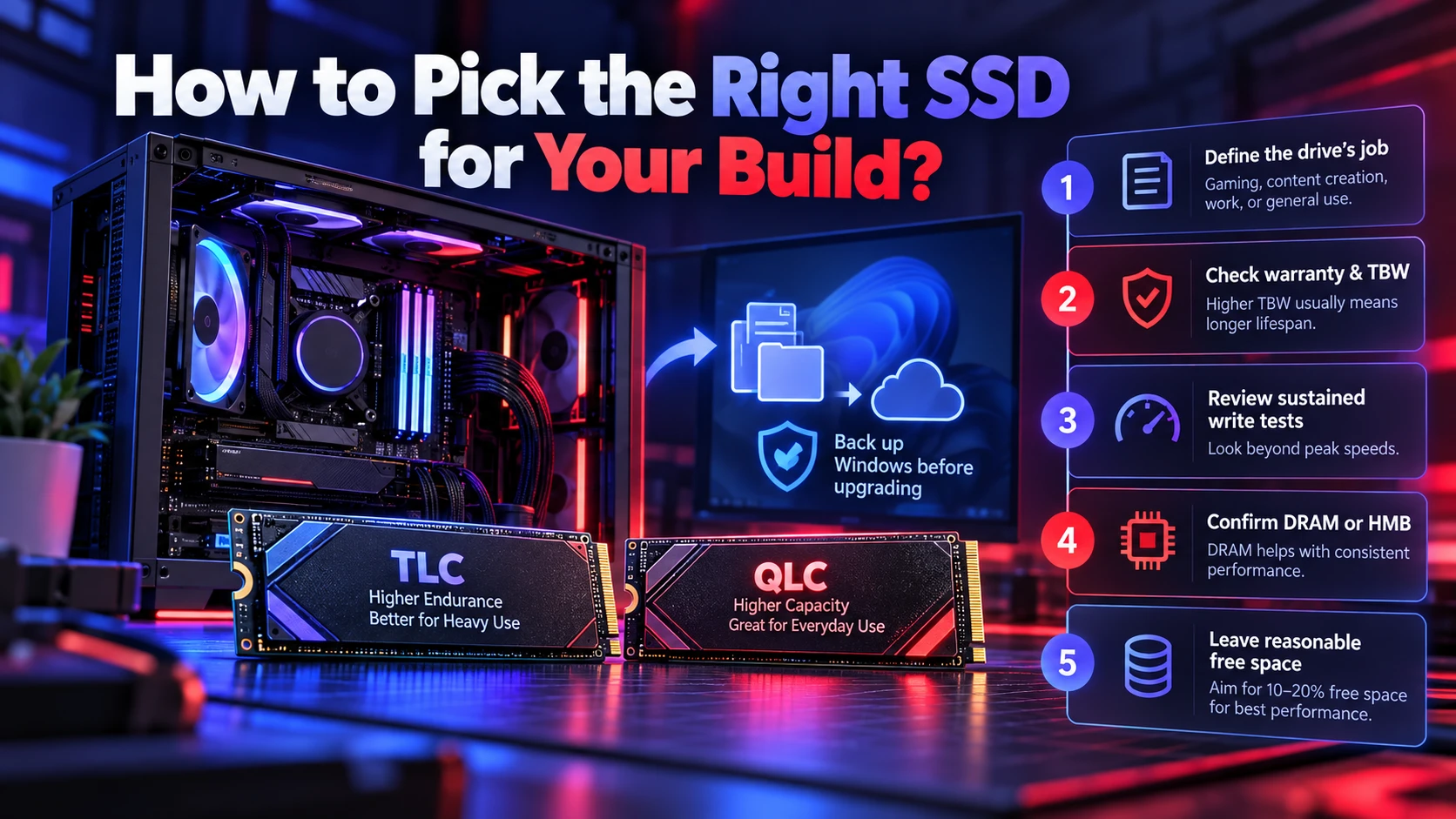
Start with how you use storage, not just peak benchmark numbers. A drive that feels fast in reviews can still slow down under long transfers if the cache is small or the NAND is slower. Capacity planning also matters because SSDs perform best with free space available for wear leveling and cache behavior.
- Define The Drive’s Job: Use TLC for OS and active projects, and consider QLC for bulk game storage.
- Check Warranty And TBW: Compare endurance ratings at the same capacity to understand lifespan margin.
- Review Sustained Write Tests: Look for performance after cache, not just burst speeds.
- Confirm DRAM Or HMB Behavior: DRAM often helps, but good HMB implementations can still be responsive.
- Leave Reasonable Free Space: Avoid running the SSD consistently near full capacity. Available space can help dynamic caching, garbage collection, and wear leveling, but there is no universal free-space percentage that applies equally to every SSD.
If the new SSD will replace your Windows system drive, back up Windows 11 before the upgrade so personal files, recovery information, and important settings are protected before cloning, reinstalling, or changing storage hardware.
Once you narrow it down, the final choice often comes down to price and how much consistency you want.
What to Check After Choosing an SSD
After choosing an SSD, keep an eye on drive health, available capacity, temperature, firmware, and SMART indicators over time. Performance specifications matter when buying, but monitoring the drive after installation helps you spot unusual wear, integrity errors, or thermal problems before they become more serious.
Conclusion
TLC SSDs are generally better for everyday use and gaming when you want consistent performance, stronger endurance, and fewer slowdowns during big installs and updates. QLC SSDs are best when capacity and cost per gigabyte matter most and the workload is mainly reads. The most practical setup is often TLC for the OS and core apps, with QLC as a larger secondary drive for a game library.
Pick based on the role of the drive, not just the interface or the advertised peak speed. With the right match, both TLC and QLC can deliver a fast, smooth experience.
Frequently Asked Questions
Is QLC Bad For Gaming?
QLC is not bad for gaming, especially as a library drive where most activity is reading game files. The main downside is slower sustained writes during large installs and updates when cache runs out. If you update and move games often, TLC tends to feel more consistent.
Does TLC Last Longer Than QLC?
TLC usually has higher endurance ratings because each cell tolerates more program and erase cycles. For typical home use, both can last a long time, but TLC provides more safety margin. Always compare TBW and warranty terms for the specific model.
Should I Use TLC for My Windows Boot Drive?
TLC is often a strong choice for a Windows boot drive when sustained write performance and endurance are priorities, but NAND type alone should not decide the purchase. A well-designed QLC NVMe SSD can also provide responsive everyday system performance. Compare the specific drive’s controller, sustained performance, capacity, TBW rating, thermals, warranty, and price before choosing.