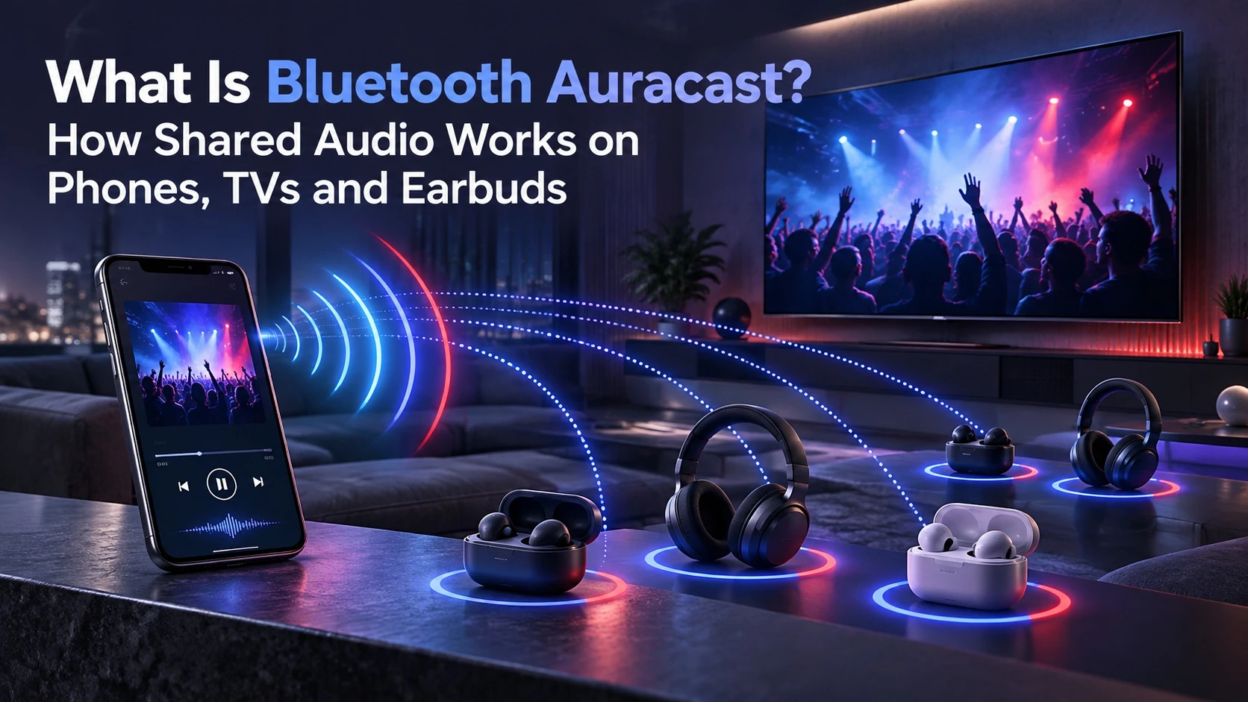
Auracast broadcast audio is a Bluetooth LE Audio capability that allows a compatible transmitter to broadcast audio to multiple nearby receivers. Instead of creating a separate point-to-point audio connection for every listener, compatible receivers can discover and join the same broadcast.
What Bluetooth Auracast Means
Auracast broadcast audio is built on Bluetooth LE Audio, the next generation of Bluetooth audio. More specifically, Auracast uses defined configurations of Bluetooth broadcast audio within the Public Broadcast Profile, allowing compatible receivers to discover and join shared audio broadcasts.
With Auracast, a TV, phone, laptop, or public audio system can broadcast. Multiple sets of earbuds, hearing aids, speakers, or dongles can tune in without the broadcaster managing separate connections.
How Shared Audio Works In Simple Terms
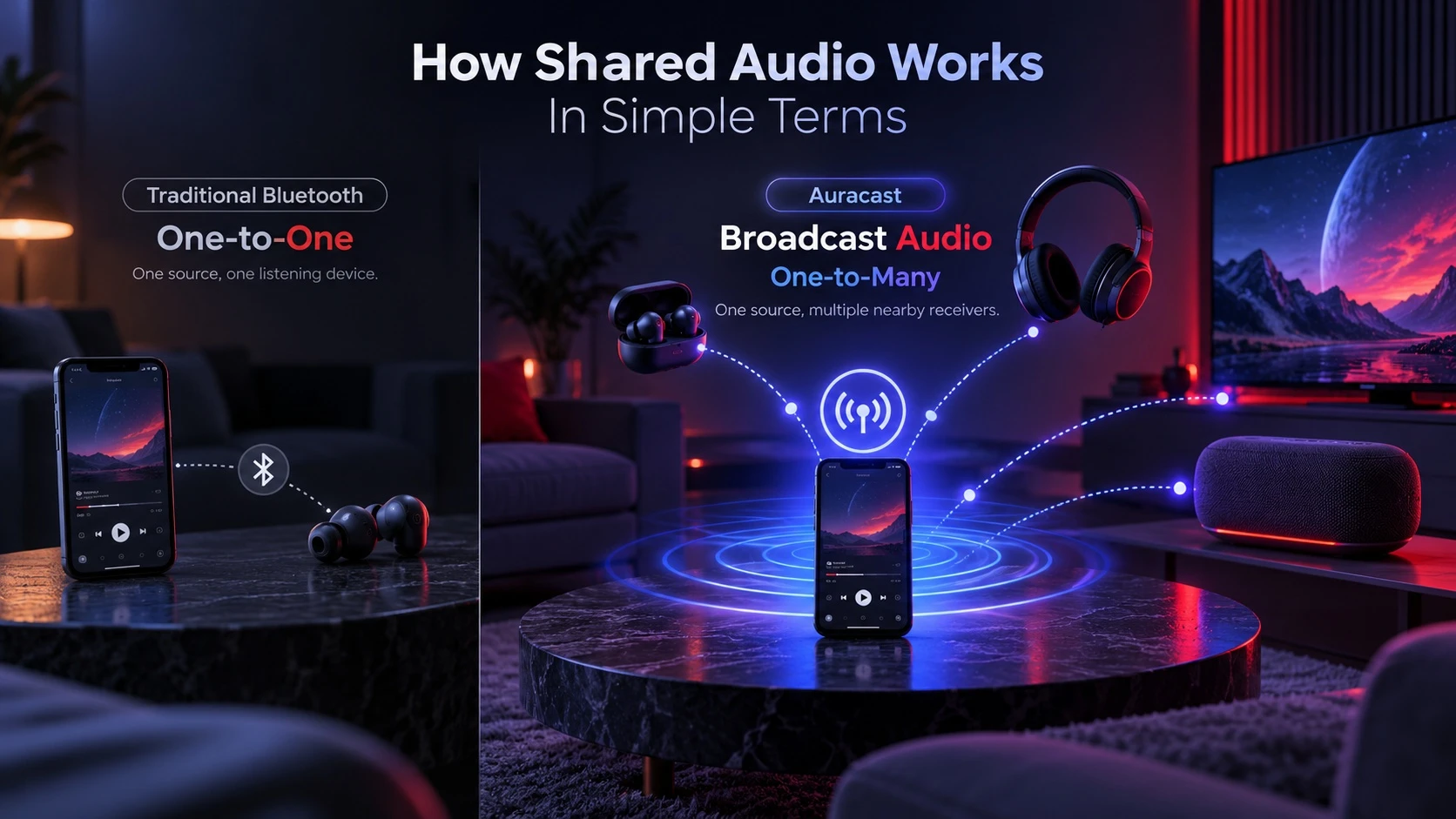
Traditional Bluetooth audio is primarily built around point-to-point connections between a source and listening device. Auracast adds a broadcast model in which one compatible transmitter can make an audio stream available to multiple nearby compatible receivers.
The broadcast can be open for anyone nearby or set up with access control. The goal is to make shared listening easier while keeping power use low on both the transmitter and receivers.
Key Parts in an Auracast Setup
- Broadcaster: The source device that sends the audio stream, such as a TV, phone, PC, or dedicated transmitter.
- Receiver: The listening device that joins the broadcast, such as earbuds, headphones, hearing aids, or an adapter.
- Auracast Assistant: A compatible device or application, often on a smartphone, that can help discover and select broadcasts and provide the information a receiver needs to join them.
Once compatible components are in place, each listener can join the broadcast without establishing a traditional point-to-point pairing relationship with the audio source.
Phones and Tablets With Auracast
On supported devices, a phone can serve as an Auracast broadcast source for personal audio sharing. A smartphone can also act as an Auracast assistant, helping users discover and select broadcasts for compatible LE Audio earbuds, headphones, or hearing devices. Exact capabilities depend on the phone, operating system, and connected audio hardware.
On supported Android devices, Audio Sharing controls can be used to share audio with compatible LE Audio accessories, while supported Samsung devices can also expose options to find or start Auracast broadcasts.
Support depends on the phone model, operating system updates, and the Bluetooth chipset. Even when hardware is capable, the feature may require a firmware update and compatible earbuds or hearing devices.
What You May See on Supported Phones
The controls vary by manufacturer and Android version, but supported implementations may expose options similar to the following.
- Broadcast Discovery: A list of nearby broadcasts with readable names such as Living Room TV.
- Join Controls: A single tap join action, sometimes with a prompt to choose earbuds or hearing aids.
- Access Prompts: A passcode or QR style access flow when the broadcast is private.
If a broadcast does not appear, first confirm that the phone and listening device explicitly support LE Audio and the required Auracast features. Then install available operating-system and firmware updates and retry the connection before using more disruptive steps such as resetting network or Bluetooth settings.
TVs And Streaming Devices With Auracast
For TVs, Auracast solves a long standing pain point. Multiple people can listen to the same TV without sharing a splitter or juggling multiple Bluetooth connections that can add lag or dropouts.
Some TVs can include Auracast support directly, while other setups may use a separate Auracast transmitter connected through an audio interface supported by both the TV and transmitter, such as optical, analog, USB, or an HDMI-based audio connection depending on the hardware. Check the transmitter’s input specifications rather than assuming every model supports the same TV connection.
Common Auracast TV Use Cases
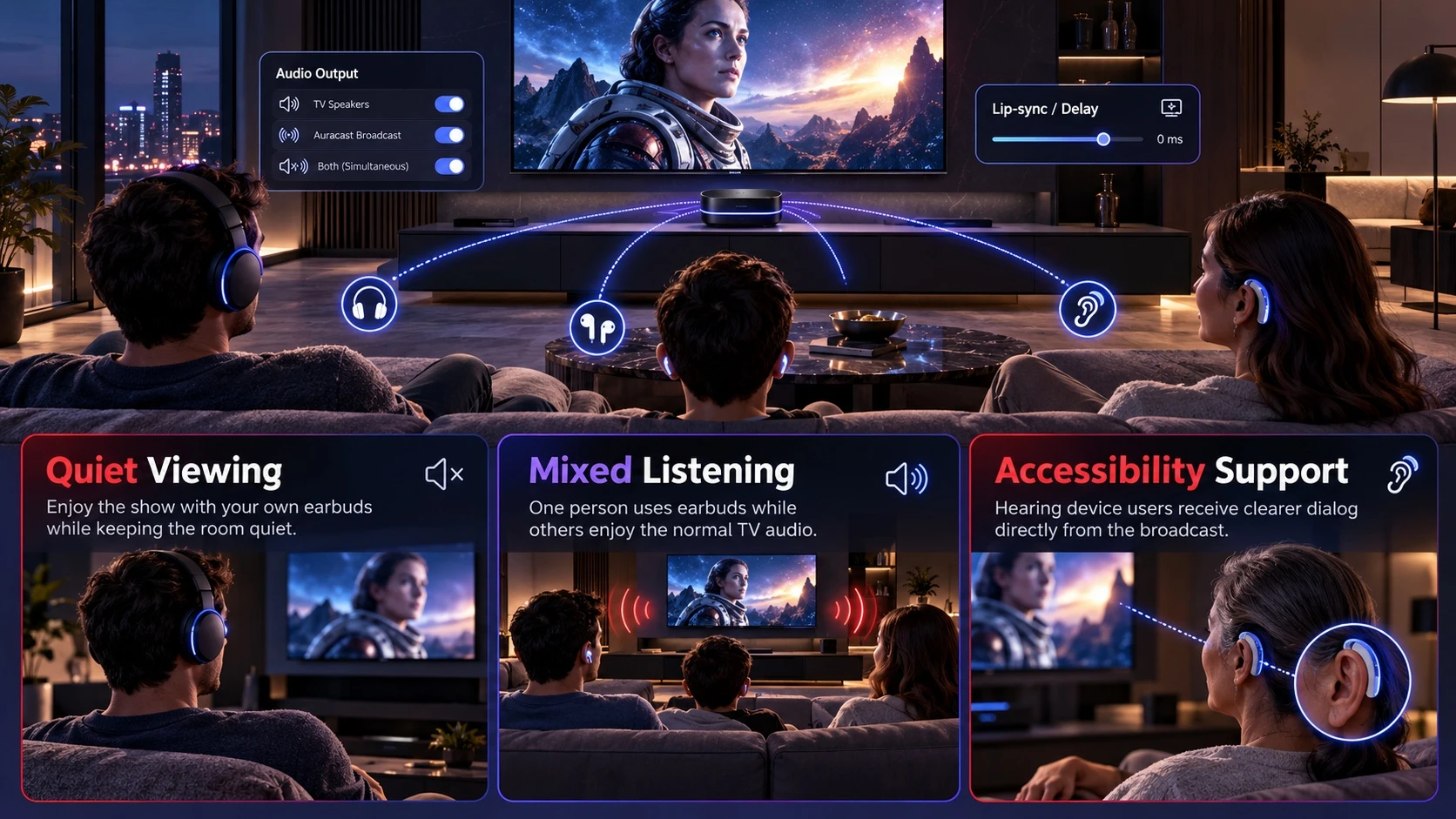
- Quiet Viewing: Several listeners use earbuds while the TV speakers stay muted.
- Mixed Listening: One group uses earbuds while others keep the room audio on, depending on TV support.
- Accessibility Support: Hearing devices join the broadcast for clearer dialog without changing the TV volume for everyone.
Auracast also fits into the broader category of assistive technology, where connected hearing devices and other accessibility tools can improve access to everyday information and media.
When evaluating a TV setup, confirm which audio output the transmitter will use and whether the TV or transmitter provides delay or lip-sync adjustment. This is especially important when the room speakers and wireless listeners are expected to play simultaneously.
Earbuds and Headphones That Support Auracast
Auracast reception requires compatible Bluetooth LE Audio hardware and the necessary broadcast-audio support. Many existing earbuds will not gain Auracast through a software update, although some products may be upgradeable if their underlying Bluetooth hardware supports the required features and the manufacturer chooses to enable them.
Do not use the Bluetooth version number alone to determine Auracast compatibility. LE Audio relies on capabilities introduced with Bluetooth Core 5.2, but a product advertising Bluetooth 5.2 or later does not automatically mean it implements LE Audio or Auracast. Look for explicit LE Audio and Auracast support in the product specifications.
What Improves With Auracast Ready Earbuds
- Faster Joining: Listeners can join a broadcast without a full pairing flow.
- Better Scalability: Many listeners can connect at once without stressing the source device.
- Power Efficiency: LE Audio was designed with lower-power audio operation in mind, but real battery life still depends on the earbuds, radio implementation, volume, codec settings, and other device features.
Device makers may implement extra controls such as stream priority, channel selection, or automatic switching. Those features vary by brand and firmware.
If you are also comparing everyday listening features such as noise cancellation, fit, battery life, and wireless connectivity, see our guide to wireless headphones.
Auracast Versus Traditional Bluetooth Audio
Traditional Bluetooth audio works well for personal listening but struggles when you want many people connected to one source. Auracast focuses on shared listening and public audio where fast joining and reliability matter.
This table highlights practical differences you can expect when hardware and software support is in place.
| Feature | Traditional Bluetooth Audio | Bluetooth Auracast |
|---|---|---|
| Connection Style | One-to-one pairing | One-to-many broadcast |
| Joining a Stream | Pair, then connect | Discover, then join |
| Number of Listeners | Limited by the point-to-point implementation | Multiple in-range receivers can join the same broadcast |
| Typical Use | Personal audio | Shared and public audio |
Security and Privacy Basics
Auracast broadcasts can be open or encrypted. Open broadcasts do not require a Broadcast Code, while encrypted broadcasts require compatible receivers to obtain the correct Broadcast Code before the audio can be rendered. Public installations are often intended to be open, while personal or confidential broadcasts can use encryption.
Auracast range is implementation-dependent and varies with transmitter power, antenna design, building layout, interference, and receiver sensitivity. Bluetooth signals can also pass through walls, so sensitive or private audio should use encryption rather than relying on physical distance for privacy.
What You Need to Use Auracast
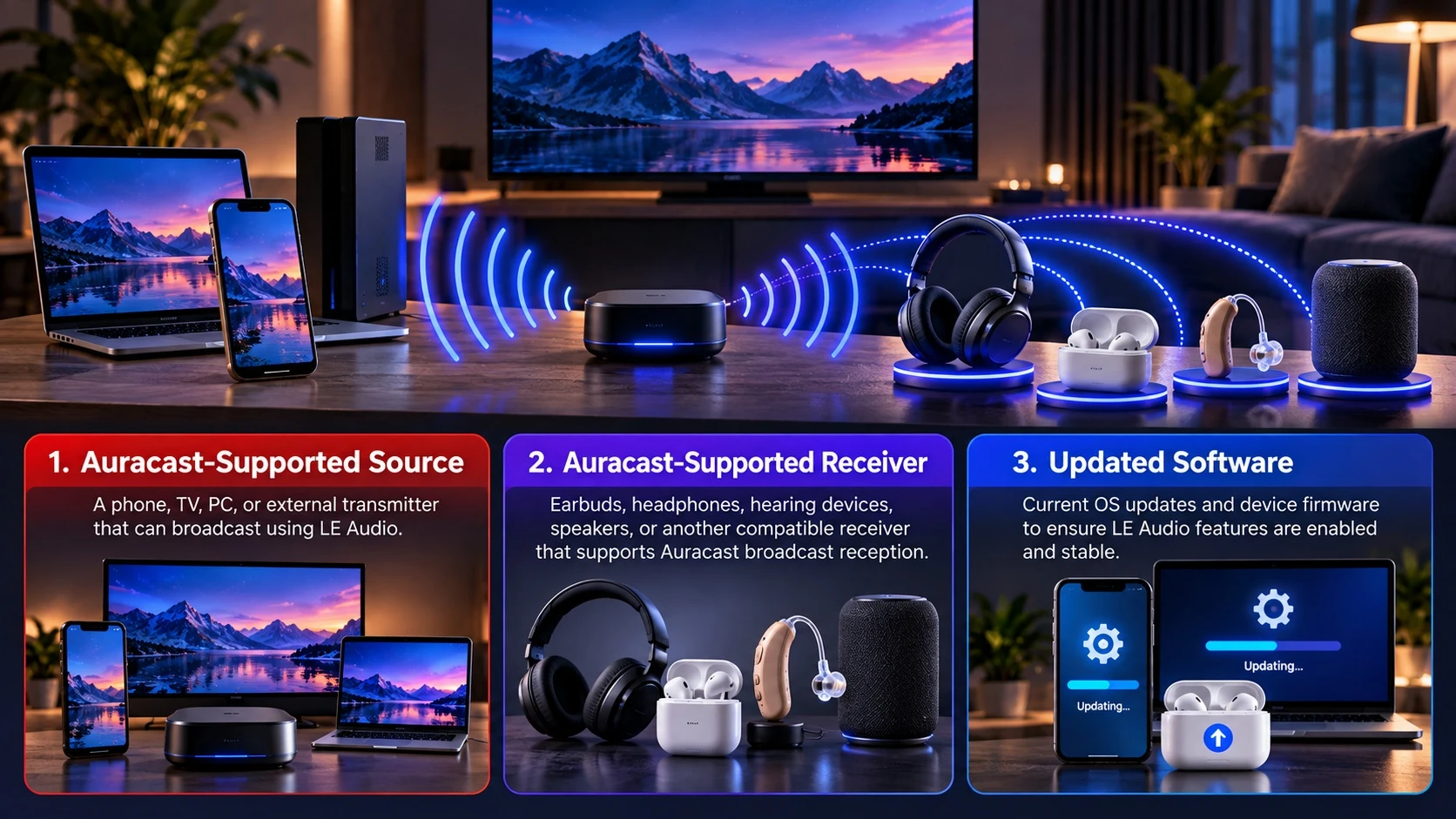
To use Auracast successfully, you need compatible hardware on both ends. You also need software support because discovery and joining are handled by the OS, the earbuds firmware, or a companion app.
- Auracast-Supported Source: A phone, TV, PC, or external transmitter that can broadcast using LE Audio.
- Auracast-Supported Receiver: Earbuds, headphones, hearing devices, speakers, or another compatible receiver that supports Auracast broadcast reception.
- Updated Software: Current OS updates and device firmware to ensure LE Audio features are enabled and stable.
If you are comparing wireless listening hardware, it also helps to understand Bluetooth audio codecs and which formats your phone and headphones actually support.
Common Issues and Practical Fixes
Auracast behavior can vary between products because support depends on the Bluetooth hardware, operating system, firmware, receiver capabilities, and each manufacturer’s implementation. When a setup does not work, first verify explicit Auracast support at every required point in the audio chain.
- Broadcast Not Showing Up: Confirm that the transmitter and receiver explicitly support the required Auracast roles, make sure Bluetooth is enabled, and check any permissions required by the phone or companion app. Restart discovery after installing available firmware or OS updates.
- Audio Lag On TV: Check TV audio processing settings, try a different output path, and look for lip sync controls in the TV menu.
- Dropouts Or Stutter: Reduce interference, update firmware, and test within a shorter range to isolate signal problems.
If problems continue after compatibility and updates are confirmed, test at shorter range and with fewer nearby wireless devices. Persistent issues may be specific to the transmitter, receiver, firmware, or TV audio path.
Conclusion
Bluetooth Auracast brings a broadcast model to wireless audio, making it easier for many people to listen to the same source on phones, TVs, and earbuds. It builds on LE Audio to improve efficiency and simplify joining shared streams.
If you want shared TV listening or personal audio sharing, verify explicit Auracast support on the transmitter and receiver rather than relying only on a Bluetooth version number. For TV setups, also confirm how the transmitter receives audio from the television and whether delay adjustment is available.
For lower-cost listening options, you can also compare budget earbuds by sound, battery life, comfort, and wireless features before upgrading.
Frequently Asked Questions
Does Auracast Work With Any Bluetooth Earbuds?
No. Auracast requires Bluetooth LE Audio support and broadcast reception, which many older earbuds do not have. Checking the product specs for LE Audio and Auracast support is the safest way to confirm compatibility.
Can A TV Broadcast Auracast Without Built In Support?
Yes. A TV without built-in Auracast may be able to use an external Auracast transmitter. The connection method depends on the transmitter and television and may use optical, analog, USB, or an HDMI-based audio interface. Check the transmitter’s supported inputs, TV output settings, and available delay controls before buying.
Is Auracast Private Or Can Anyone Listen?
Auracast broadcasts can be open or encrypted. Open broadcasts can be joined by compatible in-range receivers, while encrypted broadcasts require the correct Broadcast Code. Use encryption when the audio is private or confidential.