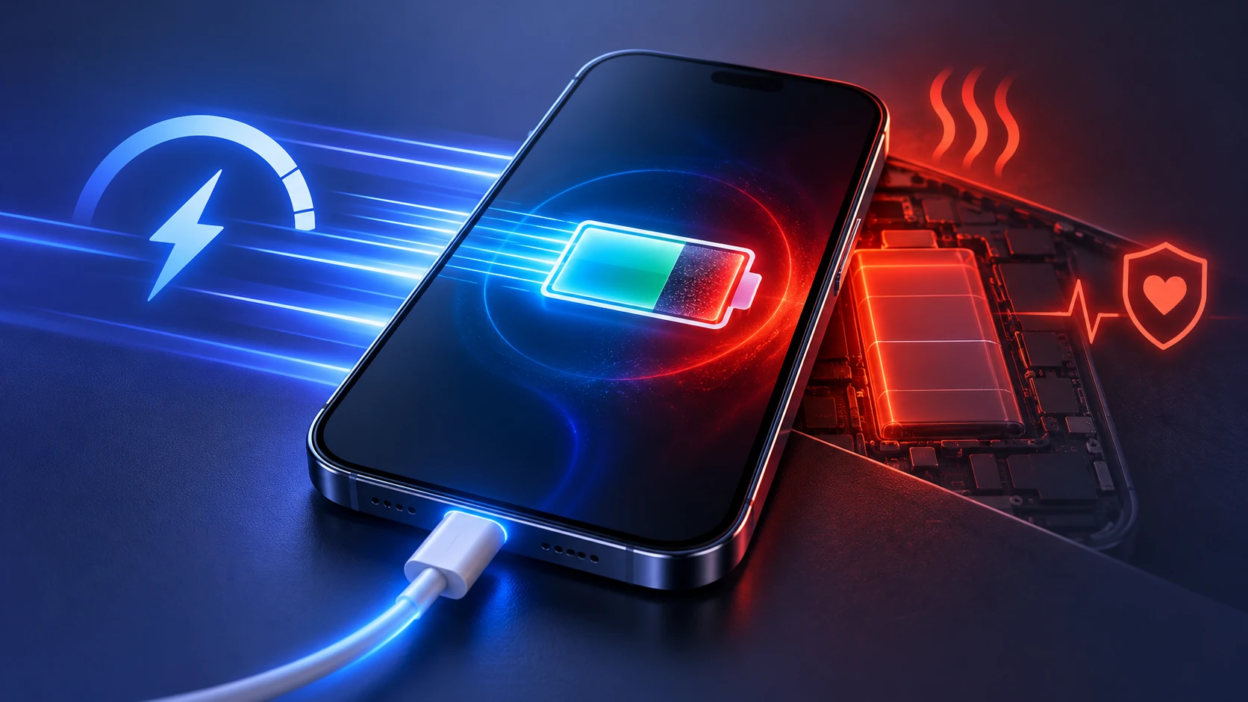
Fast charging is not automatically bad for your phone battery, but it can contribute to faster battery wear under certain conditions. Heat, charging current, battery temperature, and the time spent near 100% charge all influence how quickly a lithium-ion battery ages. Modern smartphones use charging controllers and temperature monitoring to reduce these risks, although battery wear cannot be prevented completely. This guide explains how fast charging affects battery health, whether slow or overnight charging is better, and which charging habits can help your battery last longer.
How Fast Charging Works?
Fast charging increases the power sent to your battery by raising current, voltage, or both. Your device negotiates with the charger and cable to choose a safe power level. Modern charging standards also include rules that reduce power when conditions are not ideal.
Most lithium-ion batteries use a charging process commonly described as constant-current and constant-voltage charging. During the earlier stage, the charging system supplies a controlled current while battery voltage rises. As the battery approaches its upper voltage limit, the system holds voltage within the permitted range and gradually reduces charging current. Modern smartphones can also adjust charging power throughout the process based on temperature, battery condition, and manufacturer-defined limits. This is why a phone usually charges faster at lower battery percentages and slows down as it approaches full capacity.
Charging speed also depends on the technology supported by your phone and charger. For a closer look at charging protocols and how power levels are negotiated, read our guide to USB-C fast charging, PD, PPS, and wattage.
What Actually Wears Out A Battery?
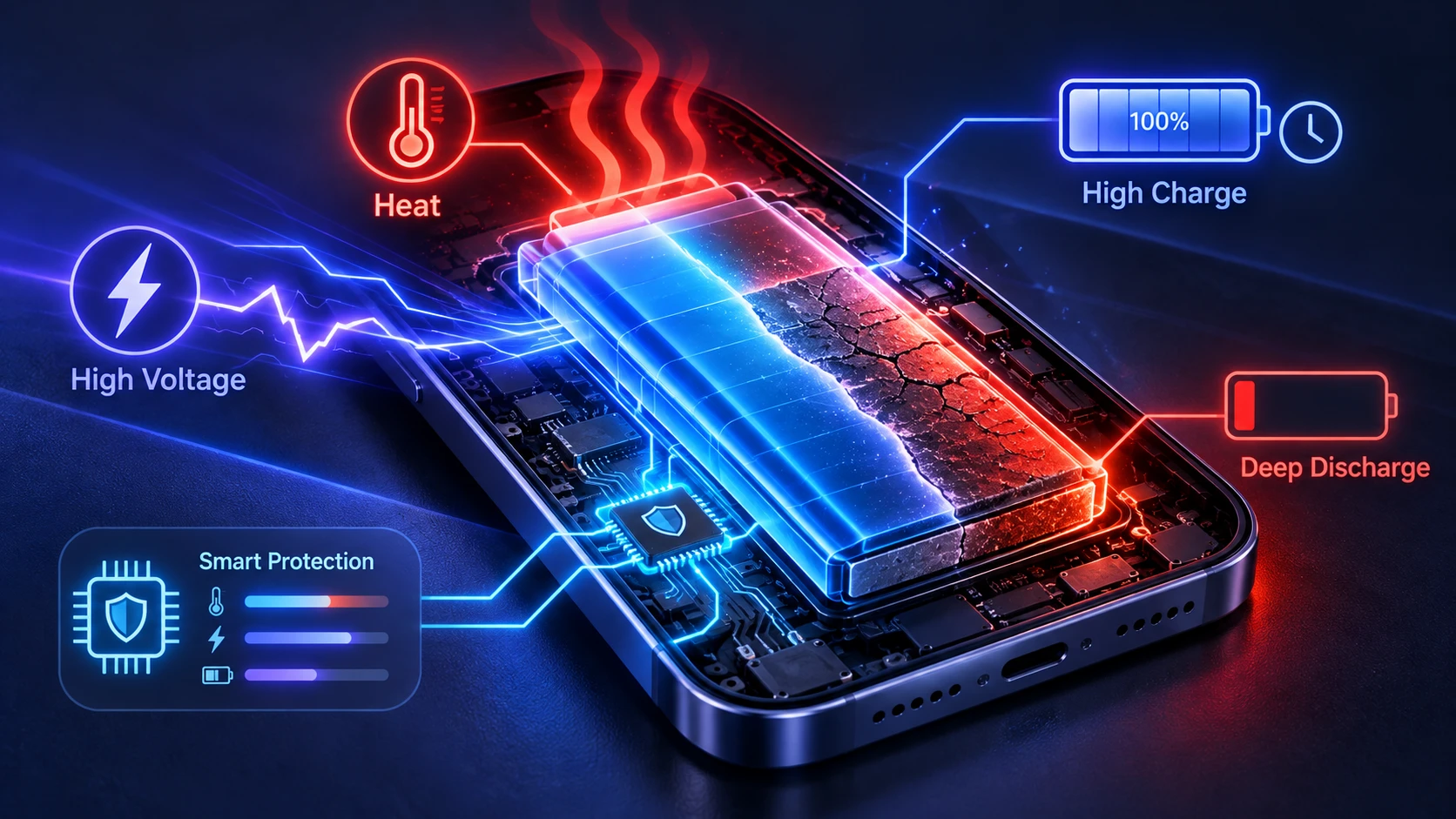
Battery aging comes from chemical changes that reduce capacity and increase internal resistance. Those changes speed up when the battery is hot, when it sits near full charge for long periods, and when it is repeatedly pushed to very high voltage. Deep discharges to near zero can also add strain, especially when paired with heat.
Fast charging can increase wear if it raises heat or keeps the battery at a higher voltage longer than necessary. But well-designed phones manage this by monitoring temperature sensors and adjusting power in real time. The charging controller is often the difference between safe fast charging and unnecessary stress.
Heat is the Real Problem
Heat is the most consistent predictor of faster battery degradation. Higher temperature accelerates unwanted reactions inside the cell and can permanently reduce capacity over time. This is why charging speed alone is not the whole story, because a cooler slow charge can be gentler than a hot fast charge, and a cool fast charge can be safer than a warm slow one.
Heat tends to spike when you use your phone heavily while charging. Gaming, navigation, video calls, and hotspot use add internal heat while the charger adds more. A thick case, a pillow, or direct sunlight can trap that heat and make fast charging more stressful.
According to Apple’s battery lifespan recommendations, exposure to high temperatures can permanently reduce battery capacity. Apple advises avoiding ambient temperatures above 35°C (95°F) and removing certain phone cases if they cause excessive heat during charging. Although these recommendations are written for Apple devices, limiting unnecessary heat is a useful principle for lithium-ion battery care.
- Charge In A Cool Place: Room temperature charging is easier on the battery than charging in a hot car or near a window with direct sun.
- Avoid Heavy Use While Charging: Keeping the screen off and limiting high-load apps reduces heat and helps charging stay efficient.
- Remove Heat Traps When Needed: If your phone feels warm, taking off a thick case during charging can improve heat dissipation.
- Skip Wireless Fast Charging When Heat Is High: Wireless charging often runs warmer due to coil losses, especially at higher wattage.
Wireless charging efficiency also depends on how accurately the phone and charger coils are aligned. The Wireless Power Consortium’s Qi charging guidance explains how Qi2 magnetic alignment improves energy efficiency and charging performance. Choosing a compatible wireless charger and positioning the device correctly can help reduce unnecessary power losses.
Small changes that reduce heat usually have a bigger impact on battery life than choosing a slightly slower wattage charger.
If your device becomes unusually warm during charging, it is worth checking whether background apps, heavy usage, or environmental conditions are contributing to the problem. iPhone users can explore additional causes and solutions in our guide explaining why your iPhone gets hot.
High Charge Levels and High Voltage Matter
Keeping a lithium-ion battery near 100% for extended periods can increase chemical aging because the battery remains at a relatively high state of charge. To reduce this stress, many smartphones include optimized charging or battery protection features. Adaptive charging may delay the final part of charging so the phone reaches 100% closer to when you normally unplug it. A charging limit works differently: it stops charging at a selected percentage, such as 80% or 85%, depending on the device. Both approaches can reduce time spent at high charge levels, but the features and available settings vary by phone model.
Frequent top-ups are not automatically harmful, because lithium-ion has no memory effect. What matters is how long the battery stays at very high charge and whether the phone stays hot while plugged in. Overnight charging is generally safe on modern devices, but battery health is better when adaptive charging is enabled.
How to Enable Battery Protection on Your Phone
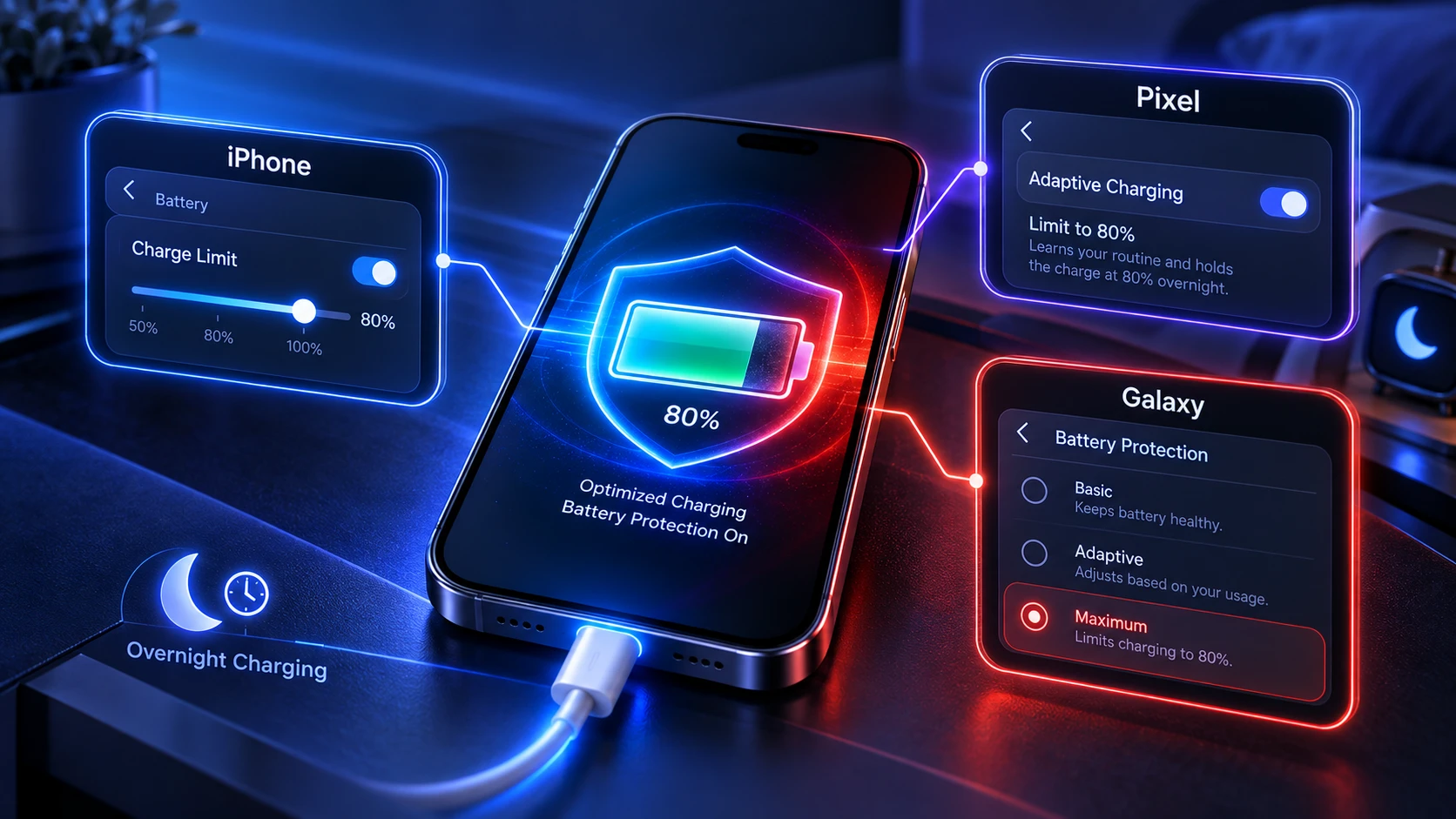
Many modern smartphones include built-in battery protection features that reduce the time a battery spends at 100% charge. Depending on your device, you may be able to set a maximum charging percentage or enable optimized charging that adjusts to your daily routine.
- Apple iPhone: On iPhone 15 and later, open Settings, select Battery, and tap Charging. You can choose an available charge limit, such as 80%, to help reduce time spent at higher charge levels. For detailed instructions, see Apple’s charge limit instructions.
- Google Pixel: On supported Pixel phones, open Settings, go to Battery, select Battery health, and open Charging optimization. You can enable Adaptive Charging or select Limit to 80% where supported. Adaptive Charging adjusts charging based on your routine, while the 80% limit prioritizes long-term battery health. Follow Google’s Pixel charging optimization guide for more information.
- Samsung Galaxy: Open Settings, select Battery, and enable Battery protection if the feature is available. Depending on your device and software version, options may include Basic protection, Maximum protection, and sleep-time charging protection. Maximum protection allows supported devices to stop charging at a selected percentage. See Samsung’s battery protection guide for the latest instructions.
These battery protection features are especially useful if you regularly charge overnight or leave your smartphone connected for extended periods. However, charging to 100% remains reasonable when you need the maximum available battery life for travel, work, or daily activities.
Fast Charging vs Slow Charging: What Changes?
Fast charging and slow charging can both be safe when a compatible charger and functioning battery management system are used. Fast charging delivers more power and reduces charging time, but higher charging power may increase battery temperature and electrical stress. Slower charging often produces less heat under comparable conditions, although actual results depend on the phone, charger, and environment.
The amount of time a battery remains at 100% is a separate consideration. Leaving a fully charged phone connected for long periods can increase time at a high state of charge, regardless of whether it reached 100% quickly or slowly.
| Charging Method | Main Advantage | Potential Drawback | Best Use |
|---|---|---|---|
| Fast Wired Charging | Restores battery power quickly | May generate additional heat during high-power charging | Quick charging before leaving home |
| Standard Wired Charging | Often generates less heat at lower power levels | Requires more time to recharge | Routine charging when speed is less important |
| Fast Wireless Charging | Convenient charging without connecting a cable | Misalignment and power losses can increase heat | Desk or bedside charging with compatible equipment |
| Adaptive Charging | Reduces time spent at full charge | May delay reaching 100% | Overnight or predictable charging routines |
A separate 80% or 85% charge limit can help reduce the time a battery spends at higher voltage, but it also reduces the battery capacity available for daily use. The best choice depends on how much charging speed and battery runtime you need.
Wireless charging standards also affect compatibility, power delivery, and efficiency. If you are comparing wireless charging options, our Qi2 vs Qi2 25W wireless charging guide explains their differences, magnetic alignment, and charging performance considerations.
Charging Standards and Safety Controls
Modern phones do not simply accept whatever power a charger can provide. USB Power Delivery and other protocols negotiate the voltage and current the phone requests. The battery management system then decides how much of that power can be used safely based on temperature, battery level, and internal resistance.
Many devices also throttle charging as the battery warms or approaches full. This is why charging often feels fastest from low to mid levels, then slows down at higher percentages. That slowdown is not a flaw, it is intentional battery protection.
Common Myths About Fast Charging
One common myth is that any fast charging is automatically bad. The more accurate view is that uncontrolled heat and unnecessary time at high voltage are bad. If your phone remains cool and the system tapers correctly near full, occasional fast charging is unlikely to be the main driver of battery wear.
Another myth is that charging in short bursts ruins a battery. Lithium-ion generally prefers shallow cycles over deep cycles, so topping up is often easier on the cell than running it down to very low levels. The key is to avoid frequent hot charging sessions and avoid storing the battery at 100 percent for long stretches.
Best Practices for Battery Health Without Giving Up Speed
You can get most of the convenience of fast charging while minimizing the main stressors. Focus on controlling heat, limiting time at full charge, and using quality charging gear. These habits help regardless of phone model or charging wattage.
- Enable Battery Protection Features: Turn on adaptive charging, optimized charging, or charge limit settings if your phone offers them.
- Prefer Fast Wired Over Fast Wireless: Wired charging is typically more efficient and runs cooler when using a good cable and charger.
- Use A Practical Charging Range: Keeping your phone away from very low and very high charge levels when convenient can help reduce battery stress. A 20–80% charging range is a useful guideline, not a strict requirement. Charging to 100% is reasonable when you need longer battery life for travel, work, or a busy day.
- Charge Before You Hit Single Digits: Very low battery states can add strain, especially if the phone is warm or under load.
- Use Certified Chargers and Cables: Quality accessories maintain stable power delivery and reduce heat from resistance.
These steps work well together, and you can apply them selectively based on how you use your phone each day.
When Fast Charging Can Be A Problem
Fast charging deserves extra attention when a phone repeatedly becomes unusually hot, especially during gaming, navigation, or charging in direct sunlight. High ambient temperatures, damaged accessories, blocked ventilation, and incompatible charging equipment can make these conditions worse. A phone becoming slightly warm during charging is not automatically a sign of damage, but repeated overheating, charging interruptions, unusual odors, or visible battery swelling should not be ignored. If the battery is swollen or damaged, stop using or charging the device and seek professional service rather than attempting to repair the battery yourself.
Battery health can also drop faster on older devices whose batteries have higher internal resistance. As batteries age, they heat up more under the same charging load. If you notice your phone getting noticeably warmer than it used to during charging, using a slower charger or enabling a charge limit may help.
Choosing the Right Charger and Cable
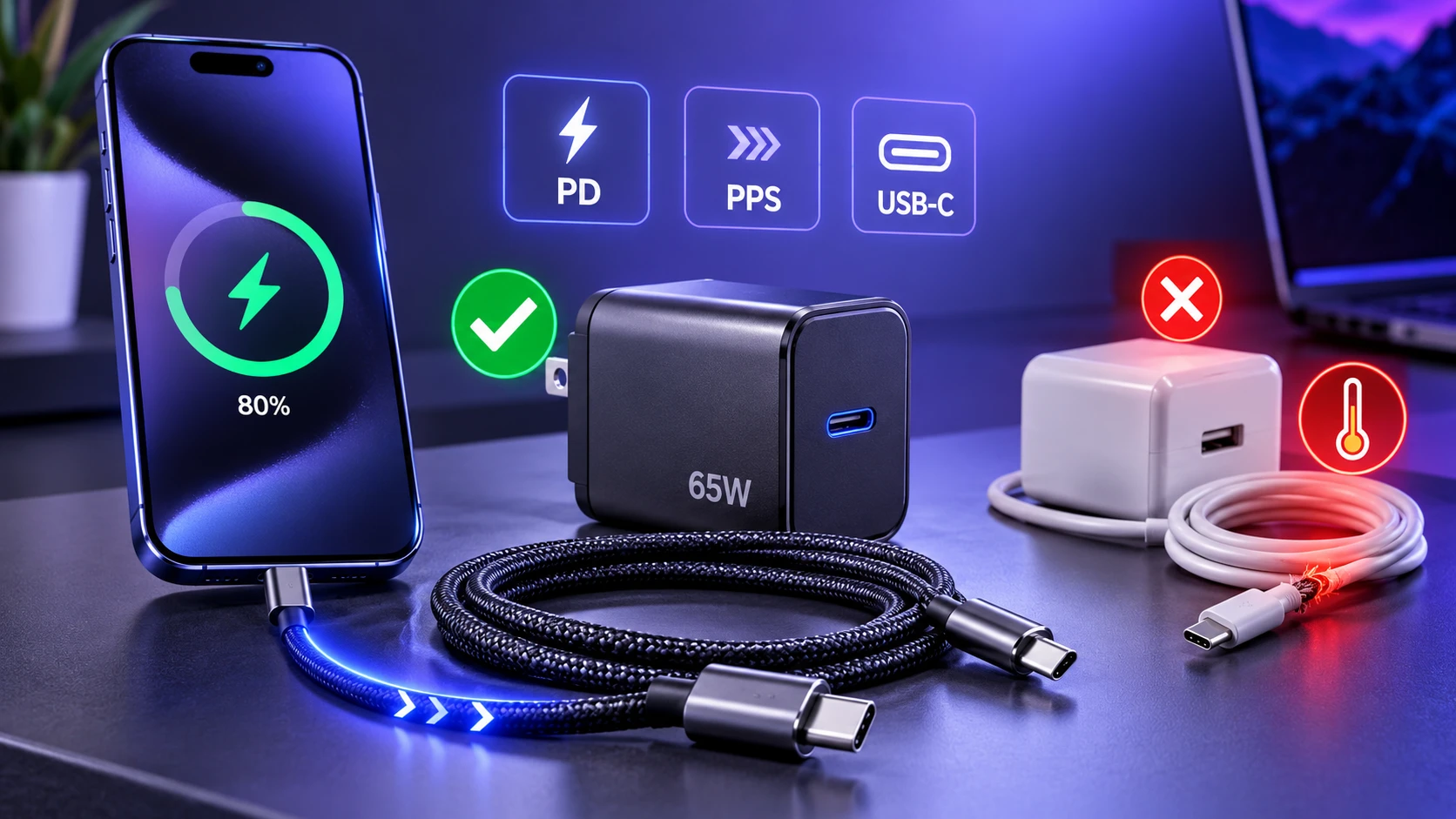
The safest setup is one that matches your phone’s supported charging protocol and wattage. A higher-watt charger is not automatically harmful, because the phone only draws what it can handle. The bigger issue is cheap accessories that lack proper regulation or use thin cables that waste power as heat.
When buying a USB-C charging cable, check its supported power rating, compatibility, and certification markings. The USB-IF cable and connector requirements explain how certified cables are tested for quality and supported capabilities. Not every USB-C cable delivers the same charging power or data transfer speed, so choosing a cable that matches your phone and charger helps ensure reliable performance.
If you are choosing a new power adapter, consider its supported charging protocols, power output, and overall build quality rather than wattage alone. Compact GaN chargers can offer efficient power conversion and convenient multi-device charging, although the internal technology does not automatically make every charger safer or faster. Our comparison of a GaN charger versus a regular charger explains how efficiency, heat management, size, and device compatibility affect your choice.
Conclusion
Fast charging does not automatically damage your smartphone battery, but charging speed is one of several factors that can influence battery aging. Temperature, charging current, battery condition, and prolonged time at high charge levels all matter. Modern phones manage these conditions to reduce unnecessary stress, although every rechargeable battery gradually loses capacity with age and use.
For the best balance between convenience and battery health, use compatible charging accessories, avoid excessive heat, and enable adaptive charging or a charge limit when practical. Fast charging is a useful option when time is limited, while slower charging may be preferable when you do not need maximum speed. Consistent charging habits and proper temperature management are more useful than avoiding fast charging completely.
Frequently Asked Questions
Is It Better to Fast Charge or Charge Overnight?
Overnight charging is generally safe with a compatible charger and a modern smartphone that has working charging protections. The phone manages charging when the battery reaches full capacity, but leaving it connected can still mean spending more time at a high charge level. Optimized or adaptive charging can help by delaying the final part of charging until closer to your usual wake-up time. If you charge overnight, place the phone on a firm, uncovered surface in a cool environment, and avoid charging under pillows or bedding. Fast charging is useful when you need power quickly, while overnight charging is convenient when combined with appropriate battery protection settings.
Does Fast Charging Damage Battery Capacity Faster?
Fast charging can accelerate wear if it causes frequent high heat or repeated charging to 100 percent in warm conditions. If your phone stays cool and tapers properly near full, the difference is often small compared to heat and high-voltage time. Monitoring temperature is more useful than focusing only on wattage.
Should I Stop Charging At 80 Percent?
Stopping at 80 to 85 percent can meaningfully reduce battery stress by lowering time spent at high voltage. It is most helpful for people who keep their phones plugged in often or charge overnight. If you regularly need full-day range, using a charge limit only on lighter days can still provide benefits.